For automatic HTTPS in a homelab, Caddy is the easiest, Traefik is the best fit if your services are Docker containers, and Nginx Proxy Manager is the friendliest if you want a web UI instead of config files. All three fetch and renew Let’s Encrypt certificates for you, including wildcards over DNS-01 — the difference is how you tell them what to route and how much they do on their own. Pick by how you run your services, not by which is “best.”
A reverse proxy is where certificate management should live: one component holds the wildcard, terminates HTTPS once, and forwards plain HTTP to each backend on your trusted LAN. I have run all three in anger, and the honest truth is that any of them will get you a green padlock — the right choice is the one that matches how your brain and your stack already work. Here is how I tell them apart.
Which Reverse Proxy Has the Simplest Automatic HTTPS?
Caddy, without contest — it does automatic HTTPS by default, so you name a host and it fetches, installs, and renews the certificate with zero extra configuration. It is the only one of the three where TLS is on unless you turn it off. For a homelabber who just wants certificates to stop being a project, this is the shortest path there is.
The Caddyfile is genuinely two lines per service: a hostname and a reverse-proxy target. Point it at nas.home.example.com and Caddy handles the entire ACME dance itself. Per the Caddy automatic HTTPS documentation, it will even stand up its own internal CA for purely local names, and it supports on-demand TLS for issuing certificates as connections arrive. For a wildcard over DNS-01 you add a DNS-provider module — the one build step Caddy asks of you, since DNS plugins are compiled in.
Caddy is written in Go and ships as a single binary with no dependencies, which suits a lightweight LXC container perfectly. On my network Caddy is what I reach for when I want a service online with a real certificate in under five minutes and no ceremony. The trade is that its very simplicity can feel limiting if you need elaborate routing logic — but most homelabs never do.
When Is Traefik the Right Choice?
Traefik shines when your services are Docker containers, because it reads container labels and reconfigures itself live as containers start and stop — no config file to edit when you add a service. If your homelab is a stack of docker compose files, Traefik feels like it was built for you, because it essentially was. That dynamic discovery is its whole reason to exist.
Instead of a static config listing every route, Traefik watches a “provider” — most often the Docker socket — and builds its routing table from labels you attach to each container. Spin up a new container with the right labels and Traefik immediately routes to it, requests a certificate, and serves it over HTTPS. Its ACME support, documented in the Traefik documentation, includes a DNS challenge resolver for wildcard certificates. There is a live dashboard that shows every router, service, and certificate at a glance.
The cost is a steeper learning curve. Traefik’s model — entrypoints, routers, services, middlewares — is more to absorb than a two-line Caddyfile, and the label syntax is fiddly until it clicks. My rule: if you are already living in Docker Compose, Traefik’s dynamic discovery pays back the learning curve fast. If you are not, that complexity is a tax you do not need to pay, and Caddy or Nginx Proxy Manager will serve you better.
Who Should Use Nginx Proxy Manager?
Nginx Proxy Manager (NPM) is for anyone who wants to manage proxies and certificates through a web UI instead of editing text files — it wraps nginx and an ACME client behind a clean dashboard where you add a proxy host and request a certificate with a few clicks. It is the gentlest on-ramp of the three, and there is no shame in wanting buttons instead of YAML.
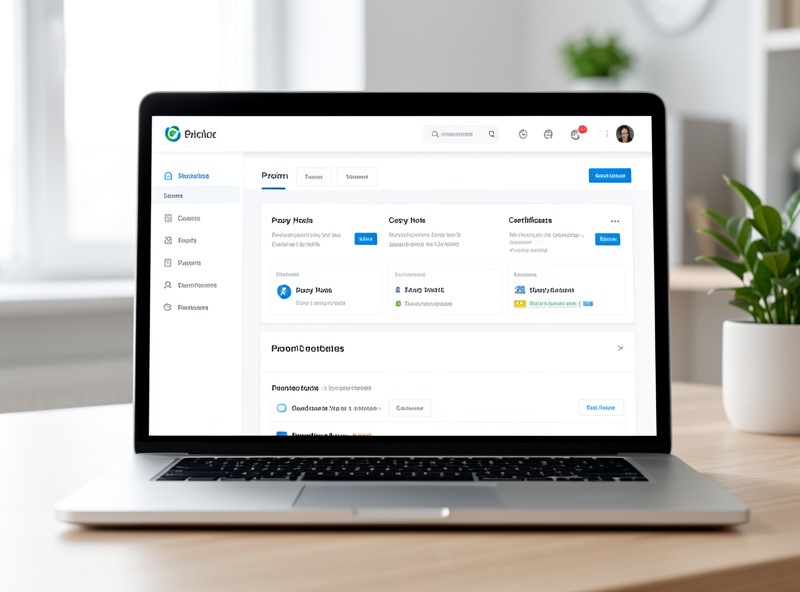
You run NPM as a container, open its web UI, and add each service as a “proxy host” — forward domain, target IP and port, done. Certificates are a tab: request a Let’s Encrypt certificate, including a wildcard via a supported DNS challenge provider, and NPM handles issuance and renewal underneath using nginx and an ACME client. For someone migrating off the ISP-router mindset who is not ready to write config files, it removes almost all the friction.
The honest limitation is that a GUI abstracts things, and when something breaks you are debugging generated nginx config you did not write. It is also less suited to dynamic, container-heavy setups than Traefik — you click to add each host rather than having them auto-discovered. But for a stable set of a dozen services managed by a human who likes a dashboard, NPM is a completely legitimate choice, and I have set it up for exactly that reader more than once.
Do All Three Support Wildcard Certificates and Internal CAs?
Yes — all three can issue Let’s Encrypt wildcard certificates via the DNS-01 challenge, and Caddy can additionally run its own internal CA for local names. The wildcard support means any of them can hold a single *.home.example.com certificate for your whole lab, which is the setup I recommend regardless of which proxy you land on. That capability is table stakes now.
The mechanics differ. Caddy needs a DNS-provider module compiled in, then a one-line directive. Traefik uses a dnsChallenge resolver configured with your provider and an API token. NPM exposes DNS challenge providers in its certificate UI. In every case you supply a scoped DNS API token — the same least-privilege token discipline from the wildcard workflow — and the proxy writes the TXT record for you. If you run an internal CA with step-ca, all three can point their ACME client at it instead of Let’s Encrypt, because step-ca speaks standard ACME.
Caddy vs Traefik vs Nginx Proxy Manager Compared
| Feature | Caddy | Traefik | Nginx Proxy Manager |
|---|---|---|---|
| Configuration style | Simple Caddyfile | Labels + dynamic providers | Web UI, no files |
| Automatic HTTPS | On by default | Via ACME resolver | Click to request |
| Wildcard / DNS-01 | Yes (DNS module) | Yes (dnsChallenge) | Yes (UI provider) |
| Built-in internal CA | Yes | No | No |
| Docker auto-discovery | Limited | Excellent | Manual |
| Learning curve | Gentle | Steep | Gentlest |
| Best for | Simplicity, mixed setups | Container-heavy stacks | UI lovers, stable service lists |
Frequently Asked Questions
Which reverse proxy is easiest for a homelab beginner?
For a text-config approach, Caddy is easiest because automatic HTTPS is on by default and its config is only a couple of lines per service. For someone who prefers a graphical interface, Nginx Proxy Manager is the gentlest, since you add proxy hosts and request certificates through a web dashboard with no files to edit.
Can I use a single wildcard certificate with any of these proxies?
Yes. Caddy, Traefik, and Nginx Proxy Manager all support Let’s Encrypt wildcard certificates through the DNS-01 challenge. You supply a scoped DNS provider API token and the proxy writes the validation record for you, so one wildcard certificate can cover every service behind the proxy.
Is Traefik overkill if I don’t use Docker?
Often, yes. Traefik’s biggest advantage is dynamically discovering Docker containers from their labels and reconfiguring itself as they come and go. If you are not running containers, that strength does not apply and its steeper learning curve is a cost with little payoff, so Caddy or Nginx Proxy Manager is usually a better fit.
Can these proxies work with my own internal certificate authority?
Yes. Because an internal CA like step-ca exposes a standard ACME endpoint, you can point Caddy, Traefik, or Nginx Proxy Manager at it instead of Let’s Encrypt. The proxy uses the same automated certificate workflow, just aimed at your own CA rather than a public one.
The Mistake: I Chose Traefik Before I Had Any Containers
I picked Traefik first because it was the one everyone raved about, and I spent a frustrating weekend wrestling entrypoints and router labels for a homelab that, at the time, ran almost everything as plain LXC containers and VMs — not Docker. I was paying Traefik’s entire complexity cost and using none of its dynamic-discovery benefit. The tool was excellent; it was simply the wrong tool for how I actually ran things.
I swapped to Caddy and had every service back online with real certificates in an afternoon, the Caddyfile fitting on one screen. Later, as parts of the lab moved into Docker, Traefik earned its place for those services. The lesson: choose the proxy that matches how your services actually run today, not the one with the best reputation. A reverse proxy is infrastructure — it should disappear into the background, and the right one for your setup is the one that does exactly that.
What I’d Do Starting Today
If your services run as plain containers, VMs, or a mix, start with Caddy for its zero-config HTTPS and one-screen config. If you live in Docker Compose, use Traefik and let it discover your stack. If you want a dashboard and no text files, run Nginx Proxy Manager. Whichever you pick, put a single wildcard certificate on it and let it own HTTPS for the whole lab — that is the architecture the internal HTTPS guide builds toward.
Related Articles
- Homelab Internal HTTPS Certificates: The Complete Guide
- Let’s Encrypt Wildcard Certs With DNS-01 for Internal Services
- Running Your Own Internal Certificate Authority With step-ca