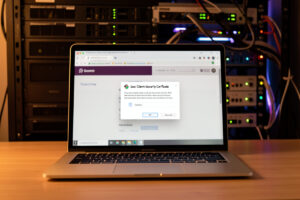
Mutual TLS (mTLS) turns a certificate into a login: the client must present a certificate your server trusts, or the connection is refused before the application ever loads. It is the strongest access control you can put in front of a self-hosted service, and it is the natural endgame once you already run an internal CA, because you already have the machinery to issue client certificates. A device without the certificate never reaches the login page — there is nothing to brute-force.
I use mTLS in front of the handful of services I would never want exposed even by accident — the ones where a leaked password would be a genuinely bad day. The mental model is a bouncer who checks credentials at the street, not at the club door: an unauthorized request is rejected at the TLS handshake, long before it touches the app. Let me show you how it works, where it genuinely earns its place, and where it is overkill.
What Is Mutual TLS and How Is It Different From Normal HTTPS?
In normal HTTPS only the server proves its identity; in mutual TLS both sides present certificates, and the server refuses any client that cannot show one it trusts. That single addition flips the trust model — the connection is authenticated at the transport layer, before any application login exists. It is authentication by cryptography rather than by shared secret.
A standard TLS handshake has the server send its certificate so the client can verify it is talking to the real nas.home.example.com. The client stays anonymous; anyone can connect and then log in with a password. With mTLS, as Cloudflare’s overview of mutual TLS describes, the server also demands a certificate from the client, verifies it chains up to a CA the server trusts, and drops the connection outright if it does not. No certificate, no handshake, no application — the request dies at the network layer.
The practical consequence is that a service behind mTLS is invisible to anyone without the right certificate. There is no login page to probe, no password to guess, no exposed application surface to attack. That is a categorically stronger position than “strong password on a public login,” and it is why mTLS is the top layer in the internal HTTPS strategy — reserved for the services that warrant it.
How Do You Enforce Client Certificates at the Reverse Proxy?
You configure your reverse proxy to require and verify client certificates against your CA, so enforcement happens in one place for every service behind it — the same reverse proxy that already terminates HTTPS. Caddy, nginx, and Traefik all support this; you point them at your CA’s certificate and tell them to reject connections without a valid client certificate. One setting, applied at the door.
The mechanism differs slightly per proxy but the shape is identical: supply the CA certificate that signed your client certificates, and set the verification mode to require (not merely request) a client certificate. In Caddy this is the client_auth block with a trust anchor; in nginx it is ssl_verify_client on plus ssl_client_certificate; in Traefik it is a TLS options block referencing your CA. The Caddy documentation covers the require-and-verify mode clearly, and the concept ports directly to the proxy comparison I wrote in Caddy vs Traefik vs Nginx Proxy Manager.
Doing it at the proxy is what makes mTLS practical. You do not touch the individual applications — most of which have no idea mTLS exists — you simply place them behind a proxy that refuses unauthenticated connections. Add a new service to the protected group and it inherits the requirement automatically. This is the same “solve it once at the right layer” instinct that puts certificates on the proxy in the first place.
How Do Client Certificates Get Onto Your Devices?
You issue a client certificate from your CA, bundle it with its private key into a PKCS#12 file, and import that bundle into the device’s keychain or browser — after which the browser offers it automatically when a service asks. The PKCS#12 bundle (a .p12 or .pfx file) is the portable container that carries both the certificate and its key. Import it once per device.
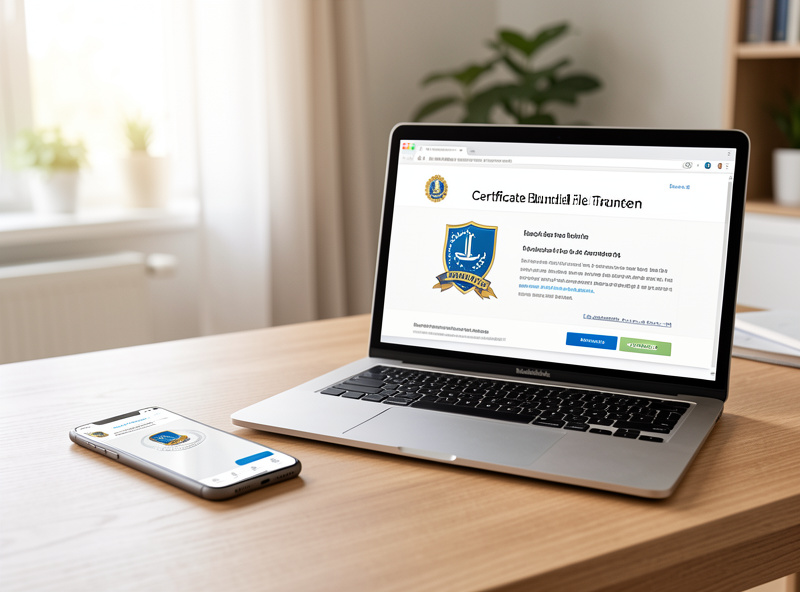
Unlike a server certificate, a client certificate’s private key must live on the client device, so the PKCS#12 bundle is password-protected precisely because it contains that key. You import it into the OS keychain (macOS Keychain, Windows certificate store, the Android or iOS credential store) or directly into a browser that manages its own certificates. From then on, when a service behind mTLS requests a client certificate, the browser pops a selection dialog and you pick yours — a one-tap approval, not a password typed each time.
Because the bundle carries a private key, treat it like a credential in transit: move it to devices over a trusted channel, never email it in the clear, and use a strong bundle password. This is the mirror image of distributing a root certificate for device trust — there you hand out the harmless public root; here you hand out a secret-bearing bundle, so the handling is stricter. Get that distinction right and you will not leak a key by accident.
When Is mTLS Worth It, and When Is It Overkill?
mTLS is worth it for high-value services with weak or no built-in authentication, or anything you expose beyond your LAN; it is overkill for casual internal services your family uses daily, where the certificate friction outweighs the benefit. The honest answer is that mTLS is a scalpel, not a blanket — apply it to the few services that truly warrant it. Everywhere else it just annoys people.
The strong cases: an admin panel with a thin login, a service you want reachable over the internet without exposing its application to the world, or anything where a compromised password would be catastrophic. mTLS shines because it removes the attackable surface entirely — there is no login endpoint to hit. The weak cases: the media server the whole household opens twenty times a day, or a dashboard on a trusted VLAN where a password is already plenty. Forcing a client certificate there means every new device and every guest becomes a support ticket.
My rule is to layer it deliberately: most services get a real certificate and a good password; a small, curated set gets mTLS on top. It also stacks well with a VPN — WireGuard to get onto the network, then mTLS in front of the crown-jewel service — without either being your single point of failure. Match the control to the value of what it guards, and mTLS stays an asset instead of a nuisance.
Frequently Asked Questions
Is mTLS a replacement for passwords on my services?
It can be, but it is best used as an additional layer for high-value services rather than a blanket replacement. mTLS authenticates the device at the transport layer before any application login, so a device without the right certificate never reaches the service. Many people keep the application’s own login and add mTLS on top for defense in depth.
Where does the client certificate’s private key live?
On the client device. Unlike a server certificate, a client certificate’s private key must be present on the device making the connection. It is packaged with the certificate in a password-protected PKCS12 bundle, which you import into the device’s keychain or browser, and it should be handled as a secret because it contains that key.
Do I need my own certificate authority to use mTLS?
Effectively yes, because the client certificates need to be issued by a CA your reverse proxy trusts, and public authorities do not issue personal client certificates for this purpose. An internal CA such as step-ca is the natural fit, since it can issue client certificates and you already control what it signs.
Will mTLS annoy everyone who uses my services?
It can if you apply it too broadly, since each device needs the client certificate installed before it can connect. That is why mTLS is best reserved for a small set of high-value services rather than everyday ones. For services the whole household uses, a real certificate plus a strong password is usually the better balance.
The Mistake: I Put mTLS on a Service the Whole House Used
Flush with how clean mTLS felt, I slapped it on a service my family used constantly, thinking more security was strictly better. Within a day the complaints rolled in: the tablet would not connect, a guest’s phone was locked out, and every new device meant me sitting down to import a PKCS#12 bundle before anyone could use the thing. I had turned a friction-free daily service into a certificate-management chore for the whole household — and the sound of that particular feedback is not one I wanted to hear twice.
I pulled mTLS off it and went back to a real certificate plus a strong password, which was entirely adequate for a service on a trusted VLAN. The lesson landed hard: security controls have a usability cost, and applying the strongest one everywhere is its own failure mode. mTLS belongs on the crown jewels, not the family media library. I now decide per service, weighing what a breach would actually cost against the friction the control adds, and mTLS lives only where that math clearly favors it.
What I’d Do Starting Today
Pick the two or three services where a leaked password would genuinely hurt — an admin panel, anything you expose beyond the LAN — and put mTLS in front of only those. Issue client certificates from your internal CA, bundle them as password-protected PKCS#12 files, distribute them over a trusted channel, and enforce the requirement at your reverse proxy. Leave everyday services on a real certificate and a strong password. Layered that way, mTLS is the quiet, unbreakable lock on the doors that matter, and nothing more.
Further Reading
- Homelab Internal HTTPS Certificates: The Complete Guide
- Running Your Own Internal Certificate Authority With step-ca
- Trusting Your Own CA on Phones, Laptops, and Browsers