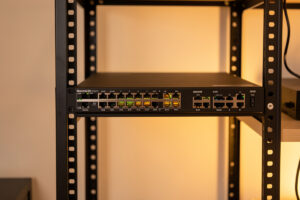
The best 10G switch for a home lab is a managed, fanless box with 4-8 SFP+ ports and a stack of 2.5G or gigabit copper for everything else — a MikroTik CRS-class switch around $150 is the sweet spot in 2026. You don’t need 48 ports of 10GBASE-T; you need a handful of fast cages where your NAS, host, and workstation live, plus VLAN tagging so those links respect your segmentation.
I’ve run UniFi, MikroTik, and TP-Link Omada managed switches on the trunk, and the criteria that actually matter at home are narrower than the spec sheets suggest. This guide is about picking the switch that fits a home 10G build without overspending on ports you’ll never light up or inviting a screaming fan into a living space.
What actually matters in a home 10G switch
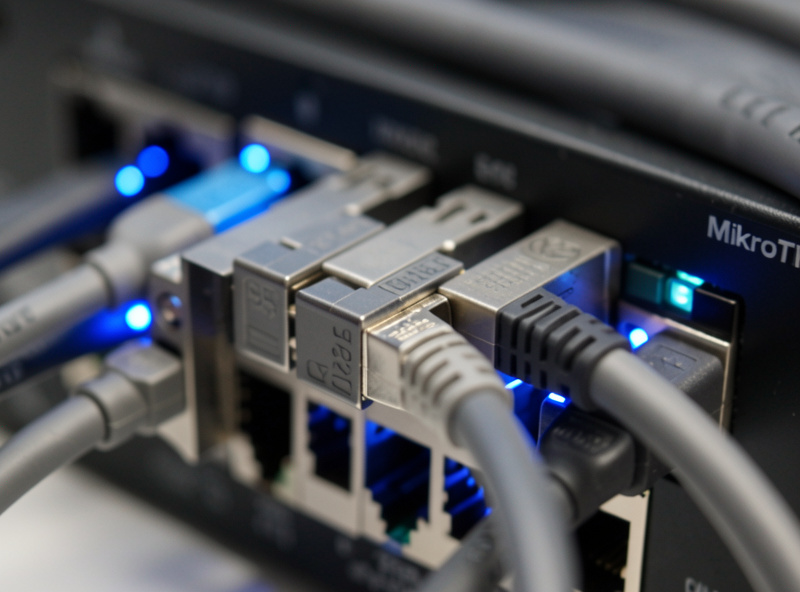
Three things decide a home 10G switch, and port count isn’t really one of them. First, it must be managed — 802.1Q VLAN tagging so your fast links sit inside the same segmentation as the rest of the network. Second, it should be fanless or near-silent, because a 1U switch with a jet-engine fan in a living space gets unplugged within a week. Third, the port mix should match your devices: a few SFP+ cages for the 10G endpoints and plenty of 2.5G or gigabit copper for everything else.
Notice what’s not on that list: deep buffers, line-rate routing, stacking, redundant power. Those are data center concerns. At home, a switch that tags VLANs cleanly, runs silently, and gives you four SFP+ ports does everything you need. An unmanaged 10G switch is fast but punches a hole straight through your network zones — it doesn’t get bought. The segmentation rationale is in my home network VLAN guide.
The switches I’d buy
The home 10G switch market splits into a few clear options. MikroTik’s CRS-series gives you the most SFP+ ports per dollar and full VLAN control, at the cost of a learning curve in RouterOS or SwOS. UniFi’s aggregation and Pro switches cost more but drop into the UniFi controller with almost no configuration if you’re already in that ecosystem. The cheaper QNAP and Zyxel multi-gig boxes mix a couple of SFP+ cages with 2.5G copper, which is ideal for a small build. TP-Link’s Omada managed switches sit in the middle on price and polish.
| Switch class | SFP+ ports | Approx price | Fanless? | Best for |
|---|---|---|---|---|
| MikroTik CRS3xx | 4-8 | $150-250 | Some models | Most SFP+ per dollar, full VLAN control |
| UniFi Aggregation | 8 (SFP+ only) | ~$300 | Yes | All-10G core in a UniFi network |
| UniFi Pro Max (multi-gig) | 2-4 + 2.5G copper | $300-400 | No | Mixed-speed UniFi deployments |
| QNAP/Zyxel multi-gig | 2-4 + 2.5G copper | $150-250 | Usually | Small builds, mixed speeds |
| TP-Link Omada | 2-4 | $130-220 | Some models | Balanced price and management |
For a first 10G build I’d start with a MikroTik CRS or a small QNAP/Zyxel multi-gig switch — both give you SFP+ for the fast links and 2.5G copper for the rest without a fan in the room. If you’re already running UniFi, the aggregation switch is the frictionless choice. The broader switch decision is in my network switch buying guide and the hands-on best network switches for a homelab roundup.
Fanless vs fan-cooled, and where the switch lives
Where the switch physically lives drives the fan decision more than anything. A switch in a garage rack or a closet can have a fan and nobody cares. A switch on a shelf in an office or living room must be fanless, or you’ll hate it inside a day — small switch fans are high-pitched and run constantly. Many home 10G switches are passively cooled up to a certain port count, then jump to active cooling, so check the spec before you buy if silence matters.
The flip side: fanless switches with a lot of 10GBASE-T copper can heat-soak, because those PHYs run hot. This is another quiet argument for SFP+ over copper at the switch — an SFP+-heavy fanless switch stays cool where a 10GBASE-T one might thermally throttle. If you must have copper 10G and silence, give the switch breathing room and don’t stack it under other gear. My core switch sits in a small wall rack with airflow and a UPS, covered in the managed switch setup walkthrough.
Matching the switch to your NICs and cables
The switch is one corner of a triangle — it has to agree with your NICs and your cables. If your NICs are SFP+ (the recommendation in best 10G network interface cards), buy an SFP+ switch and link them with DAC. If you’ve got RJ45-only 10G devices, you need 10GBASE-T ports and accept the heat. The mistake is buying a switch whose ports don’t match your devices and then needing media converters to bridge the gap.
Watch transceiver vendor lock too: some switches reject third-party SFP+ modules, so either buy coded transceivers or use DAC, which sidesteps the issue. The full cabling logic is in DAC vs fiber vs copper for 10G, and how the whole thing fits together is in the 10G and multi-gig home network guide. Get the triangle — switch, NIC, cable — consistent and 10G comes up on the first try.
The used enterprise option, and why I usually skip it
You can buy a retired enterprise switch with a wall of SFP+ ports — a Brocade ICX or a Dell PowerConnect — for the price of a new home switch, and homelabbers do it constantly. The ports-per-dollar is unbeatable. The catch is noise and power: these were built for data centers, so they run loud fans and pull 60-100W idle, and they don’t belong anywhere you can hear them. If you have a garage rack and cheap power, they’re a genuine bargain.
For most people in a normal home, though, the modern fanless multi-gig switch wins on the things that actually matter day to day: silence, low power draw, and a port mix that fits a home rather than a server room. I’d rather have eight quiet, efficient ports I’ll use than forty-eight loud ones I won’t. Spend the saved power budget on a UPS for the core gear — covered in sizing a UPS for your home network — which does more for reliability than extra switch ports ever will.
Frequently Asked Questions
What is the best 10G switch for a home lab?
A managed, fanless switch with 4-8 SFP+ ports plus 2.5G or gigabit copper. A MikroTik CRS-class switch around $150 is the sweet spot. It gives you fast links where you need them and VLAN tagging for the rest.
How many 10G ports do I need at home?
Usually two to four. 10G belongs on the NAS, the host, and maybe one workstation. The rest of your devices stay on 2.5G or gigabit. Buying a switch with eight or more 10G ports wastes money on ports you will not use.
Does a home 10G switch need to be managed?
Yes, if your network is segmented. A managed switch tags VLANs so your 10G links respect the same firewall segmentation as everything else. An unmanaged 10G switch is fast but bypasses your network zones entirely.
Should a 10G switch be fanless?
For a living space or office, yes. Small switch fans are high-pitched and run constantly. A switch in a garage or closet can be fan-cooled. SFP+ switches stay cooler than 10GBASE-T copper ones, making fanless designs easier.
Will any SFP+ transceiver work in my switch?
Not always. Some switches enforce vendor lock and reject third-party modules. Buy transceivers coded for your switch brand, or use DAC cables, which have integrated ends and sidestep transceiver compatibility issues entirely.
Is MikroTik or UniFi better for a home 10G switch?
MikroTik gives more SFP+ ports per dollar with full VLAN control but a steeper learning curve. UniFi costs more and drops into its controller with minimal setup. Pick UniFi if you already run it, MikroTik for value.
Related Guides
- 10G & Multi-Gig Home Network Guide
- Best Network Switches for a Homelab
- Network Switch Buying Guide
- Best 10G Network Interface Cards
- DAC vs Fiber vs Copper for 10G
- Managed Switch Setup