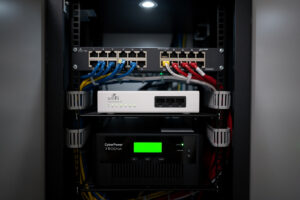
A power flicker that lasts thirty seconds wipes out an SMB share write, kills a 4-hour ZFS scrub, and reboots every device in the rack. Most of these blips are brief, but EIA data shows the average US customer still racks up several hours of cumulative interruption time a year. The router is the worst-case casualty — the longest to come back, the hardest to debug after, and the device every other system depends on. Sizing a UPS that actually keeps the network running through outages takes ten minutes of math and prevents most of the silent corruption that home labs accumulate over years.
This guide walks the UPS sizing math from a single $30 SOHO router up to a full 12U rack, the runtime calculation that determines whether the UPS lets you ride out a flicker or only buy time for a clean shutdown, and the chemistry choice that splits “buy a UPS every 3–4 years” from “buy once, replace battery once a decade.” The chemistry side specifically is covered in detail in the battery chemistry guide for home storage; this article applies it to home networking equipment.
What “UPS Sizing” Actually Means
Three numbers define a UPS:
VA (volt-amperes): The apparent-power capacity. A 1500VA UPS can deliver up to 1500VA of load. Not the same as watts because of power factor — a 1500VA UPS typically delivers 900–1000W of real power.
Watts: The real-power capacity, the number that matters for sizing against actual gear. Always size by watts, not VA.
Runtime: How long the UPS sustains the load on battery alone. Typically expressed in minutes for a specific load percentage. A “10-minute runtime at full load” UPS becomes a “30-minute runtime” UPS at 30% load.
Most UPS sizing failures come from buying for VA without checking watts (the load number that actually matters) or buying for runtime at full load (much longer at the partial load typical of homelab setups).
Calculate Your Network’s Power Draw
Total network power consumption is the sum of three load categories. Each device’s idle and peak draw matter — the UPS must support peak, but typical runtime calculations use idle.
| Device | Idle watts | Peak watts | Notes |
|---|---|---|---|
| SOHO consumer router (TP-Link, ASUS) | 4–8 | 10–15 | One of two main loads |
| pfSense / OPNsense on x86 mini-PC | 15–25 | 30–45 | Higher than appliance routers |
| UniFi Dream Machine Pro | 20–30 | 40–55 | Has built-in switch |
| 8-port managed switch (UniFi Lite, TP-Link Omada) | 5–10 | 15–25 | Higher with PoE |
| 24-port managed PoE switch | 30–50 | 200–400 | PoE budget dominates |
| UniFi access point | 5–8 | 13–17 | PoE-powered, count once |
| Cable modem / fiber ONT | 5–10 | 10–15 | Often forgotten |
| Synology 4-bay NAS (idle) | 20–35 | 50–80 | Spin-up doubles draw briefly |
| Mini-PC homelab server (Intel N100) | 10–20 | 30–50 | Per machine |
| Workstation (used as homelab) | 50–100 | 200–500 | Discrete GPU multiplies this |
For typical home setups, three reference loads:
- Minimal home network: SOHO router + cable modem + 8-port switch + 1 access point = 25–45 watts idle, 50–75W peak.
- Prosumer setup: pfSense on N100 + cable modem + 8-port managed PoE switch + 2 APs + Synology NAS = 80–130W idle, 175–250W peak.
- Full homelab rack: pfSense + 24-port PoE switch + NAS + 2-3 mini-PCs + accessories = 250–400W idle, 600–1000W peak.
For PoE-heavy setups, peak watts jumps dramatically because cameras and access points all spin up together. The pfSense configuration guide covers the host-side power management features that affect idle draw.
UPS Topology: Standby vs Line-Interactive vs Online
Three UPS architectures exist and the price difference is real but the home-grower-relevant difference is smaller than enterprise sales reps suggest.
Standby (offline) UPS: The cheapest. Passes wall power through normally; switches to battery only on outage. Switch time 4–10ms. Sufficient for routers and switches that handle brief switchovers without flinching. $50–150 for sizes typical of home networks.
Line-interactive UPS: The home-lab default. Same passthrough as standby but with automatic voltage regulation (AVR) that handles brownouts and surges without going to battery. Switch time 2–8ms. $100–300 for typical sizes. Worth the upgrade over standby for any region with frequent voltage variation.
Online (double-conversion) UPS: Always runs from battery; battery always charged from wall. Zero switch time. The right choice for sensitive enterprise gear, overkill for home network equipment that handles 4–10ms transitions cleanly. $400–1500 for sizes typical of home labs.
For 95% of home network setups, line-interactive is the right pick. Online double-conversion only matters if your gear is sensitive to brief power transitions (some older audiophile gear, some industrial control equipment) — modern home network gear is not. The battery chemistry guide covers the chemistry-by-application logic that runs through these UPS topology choices.
Runtime Math: How Long Does the Battery Actually Last?
Rough rule of thumb: runtime scales inversely with load, and real-world battery efficiency eats into the nameplate capacity — a UPS never delivers its full rated watt-hours as usable runtime, because inverter losses (and, for lead-acid, the fact that batteries deliver proportionally less capacity the faster you drain them) cut into the total.
Rather than trust a made-up capacity number, use the manufacturer’s own published runtime figures. The CyberPower CP1500AVRLCD3 (1500VA/900W, two internal 12V/9Ah sealed lead-acid batteries — about 216 Wh nameplate) is rated by CyberPower at roughly 12 minutes at half load (~450W) and about 3 minutes at full load (~900W).
Home network loads (50–200W) sit well below this unit’s half-load point, so real-world runtime at typical homelab loads is meaningfully longer than either spec-sheet number — likely somewhere in the range of 30 minutes to over an hour, depending on the exact load. Consumer UPS runtime curves are non-linear (efficiency actually improves at lower discharge rates), so don’t assume a simple linear scale-up from the full-load number — check the specific model’s published runtime chart for the load range you actually care about.
Most consumer UPS marketing leads with the full-load number (“3 minutes!”) which looks alarming but is largely irrelevant to a 50–200W home network load. The number that matters is the runtime at YOUR actual measured load, not the nameplate rating.
To get to 30+ minutes of runtime at a 100W load — the threshold where most short outages become non-events — the math works out far more favorably than the full-load spec suggests: a modest external battery pack (100–200 Wh, well within what most expandable-battery UPS models offer) gets you there, not a jump to enterprise-class 6,000VA hardware. Always check against your own measured load rather than the full-load number on the box.
The Chemistry Decision: SLA vs LiFePO4
LiFePO4 UPS batteries deliver roughly an order of magnitude more cycle life than sealed lead-acid (SLA) at higher upfront cost, with a payback in 2-4 years for any UPS that gets meaningful daily use.
The chemistry comparison for UPS specifically:
| Aspect | SLA (lead-acid) | LiFePO4 |
|---|---|---|
| Cycle life (full discharges) | 200–400 | 3,000–6,000 |
| Calendar life | 3–5 years | 10–15 years |
| Upfront cost (per Wh) | $0.20–0.30 | $0.40–0.70 |
| Lifetime cost per Wh delivered | $2.00–4.00 | $0.50–1.50 |
| Self-discharge rate | 3–5% per month | 1–2% per month |
| Temperature tolerance | Poor; degrades fast above 75°F | Wide range; stable to 130°F |
| Weight (per Wh) | Heavy | 1/3 the weight |
For a home network UPS that experiences 5–20 outages per year (typical US suburb), SLA cycle life is fine — the battery degrades from calendar age before cycle count matters. For homelab UPSes that experience daily test cycles, weekly outages, or that run in 80°F+ closets, LiFePO4 starts paying back within 2–3 years.
The detailed chemistry tradeoffs for various applications are in the home storage chemistry comparison. For UPS specifically, the practical recommendation: SLA for budget builds and infrequent-use scenarios; LiFePO4 for high-cycle-count UPSes and any closet that runs warm.
Specific UPS Recommendations by Setup Size
For the three reference loads:
Minimal home network (50W idle, 75W peak): CyberPower CP685AVR (685VA/390W) or APC BE600M1 (600VA/330W). Both deliver 15+ minutes runtime at the typical load. $60–90.
Prosumer setup (130W idle, 250W peak): CyberPower CP1500AVRLCD3 (1500VA/1000W) or APC BR1500MS2 (1500VA/900W). Both deliver 8–12 minutes runtime at typical load. $190–270.
Full homelab rack (350W idle, 800W peak): APC BR1500MS2 with extended battery, or step up to CyberPower OR2200LCDRT2U (2200VA/1320W) which accepts external battery packs. Both deliver 5–8 minutes at typical load; with the extended battery, 25–35 minutes. $300–600 base, $600–900 with battery extension.
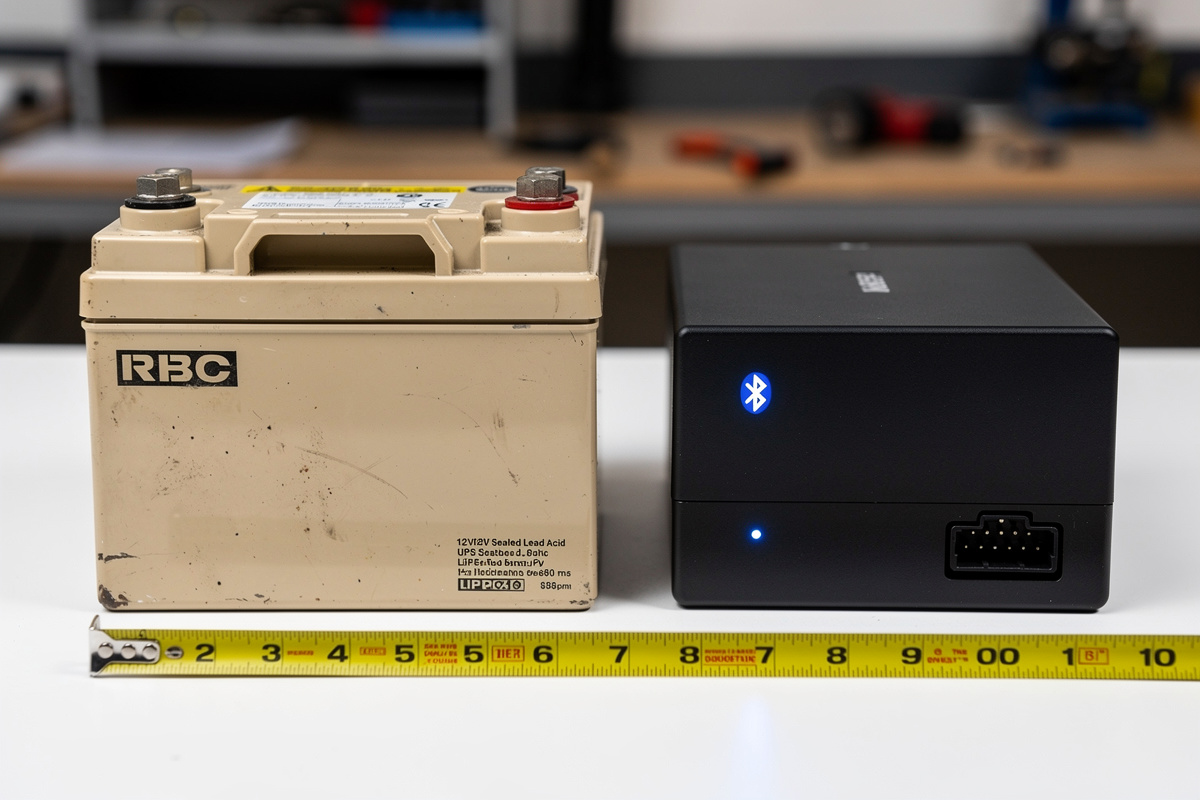
For DIY LiFePO4 conversions: replace the SLA battery in a standard line-interactive UPS with an equivalent LiFePO4 pack. The conversion is straightforward (same voltage, similar form factor) but voids the UPS warranty and requires verifying the UPS charging algorithm tolerates LiFePO4 voltage curves. The chemistry-side conversion notes are in the battery chemistry guide; the network-side considerations are below.
Network Configuration: Making the Most of Limited Runtime
Even an underspeced UPS becomes useful with the right network configuration. Three patterns extend effective coverage:
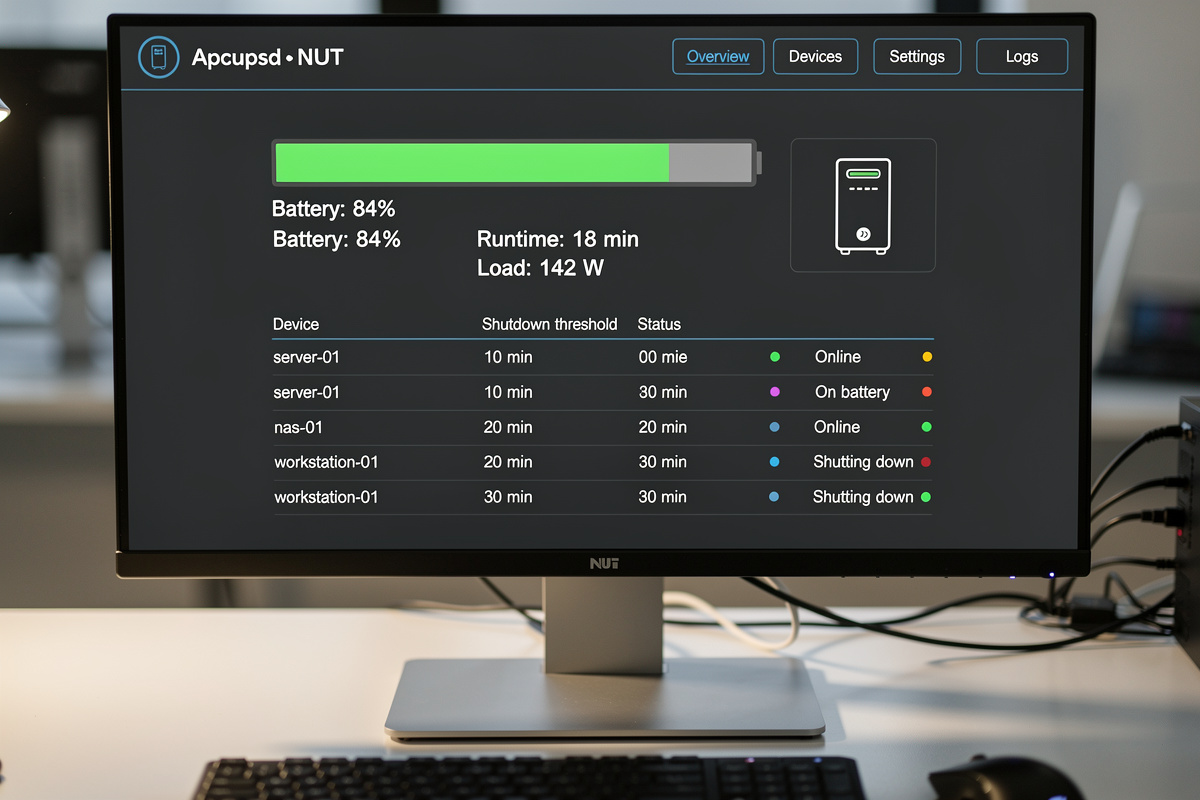
Tiered shutdown via NUT or apcupsd. The router and switch stay running through the entire battery; the NAS and homelab servers shut down at 50% remaining battery. This is what UPS daemon software does — define which devices shut down at what battery percentage. Result: effective runtime for critical (router/switch) is 2–3× the runtime for everything-on.
Power down PoE on cameras during outage. If your switch supports PoE port scheduling tied to UPS state, cut power to non-essential cameras during outages. A 24-port PoE switch can shed 100–200W by killing 5–8 cameras, extending runtime for routing and storage dramatically.
Separate UPSes per tier. For full racks, run a small dedicated UPS for router/modem/main switch (the must-stay-up tier) plus a larger UPS for everything else. The small UPS gets 30+ minutes runtime even at low capacity; the big one keeps NAS and servers up for the typical short outage.
The pfSense high availability with CARP guide covers the multi-router pattern that makes UPS strategy more interesting — failover between primary and secondary routers requires both to be on UPS, often on separate UPS units to survive single-UPS failures.
Common Mistakes
Three mistakes account for most “my UPS didn’t help” complaints.
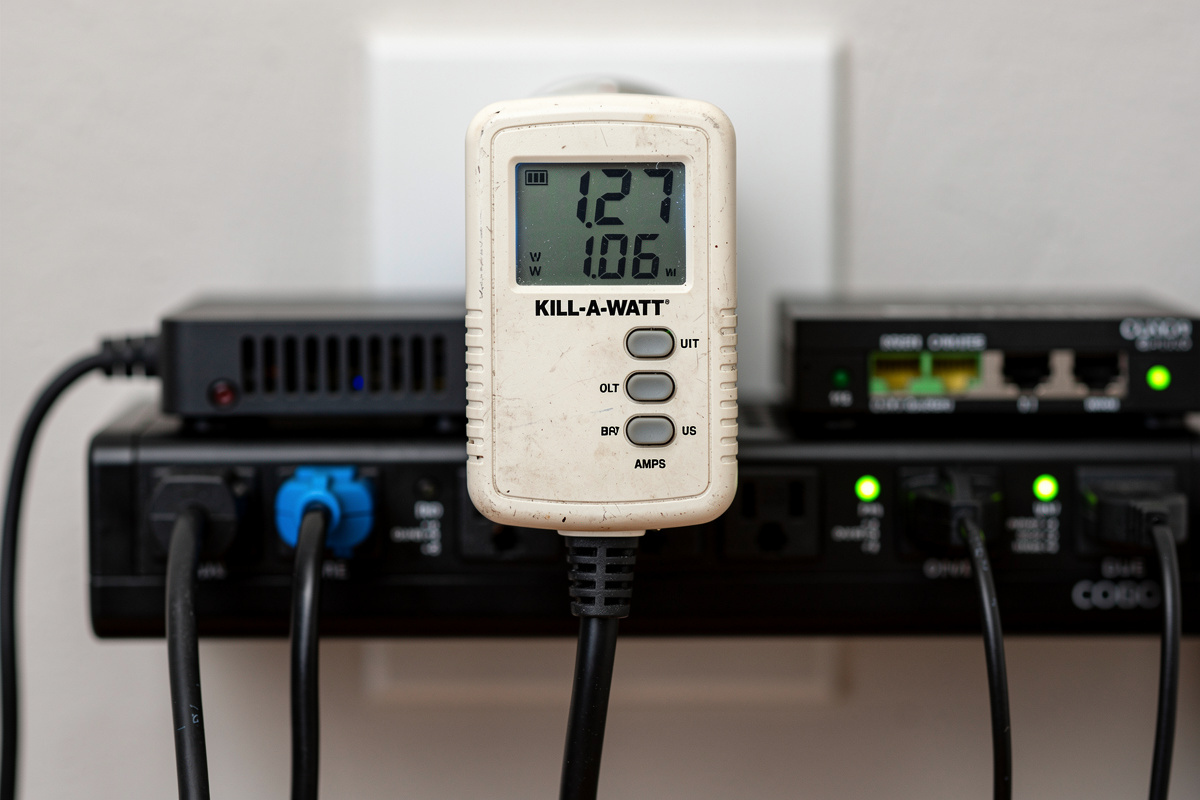
Sizing the UPS without measuring actual idle draw. Most homelab setups draw far less than nameplate. A “500W power supply” computer often idles at 50W. A 24-port PoE switch with 4 cameras connected might draw 80W, not the 400W its PoE budget suggests. Plug a Kill-A-Watt in for a week before sizing.
Forgetting the cable modem or ONT. The router is on UPS, the switch is on UPS, but the cable modem that delivers internet to the router is plugged directly into the wall. During an outage, the router runs but the internet drops. Always include the modem in the UPS load.
Letting SLA batteries age without monitoring. SLA UPS batteries degrade silently — capacity drops 30–50% over 3 years even with no use. Most consumer UPSes show “battery good” until the day they fail to provide runtime. Schedule annual self-tests; replace batteries every 3 years on calendar regardless of self-test results.
What size UPS do I need for my home network?
For a SOHO router + cable modem + 8-port switch (50-75W peak), a 600VA UPS with 12-15 minutes runtime is sufficient. For pfSense + PoE switch + NAS (200-300W peak), step up to 1500VA. For full homelab racks, 2200VA+ with external battery packs. Always size by watts, not VA.
How long should a UPS keep my router running?
Most brief power flickers and voltage sags last well under a minute, and a large share of routine interruptions clear within several minutes – but EIA data shows the average U.S. customer experiences several hours of cumulative interruption time per year, skewed heavily by storm-related events. A UPS providing 15+ minutes runtime handles the routine flickers and brief outages without intervention. For longer outages (30+ minutes), you need either a larger UPS or an automatic shutdown sequence that kills non-essential gear at 50% battery.
Should I buy a lithium or lead-acid UPS?
For high-cycle-count or warm-closet installations, LiFePO4 wins on lifetime cost despite 2x upfront cost. For typical home use with 5-20 outages per year, sealed lead-acid is fine. The crossover point is roughly 50 cycles per year or any UPS that ages prematurely from heat.
Can I run a homelab on the same UPS as my main computer?
Yes if total load is within UPS capacity, but tier the shutdown via NUT or apcupsd. Set router/switch to stay running until battery dies; set workstation to shut down at 50% battery; set non-essential gear to shut down at 75%. This extends effective runtime for critical infrastructure 2-3x.
Do consumer routers need UPS protection?
Yes for two reasons. First, routers reboot slowly (1-3 minutes) so brief outages disrupt longer than necessary. Second, frequent power flickers shorten router lifespan via thermal cycling. A $60 UPS pays for itself by extending one router lifespan by a year.
What is the difference between VA and watts on a UPS?
VA (volt-amperes) is apparent power; watts is real power. The ratio depends on power factor — for typical home network gear, the watts rating is 60-65% of the VA rating. A 1500VA UPS delivers approximately 1000W. Always size by watts because that is the load number that determines runtime.
Related Articles
- pfSense Firewall Rules Tutorial — host-side power and shutdown logic
- pfSense High Availability with CARP — failover between UPS-protected routers
- pfSense Traffic Shaping — QoS that benefits from clean shutdown
- pfSense WireGuard Setup — remote-access infrastructure that depends on uptime
- pfBlockerNG Tutorial — network filtering that runs continuously