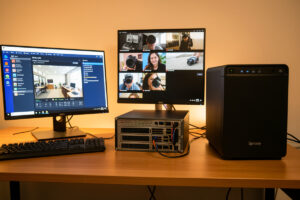
Frigate, Blue Iris, and Synology Surveillance Station solve the same problem three different ways: Frigate is free, open-source, Linux-based, and built around local AI detection; Blue Iris is a mature paid Windows application with the deepest feature set; and Synology Surveillance Station is a turnkey option that runs on a Synology NAS. For most homelabbers, Frigate is the pick — but the honest answer depends entirely on what hardware you already own and how much you enjoy tinkering.
I’ve run all three long enough to have opinions with scars behind them. Frigate is what records my eight cameras today, but I didn’t land there by accident, and I wouldn’t push it on someone whose whole world is a Synology NAS or who wants a polished GUI without touching a YAML file. Here’s the head-to-head — cost, hardware, AI, integration, and the specific place each one bit me.
How Do the Three NVR Options Compare at a Glance?
The short version: Frigate wins on cost and local AI, Blue Iris wins on GUI maturity and per-camera control, and Synology wins on being turnkey if you already own the NAS. Each one is genuinely good; they just optimize for different owners. Here’s the comparison I wish someone had handed me before I tried all three:
| Factor | Frigate | Blue Iris | Synology Surveillance Station |
| Cost | Free, open-source | One-time license (~$70) plus optional update subscription | 2 free camera licenses, paid per additional camera |
| Platform | Linux / Docker, any hardware | Windows only | Synology NAS only |
| AI object detection | Built-in, local, Coral or GPU | Add-on via CodeProject.AI | Deep Video Analytics module, limited |
| Home Assistant integration | Native, excellent | Via MQTT, workable | Limited |
| Ease of setup | Steeper — YAML config | Moderate — Windows GUI | Easiest — turnkey GUI |
| Resource use | Low with a Coral TPU | Higher, CPU-hungry | Bundled into the NAS load |
| Best for | Homelabbers wanting local AI + HA | Windows users wanting a mature GUI | Existing Synology owners wanting simple |
No row here is a knockout on its own. The decision usually falls out of two questions: what operating system or hardware are you already committed to, and do you want AI detection running locally without a subscription? Answer those and one option tends to select itself.
When Is Frigate the Right Choice?
Frigate is the right choice when you want free, local AI object detection and you’re comfortable on Linux — which describes most of the homelab crowd. It runs as a container on anything, does person/car/animal detection on your own hardware with a Coral TPU, and integrates natively with Home Assistant so a detection can trigger a light, a notification, or an automation without a cloud round-trip. That combination — free, local AI, deep HA integration — is unmatched by the other two.
The cost of admission is the config. Frigate is set up through a YAML file, not a point-and-click wizard, and the learning curve is real: stream roles, zones, masks, hardware acceleration. When I first set it up I spent an evening chasing high CPU before I understood the detect-vs-record stream split. But once it’s dialed in, it’s rock-solid and it costs nothing per month forever. If you’re already running a Proxmox or Docker host — the setup I walk through in the Frigate homelab setup guide — Frigate slots in alongside your other services and sips resources with a Coral TPU handling the detection. The Frigate documentation is genuinely good, which softens the curve.
When Is Blue Iris the Better Pick?
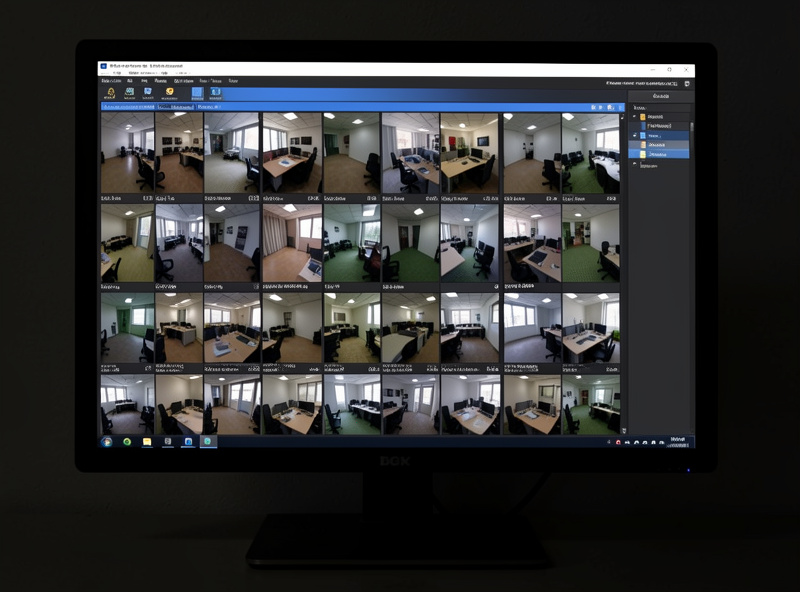
Blue Iris is the better pick if you’re comfortable running a dedicated Windows machine and want the most mature, feature-dense NVR GUI available. It’s a one-time paid license, it’s been developed for well over a decade, and it exposes granular per-camera control — schedules, profiles, triggers, PTZ, motion zones — through a Windows interface that a lot of people find more approachable than editing YAML. For someone who already lives in Windows and wants everything in a settings dialog, it’s excellent.
Two caveats keep me from running it. First, it’s Windows-only, which means a Windows license and a machine dedicated to it — a poor fit for a Linux-centric homelab. Second, it’s historically CPU-hungry; without careful use of hardware acceleration and sub-streams it can pin a CPU, and its AI detection is an add-on through CodeProject.AI rather than a built-in like Frigate’s. It integrates with Home Assistant over MQTT, which works but isn’t as seamless as Frigate’s native path. If Windows is your comfort zone, none of that is disqualifying — the Blue Iris site lays out the licensing — but for a Linux homelab it’s swimming upstream.
When Does Synology Surveillance Station Make Sense?
Synology Surveillance Station makes sense when you already own a Synology NAS and want surveillance that just works with almost no setup. It’s the most turnkey of the three — a polished GUI, mobile apps, and recording that lands straight on the NAS you already trust for storage. If your bar is “I want cameras recording reliably and I don’t want a project,” and there’s a Synology in the house, it’s the path of least resistance.
The friction is licensing and lock-in. Synology includes two camera licenses per NAS and charges per additional camera, so an eight-camera system means buying six more licenses — a real cost that Frigate simply doesn’t have. It only runs on Synology hardware, so you’re committed to that ecosystem, and its AI (Deep Video Analytics) is more limited than Frigate’s. For two to four cameras on an existing NAS it’s a genuinely sensible, low-effort choice; for a growing multi-camera build, the per-camera licensing adds up fast. The Synology site details the license model, and it’s worth pricing out before you commit.
Which One Uses the Least Power and Hardware?
Frigate with a Coral TPU uses the least dedicated power and hardware, because the Coral does inference at about 2 watts and the software runs happily in a container on a low-power host you may already own. Blue Iris needs a dedicated Windows machine and tends to lean on the CPU harder, so its whole-system draw is usually the highest of the three. Synology folds the surveillance load into a NAS that’s already running, so its incremental power cost is low — but you’re also relying on the NAS’s modest CPU to handle detection.
For a 24/7 system, that power difference is real money and real heat over a year. My Frigate-plus-Coral setup sips power because both heavy jobs — decode on the iGPU, inference on the Coral — are offloaded to efficient silicon, and it shares a host that’s on anyway. That efficiency is a big part of why I landed on Frigate: running a dedicated Windows box around the clock never appealed, and the per-camera Synology licensing didn’t fit a fleet I knew would grow. Storage sizing is the same across all three, since it’s a function of bitrate and retention, not software — I work that math out in sizing storage for 24/7 camera recording.
The Switch That Taught Me What I Actually Wanted
I didn’t start on Frigate. My first serious NVR was a trial of a GUI-driven package, and it worked — but every useful automation I wanted meant fighting the software’s idea of how things should connect, and the AI detection was either absent or an awkward bolt-on. The moment that flipped me was wanting a person-in-the-driveway detection to turn on a floodlight and push a snapshot, locally, in under a second. On Frigate that was a short MQTT automation into Home Assistant. On the GUI package it was a wrestling match.
That’s the real dividing line between these three. If your endgame is a smart home where cameras are just another sensor feeding local automations, Frigate’s native integration and free local AI are hard to beat, and the YAML curve pays for itself. If your endgame is a self-contained security system with a polished interface and you don’t want to touch a config file, Blue Iris or Synology will make you happier. There’s no universally best NVR — there’s the one that matches how you want to run your house. For where all three sit in the larger picture, the home camera network guide ties the recorder choice to the network it lives on.
Is Frigate better than Blue Iris?
For a Linux-based homelab that wants free local AI detection and deep Home Assistant integration, Frigate is usually better. Blue Iris is a more mature Windows GUI with granular per-camera control and suits people already comfortable on Windows. Frigate is free and built around local AI; Blue Iris is a one-time paid license with AI as an add-on.
Does Synology Surveillance Station cost extra per camera?
Yes. A Synology NAS includes two camera licenses, and each additional camera requires a paid license. For a small setup of two to four cameras this is minor, but for a larger multi-camera system the per-camera licensing adds up, unlike Frigate which has no license cost.
Which NVR software is easiest to set up?
Synology Surveillance Station is the easiest, offering a turnkey GUI on a NAS with minimal configuration. Blue Iris is moderate with a Windows GUI. Frigate has the steepest curve because it is configured through a YAML file, though its documentation is strong and the effort pays off in flexibility.
Can all three run AI object detection?
Yes, but differently. Frigate has built-in local AI detection using a Coral TPU or GPU. Blue Iris adds AI through the separate CodeProject.AI service. Synology offers Deep Video Analytics, which is more limited than Frigate’s detection. Frigate’s local AI is the most capable and needs no cloud.
Which NVR uses the least power?
Frigate with a Coral TPU generally uses the least dedicated power, since the Coral runs inference at about 2 watts and the software runs in a container on a low-power host. Blue Iris needs a dedicated Windows machine and draws more, while Synology folds the load into a NAS that is already running.
Further Reading
- Home Camera Network & NVR: The Self-Hosted Guide — the full build the recorder plugs into.
- Frigate NVR Homelab Setup — the winner for most homelabs, set up start to finish.
- Coral TPU vs GPU for Frigate — the accelerator that makes Frigate sip power.
What I’d do starting today: if you run a Linux homelab and want smart-home integration, start with Frigate and a Coral. If you live in Windows and want a GUI, try Blue Iris. If you already own a Synology and have two to four cameras, use Surveillance Station and skip the project. Match the tool to your house, not to a leaderboard.