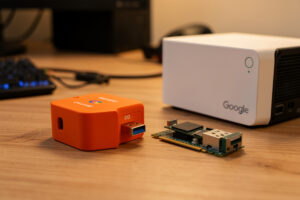
For Frigate on a typical home rig of 4 to 12 cameras, a Google Coral TPU beats a GPU: it runs object detection at roughly 6 to 10 ms per frame while drawing about 2 watts, where a discrete GPU draws ten to fifty times the power for accuracy you don’t need at these camera counts. A GPU pulls ahead only when you’re pushing many high-resolution streams or want to run larger detection models. In my setup a single Coral USB handles all eight cameras and my host CPU barely notices.
This is one of the most-asked Frigate questions, and the answer people expect — “the GPU is more powerful, so use the GPU” — is usually wrong for a home camera build. The Coral is a purpose-built inference chip that does one job absurdly efficiently. Let me lay out exactly where each wins, including the passthrough headaches that don’t show up in a spec comparison.
What Does the Detector Actually Do in Frigate?
The detector runs the neural network that classifies objects — turning a patch of pixels into “person, 87% confidence.” Frigate only invokes it when cheap CPU-based motion detection flags movement, but when it fires, it fires on every relevant frame across every camera, so inference speed is the number that determines how many cameras one accelerator can serve. This is separate from video decoding, which is its own job — a distinction that trips people up constantly.
That separation is the key to the whole debate. A Coral TPU does inference only; it can’t decode video. A GPU can do both inference and hardware video decode. So the real question isn’t just “Coral or GPU for detection” — it’s “what handles decode, and what handles inference.” In my rig the Intel iGPU decodes the H.265 streams and the Coral handles inference, a clean division of labor where each piece does what it’s best at. I set that split up in the Frigate homelab setup guide.
How Do the Coral TPU and a GPU Compare?
The Coral wins on power, cost, and simplicity; the GPU wins on model flexibility and raw throughput at scale. For the camera counts most homes run, the Coral’s advantages are the ones that matter and the GPU’s are the ones you’ll never use. Here’s the head-to-head:
| Factor | Google Coral TPU | Discrete GPU |
| Inference speed | ~6–10 ms per frame | Faster, but overkill for home camera counts |
| Power draw | ~2 W | Tens of watts idle, more under load |
| Cost | Low (~$60 USB unit) | Higher, plus a slot and power |
| Video decode | No — inference only | Yes — decode and inference both |
| Model flexibility | Quantized EdgeTPU models only | Larger, more accurate custom models |
| Setup | USB or M.2, simple passthrough | Driver stack + passthrough complexity |
| Best for | 4–12 cameras, low power, simplicity | Many high-res streams or big models |
The one column that decides it for most people is power draw. My homelab runs 24/7, so an extra 30 to 100 watts of idle GPU is real money on the electric bill and real heat in the rack, every hour of every day, for detection that a 2-watt Coral already does well enough. At eight cameras I’ve never once wished for more inference headroom.
When Does a GPU Actually Win for Frigate?
A GPU wins when you’re running many cameras at high resolution, want to run larger and more accurate detection models than the Coral’s quantized ones, or want one card to handle both decode and inference together. Past roughly a dozen high-resolution cameras, or if you’re detecting many object classes with a bigger model, the Coral’s fixed throughput becomes the bottleneck and a GPU’s flexibility pays off.
The other GPU scenario is when you already own one. If your NVR host has a capable GPU sitting idle — or you’re consolidating decode and inference onto an existing Intel iGPU via OpenVINO, or an Nvidia card via TensorRT — then using it for detection avoids buying a Coral at all. Frigate supports these paths well. I still chose the Coral because my Proxmox host’s job is running a dozen services efficiently, and dedicating a hungry GPU to camera inference didn’t fit that. If your host is already a GPU box, the calculus flips. Which route suits your host depends partly on whether you virtualize it — I compare the container-versus-VM tradeoff in LXC containers vs VMs on Proxmox, and passthrough is meaningfully easier for a USB Coral than for a GPU.
How Hard Is Passthrough for Each?
Passing a USB Coral into a container or VM is straightforward; passing a GPU through is where evenings disappear. The Coral is a USB (or M.2) device you map into the container with a single device rule, and Frigate sees it. A GPU requires the full passthrough dance — IOMMU groups, VFIO binding, driver installation inside the guest — and if you get one step wrong the guest won’t boot or the card won’t initialize.
On my Proxmox host, mapping the Coral USB into the Frigate LXC took minutes. I’ve done GPU passthrough for other workloads and it’s genuinely fiddly — worth it when you need the GPU, a lot of complexity when you don’t. For a pure Frigate detection role, the Coral’s simplicity is itself a feature: fewer moving parts means fewer things that break at 2 a.m. when you least want to debug your NVR. The Coral documentation covers the driver setup, and the Frigate detector docs spell out the config for both paths.
USB Coral or M.2 Coral — Does It Matter?
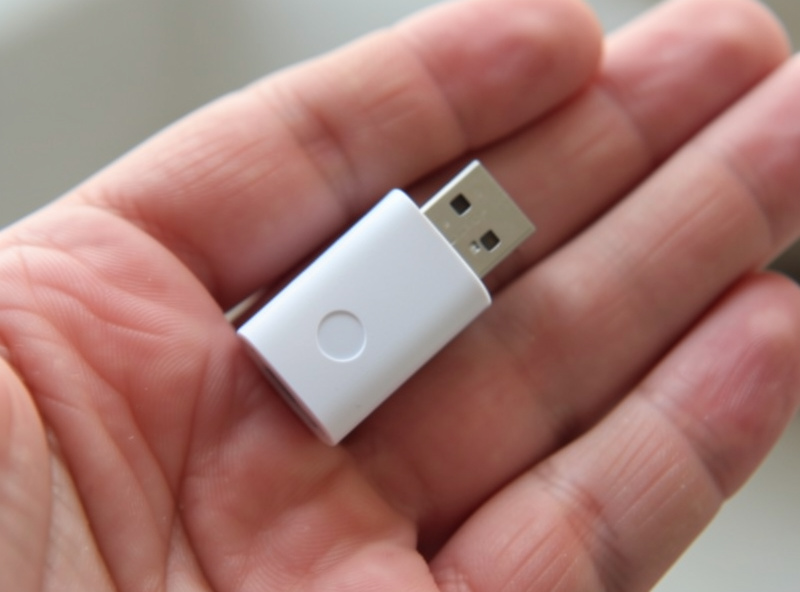
Functionally the USB and M.2 Coral perform the same inference; the choice is about how it physically connects to your host. The USB version plugs into any port and passes through to containers easily, which is why it’s the most common choice. The M.2 or Mini-PCIe versions suit a mini-PC with a spare slot and no free USB, or a cleaner internal install with no dongle hanging off the box.
I run the USB version because passthrough to an LXC is trivial and I can move it between hosts if I rebuild. The one real USB gotcha: plug it into a USB 3.0 port, not 2.0 — on 2.0 the inference speed drops noticeably. Beyond that, both deliver the same detection performance, and neither changes the fundamental Coral-vs-GPU calculus. Pick whichever fits your host’s physical layout.
What If You Can’t Get a Coral or Don’t Want One?
If a Coral isn’t available or you’d rather not add hardware, running detection on an Intel iGPU via OpenVINO is a genuinely good no-extra-hardware alternative. Frigate supports OpenVINO on modern Intel integrated graphics, and on a recent iGPU it delivers detection speeds fast enough for a home camera fleet while also handling the video decode — one chip doing both jobs, no dongle, no PCIe slot. For a lot of mini-PC builds that’s the simplest path of all.
The tradeoff is that it leans on the same iGPU that’s already decoding your streams, so on a busy rig with many cameras the Coral’s dedicated silicon still keeps things cooler and leaves the iGPU free for decode. But if you’re building on an Intel N100 or similar and want to avoid buying anything extra, OpenVINO on the iGPU is the pragmatic choice, and you can always add a Coral later if you outgrow it. I keep the Coral because it isolates the inference load, but I wouldn’t tell someone starting fresh on a capable iGPU that they must buy one first.
The Mistake I Made Before I Bought the Coral
Before the Coral, I ran Frigate detection on the CPU alone, figuring my host had cores to spare. With four cameras it “worked” — inference times crept into the tens of milliseconds and the CPU ran hot, but it functioned. When I added cameras, detection latency climbed until objects were being classified after they’d already left the frame, and the host was pinned. I’d mistaken “runs” for “runs well,” the same trap as software video decode.
The Coral fixed it instantly — inference dropped to single-digit milliseconds and the CPU went quiet. The lesson: don’t run detection on the CPU past a camera or two, and don’t assume you need a GPU to avoid that. The Coral is the cheap, low-power middle path that’s correct for the overwhelming majority of home builds. I only reach for a GPU when the camera count or model size genuinely demands it, which at home it rarely does. The full context for where this sits in the build is in the home camera network guide.
Is a Coral TPU or a GPU better for Frigate?
For most home setups of 4 to 12 cameras, a Google Coral TPU is better. It runs object detection at single-digit milliseconds per frame while drawing about 2 watts, where a GPU draws far more power for accuracy that home camera counts do not need. A GPU only pulls ahead with many high-resolution streams or larger detection models.
Does a Coral TPU decode video too?
No. A Coral TPU performs object detection inference only and cannot decode video. Video decoding is a separate job handled by the CPU or, ideally, a hardware decoder such as an Intel iGPU. A GPU can do both decode and inference, which is one reason it wins at larger scale.
How many cameras can one Coral TPU handle in Frigate?
A single Coral TPU comfortably handles object detection for roughly a dozen cameras when detection runs on the low-resolution sub-stream, because inference takes only single-digit milliseconds per frame. The practical limit depends on how much motion triggers detection, not just camera count.
Should I get the USB or M.2 Coral?
Both deliver the same inference performance. The USB version passes through to containers and VMs most easily and is the common choice, while the M.2 or Mini-PCIe versions suit a mini-PC with a spare slot. If using USB, connect it to a USB 3.0 port, since a 2.0 port reduces inference speed.
Related Guides
- Frigate NVR Homelab Setup — where the detector config lives.
- Home Camera Network & NVR: The Self-Hosted Guide — the full build context.
- Proxmox Homelab Setup Guide — the host that runs it all.
What I’d do starting today: buy the USB Coral, plug it into a USB 3.0 port, add the two-line detector block, and only think about a GPU if you cross a dozen high-res cameras. The Coral is the right answer for almost everyone, and it’s the cheaper, quieter, cooler one too.