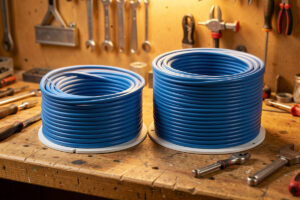
For in-wall home runs, pull Cat6 for almost every drop and Cat6a only for long backbone runs where you need certified 10G past about 55 metres. Cat6 already carries 1G, 2.5G and 5G to the full 100 metres, and 10G to roughly 55 metres — which covers nearly every realistic run in a house. Cat6a buys you 10G to the full 100 metres at the cost of being thicker, stiffer, often shielded, and noticeably harder to terminate.
This is the cable decision people agonise over most and get wrong in both directions: some pull Cat5e to save a few dollars on a wall they’ll never reopen, others pull Cat6a everywhere and then fight stiff, fat cable into keystones that weren’t designed for it. I’ve pulled both throughout my own house — Cat6 to the rooms, Cat6a on the risers and the run to the rack — and the split is deliberate. Here’s how to make the call for each run instead of buying one spec for the whole job.
The short answer, by run length
The decision comes down to distance and whether the run will ever need full-distance 10G. Under ~55 metres, Cat6 does everything Cat6a does, including 10G. Past 55 metres where you want 10G, Cat6a is the cable. For runs that will only ever carry 1G or 2.5G, even Cat5e would work — but if the wall is open, Cat6 is the floor I’d pull.
Most home runs are 20–40 metres of actual cable once you account for the path up walls and across joists. That’s comfortably inside Cat6’s 10G range, so for the bedrooms, the office, the TV wall, Cat6 gives you a future 10G upgrade path with no asterisk. The runs where Cat6a earns its price are the long ones: a drop to the far corner of a large or multi-storey house, or the backbone between your rack and a second switch upstairs, where the run might exceed 55 metres and you want headroom for 10G that’s certified, not marginal. That’s exactly how I split mine — and it’s the same reasoning in the broader home network cabling guide.
The real differences that matter in a wall
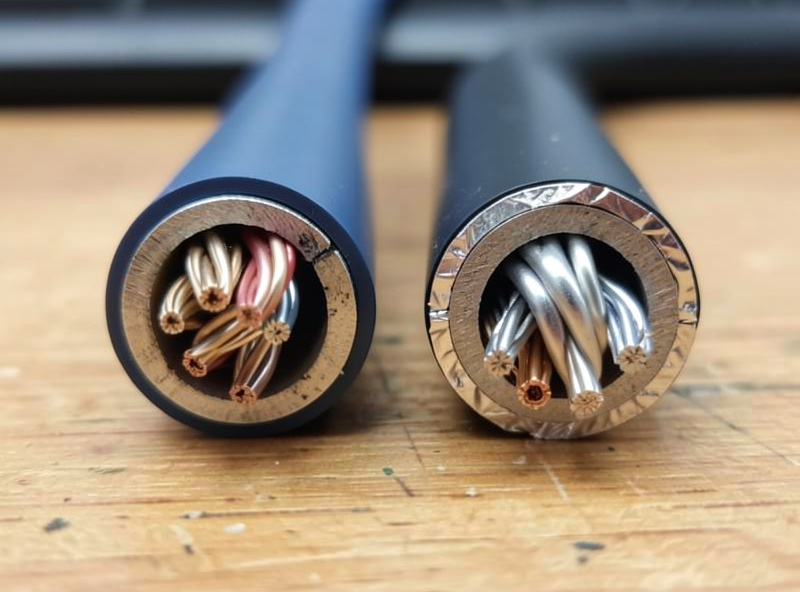
Cat6a runs at 500 MHz versus Cat6’s 250 MHz, which is what extends 10G from 55 to 100 metres. But the differences you actually feel during an install are physical: Cat6a is thicker (often 7–8 mm vs ~5.5 mm), stiffer, has a larger minimum bend radius, and is frequently shielded — which means it’s harder to pull, harder to terminate, and needs grounding done right.
The bandwidth number is the headline, but the install consequences are what bite. Cat6a’s larger diameter means fewer cables per conduit and tighter fill in a stuffed wall cavity. Its bigger bend radius means it doesn’t like tight corners behind a wall plate, and forcing it there degrades performance — exactly the kind of self-inflicted fault that’s invisible until you test. And shielded Cat6a (F/UTP or S/FTP) only delivers its alien-crosstalk advantage if the shield is properly bonded and grounded at the panel; done wrong, the shield can act as an antenna and make things worse. Unshielded (U/UTP) Cat6a exists and is easier to live with at home, but it’s still fatter and stiffer than Cat6. The termination difficulty is real enough that it changes which keystones and panel you should buy — covered in the keystone and patch panel installation guide.
Cat6 vs Cat6a: side by side
| Attribute | Cat6 | Cat6a |
|---|---|---|
| Bandwidth | 250 MHz | 500 MHz |
| 10G distance | ~55 m (good conditions) | 100 m |
| 1G / 2.5G / 5G distance | 100 m | 100 m |
| Typical diameter | ~5.5 mm | ~7–8 mm |
| Stiffness / bend radius | Flexible, easy | Stiff, larger radius |
| Shielding | Usually unshielded (U/UTP) | Often shielded (F/UTP, S/FTP) |
| Termination | Easy | Harder; grounding if shielded |
| Best home use | Default for room drops | Long backbone & risers |
Why not just pull Cat6a everywhere?
You can, and some installers do for simplicity, but for a DIY home job it’s usually the wrong trade. Cat6a costs more per metre, fills conduit faster, is harder to pull around corners, and is fiddlier to terminate cleanly — and on the short runs that make up most of a house, it delivers exactly zero performance benefit over Cat6 because both already do 10G under 55 metres.
The “just buy the best” instinct feels safe but it taxes every part of the install. You’ll fit fewer cables per conduit, you’ll fight stiffer cable into every keystone, and if you buy shielded Cat6a you’ve signed up for grounding discipline at the panel on runs that never needed it. The money is better spent pulling more Cat6 drops — a second or third run to each location buys you far more future flexibility than upgrading a short run from Cat6 to Cat6a. I’d rather have three Cat6 drops to the office than one Cat6a drop, every time. Where I do pull Cat6a, it’s a conscious choice for a specific long run, not a blanket policy. If you want a quality unshielded option, a CMR-rated solid-copper Cat6a box is the thing to look for; for the rest, a solid-copper Cat6 riser spool covers the house. As an Amazon Associate I earn from qualifying purchases.
The non-negotiables for either cable
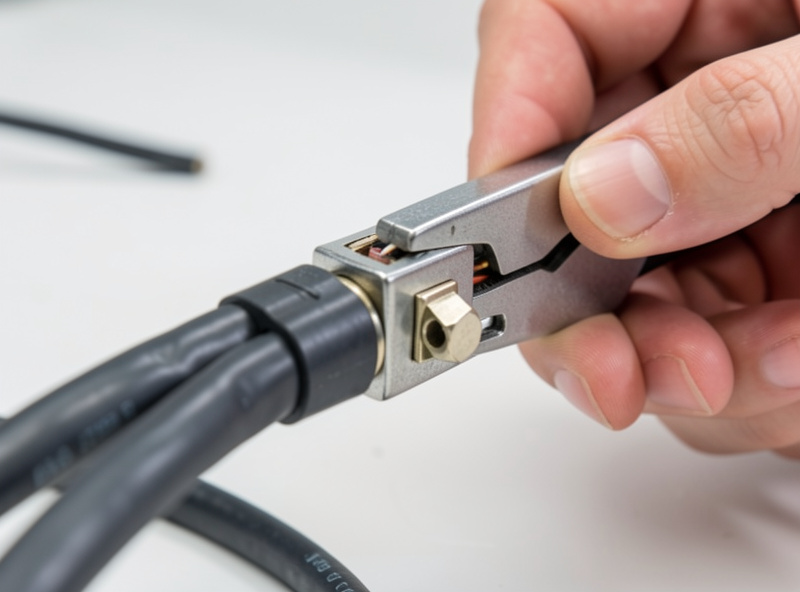
Whichever you choose, two rules don’t bend: buy solid copper, never copper-clad aluminium, and buy the right jacket rating for where it runs — CMR (riser) at minimum for in-wall, CMP (plenum) for air-handling spaces. CCA fails the standard, overheats on PoE, and snaps; the wrong jacket rating is a fire-code problem. These matter far more than the Cat6-vs-Cat6a choice.
I want to be blunt here because it’s the most common way people waste the whole project: a Cat6a cable made of copper-clad aluminium is worse than honest solid-copper Cat6 in every way that counts. The category number on the jacket means nothing if the conductors are aluminium — you’ve bought a worse cable with a better label. Verify “solid bare copper” or “100% copper” on the spec, not just the category. And both Cat6 and Cat6a need the same workmanship: untwist no more than 13 mm at each termination, respect the bend radius, don’t exceed about 110 newtons of pull tension, and wiremap every run before the wall closes per the cable testing guide. A perfectly chosen cable terminated badly fails; an honestly adequate cable terminated well lasts twenty years.
Where Cat5e still fits — and where it doesn’t
Cat5e isn’t dead: it carries gigabit to 100 metres and 2.5GBASE-T works on it reliably in practice, so for a run that will only ever serve a single 1G or 2.5G device, existing Cat5e is fine and there’s no reason to rip it out. The line I draw is new in-wall work — if the wall is already open, the few extra dollars for Cat6 buy a 10G upgrade path that Cat5e can’t promise.
I still have Cat5e in parts of my house from an earlier era, feeding APs and cameras that will never need more than 2.5G, and I’ve left it exactly where it is. There’s no performance reason to disturb a working Cat5e run that’s matched to its job. But I won’t pull new Cat5e, because the cost delta to Cat6 is trivial against the twenty-year life of an in-wall cable, and Cat6 keeps the 10G door open. So the real three-way decision is: keep working Cat5e, pull Cat6 for new room drops, pull Cat6a for long backbone runs. That covers every situation without over-buying.
What about the 10G hardware on the ends?
Cable is only half the 10G question — the switches and NICs cost more than the cable, and 10GBASE-T over copper runs hotter and uses more power than fibre. For most homes, the realistic path is Cat6 in the walls now, a 2.5G or 10G switch when you need it, and fibre for the few runs where copper 10G doesn’t reach. Don’t pay the Cat6a premium for a 10G future you may serve over fibre anyway.
This is the part the cable-spec debate skips: pulling Cat6a doesn’t give you 10G, it gives you the option of 10G if and when you buy 10G switching and NICs, which is the expensive part. By the time you actually want 10G everywhere, you may well be running it over fibre between switches and using copper only for the last short hop — in which case Cat6 was always enough. My advice: pull Cat6 generously, pull Cat6a on the long backbone runs, leave conduit on the risers, and let the active gear catch up on its own timeline. The 10G switch guide and the fibre runs guide cover the other end of that decision.
Frequently Asked Questions
Is Cat6 good enough for in-wall home runs, or do I need Cat6a?
Cat6 is good enough for almost every home run. It carries 1G, 2.5G and 5G to the full 100 metres and 10G to about 55 metres, which covers nearly every realistic in-wall distance. Pull Cat6a only on long backbone runs where you need certified 10G past 55 metres.
How far can Cat6 carry 10G?
Cat6 carries 10GBASE-T to roughly 55 metres in good conditions, and less if many cables are bundled tightly together because of alien crosstalk. Cat6a extends 10G to the full 100-metre channel thanks to its 500 MHz bandwidth versus Cat6’s 250 MHz. Most home runs sit well inside Cat6’s 10G range.
Why is Cat6a harder to install than Cat6?
Cat6a is thicker, stiffer, and has a larger minimum bend radius, so it pulls harder and fits fewer cables per conduit. It is also frequently shielded, which only helps if the shield is properly bonded and grounded at the panel. Unshielded Cat6a is easier but still fatter than Cat6.
Should I just pull Cat6a everywhere to be safe?
Usually not for a DIY home job. On the short runs that make up most of a house, Cat6a gives zero benefit over Cat6 because both already do 10G under 55 metres, while costing more and being harder to pull and terminate. Spending the money on more Cat6 drops buys more flexibility.
Does the Cat6 versus Cat6a choice matter more than copper quality?
No. Buying solid bare copper rather than copper-clad aluminium, and the correct jacket rating for the run, matter far more than the category choice. A Cat6a cable made of copper-clad aluminium is worse than honest solid-copper Cat6 in every way that counts for reliability and PoE.