
Tailscale is the fastest way to build a private mesh into your home network, and Headscale is how you run the same thing with no third party holding the keys to coordination. Both use WireGuard for the actual encryption; the difference is who runs the control server that introduces your devices to each other. Tailscale hosts that for you and you are connected in minutes. Headscale is the open-source control server you self-host when you want the convenience without the dependency. For most homes I reach for Tailscale; on the rack where I want zero outside coordination, I run Headscale in a container.
The reason an overlay matters: it sidesteps the single hardest problem in self-hosted remote access, which is getting an inbound connection through CGNAT and double-NAT. Both ends dial out, the coordination server introduces them, and they punch through NAT to talk directly — no port forwarding, no public IP required. If you have read my home VPN and remote access guide and concluded a classic WireGuard listener won’t reach you, this is the route that will.
How Tailscale actually works
Tailscale is WireGuard with the painful parts automated. You install the client on each device and log in; the coordination server hands out and rotates the public keys so every node learns how to reach every other node. The data itself never flows through Tailscale’s servers when a direct connection is possible — the encrypted WireGuard traffic goes peer to peer. When two nodes genuinely cannot punch through their NATs, traffic falls back to an encrypted DERP relay so the connection still works, just with an extra hop. Your network of devices is called a tailnet, and once a device joins it gets a stable address that follows it everywhere.
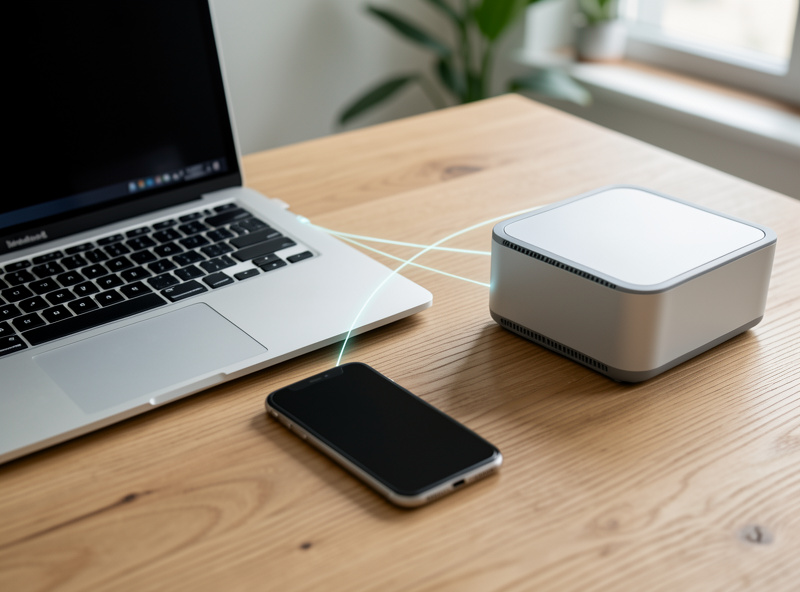
Setting up Tailscale on a home network
The basic flow is genuinely quick. Install the client on your phone, laptop, and a machine at home; authenticate each one to the same tailnet; and they can immediately reach each other by their tailnet addresses. The features that make it useful at home come next. A subnet router advertises a whole home subnet (say your LAN or a specific VLAN) into the tailnet, so a remote device can reach everything on that segment without installing Tailscale on every last device — I run a subnet router as a small node on the Proxmox host rather than on the firewall, so it stays caged in its own container.
An exit node lets you route all your internet traffic out through your home connection, which is the overlay equivalent of a full tunnel. MagicDNS gives every device a friendly name so you stop memorising addresses. And ACLs — access control lists defined centrally — decide which nodes may reach which, which is where the security discipline lives. Tag your devices and write ACLs deliberately, because a flat tailnet where everything reaches everything throws away the segmentation you worked for elsewhere.
The subnet router and VLAN trap
Here is the mistake I see most often, and it is a real security issue, so I will be blunt about it. A subnet router advertising your entire flat LAN into the tailnet quietly undoes your segmentation — a remote phone now reaches the IoT devices, the cameras, everything on that subnet. If you have built zones with my VLAN guide, advertise only the specific subnet a remote client legitimately needs, and lean on Tailscale ACLs plus your firewall rules to keep the default-deny posture intact. The overlay is convenient precisely because it can reach everything; that is exactly why you must constrain what it advertises.
Headscale: the same mesh with no third party
Headscale is an open-source, self-hosted implementation of the Tailscale coordination server. You run it yourself — in my case in an LXC container behind the firewall — and point the standard Tailscale clients at it instead of Tailscale’s hosted control plane. The data plane is identical (still WireGuard, still peer-to-peer with relay fallback); only the introduction service moves under your roof. You do it for one reason: you want no external dependency in the path of your remote access, no account with a company, nothing outside your control coordinating your devices.
The tradeoff is honest. Headscale gives you the core — nodes, subnet routes, ACLs, key management — but you operate it, you keep it patched, and you forgo the polished admin console and some of the newer features that land in the hosted product first. You also need a reachable endpoint for the Headscale server itself, which on a CGNAT line means hosting it on a small cloud VM or VPS. It is more work for more sovereignty. That is the same trade I weigh on every part of the rack.
| Aspect | Tailscale (hosted) | Headscale (self-hosted) |
|---|---|---|
| Setup time | Minutes | An afternoon |
| Coordination server | Run by Tailscale | Run by you |
| Data plane | WireGuard, peer-to-peer | WireGuard, peer-to-peer |
| Admin console | Polished web UI | Command line |
| External dependency | Yes (account + control plane) | None (you host it) |
| Maintenance burden | Minimal | You patch and operate it |
| Best for | Most homes, fastest path | Maximum sovereignty |
Which one I run, and when
For the vast majority of homes, Tailscale is the right call: it solves CGNAT for free, the setup is trivial, and the ACL model is genuinely good if you use it. I only move to Headscale when the goal is explicitly to remove the third party — the same instinct that makes me self-host DNS and a reverse proxy rather than lean on a service. If you are deciding between an overlay and a plain WireGuard listener in the first place, my WireGuard vs OpenVPN comparison covers the underlying protocol, and the mesh VPN guide explains why automated coordination beats hand-rolling a mesh past a few nodes.
Where an overlay fits the bigger picture
An overlay is not a replacement for the firewall-terminated WireGuard I run as the front door; it is a complementary tool for the CGNAT case and for multi-node meshes that would be miserable to wire by hand. I keep my primary remote access on OPNsense where the firewall enforces zones, and use an overlay where its NAT traversal earns its keep — for example reaching a node at a relative’s house that sits behind carrier NAT. The two coexist happily. What matters is that whichever path a remote device takes, it lands in a constrained zone, not on the open LAN — the same rule that governs the IoT VLAN and guest isolation.
What breaks, and how I keep the mesh healthy
Overlays are reliable, but two things bite people. The first is key expiry: by default nodes have keys that expire, and a device whose key lapses silently drops off the tailnet until you re-authenticate it. For an always-on server — a subnet router, a NAS — disable key expiry on that specific node so it does not vanish while you are away and locked out of the very thing you needed to reach. I learned that the obvious way, by losing access to a home node while travelling.
The second is ACL lockout. Because access is defined centrally, a careless ACL edit can cut you off from every node at once, including the one you would use to fix it. Treat the ACL file like firewall rules: change it deliberately, keep a known-good version, and test from a second device before you trust it. The other thing worth checking is whether your connections are going direct or falling back to a relay — a relayed link works but adds latency, and persistent relaying usually means a NAT or firewall on one end is blocking the direct path. The client will tell you which it is using, and chasing a stubborn relay back to a too-aggressive firewall rule is time well spent.
Frequently Asked Questions
What is the difference between Tailscale and Headscale?
They use the same WireGuard data plane and clients. The difference is the coordination server that introduces devices to each other: Tailscale hosts it for you, while Headscale is an open-source version you self-host so no third party coordinates your network. Functionally similar, different trust model.
Does Tailscale work behind CGNAT?
Yes, that is its main advantage for home users. Both ends dial outbound to the coordination server and punch through NAT to connect directly, so you never need a public IP or a forwarded port. When direct connection fails, traffic falls back to an encrypted relay.
Is my data sent through Tailscale servers?
No, not when a direct connection is possible. The encrypted WireGuard traffic flows peer to peer between your devices. Tailscale servers only coordinate key exchange. Traffic uses an encrypted DERP relay solely as a fallback when two nodes cannot establish a direct path.
Should I advertise my whole LAN through a Tailscale subnet router?
No. Advertising a flat LAN undoes your segmentation and lets remote devices reach everything, including IoT and cameras. Advertise only the specific subnet a remote client needs and use ACLs plus firewall rules to keep a default-deny posture.
Do I need a public IP to run Headscale?
The Headscale coordination server itself needs to be reachable by your clients, so on a CGNAT connection you typically host it on a small cloud VM or VPS. Your home nodes still dial out to it, so the home network itself does not need a public IP.
Is Tailscale or Headscale more secure?
Both rely on the same WireGuard cryptography, so the encryption is equivalent. Headscale removes the external coordination dependency, which some prefer, but it shifts the operational and patching burden onto you. Your ACLs and key hygiene determine real-world security more than the choice between them.
Related Guides
- Home VPN and Remote Access: The Complete Guide
- Mesh VPN for a Home Network
- WireGuard vs OpenVPN for Home Use
- Remote Access to Your Home Network
- Proxmox Homelab Setup Guide