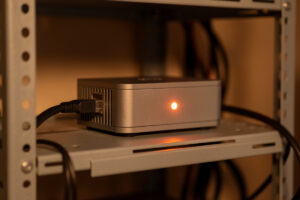
Unbound is a recursive DNS resolver: instead of forwarding your queries to Google or Cloudflare, it walks the DNS tree from the root servers down and finds the answer itself. Pair it with Pi-hole or AdGuard Home and no upstream company ever sees your aggregate query stream. It validates DNSSEC, caches aggressively, and at home it runs in a few megabytes of RAM. In my setup it is the resolver under the filter.
This is the recursion piece of the home DNS layer. Most people who “set up Pi-hole” are still forwarding the actual resolving to a third party — Unbound is how you stop doing that. I will cover what recursive resolution buys you, the config I run, how to wire it under your filter, and the honest limits so you know what it does and does not fix.
Recursive vs forwarding — the real difference
A forwarding resolver hands your query to a big upstream resolver and relays the answer. Fast, simple, and that upstream sees every name you look up. A recursive resolver does the lookup itself: it asks a root server who handles .com, asks that server who handles example.com, and asks that server for the record — caching each step. No single company gets your full browsing pattern, because you are talking to many authoritative servers directly.
That distinction is the whole point. Filtering with Pi-hole still leaks your query log if Pi-hole forwards to 8.8.8.8. Running Unbound underneath closes that leak. The tradeoff is small: the first lookup of a cold domain takes a few extra round trips while Unbound walks the tree, then it is cached and local-fast. On a household’s repeat traffic, the cache hit rate is high and you will not feel it.
Installing Unbound
On Debian or Ubuntu it is one package: apt install unbound. The defaults are sane, but the configuration that has served me for years is small and worth understanding rather than pasting blind. I run it in the same container as the filter, listening on a non-standard port so it does not collide with Pi-hole on 53 — the long-standing convention is 127.0.0.1@5335, and I keep it because every guide and my own muscle memory assume it.
The config does four things worth calling out: it points Unbound at the root hints file so it knows where the root servers are, it enables DNSSEC validation against the built-in trust anchor, it hardens against common spoofing (rejecting private addresses in public answers), and it tunes the cache with prefetching so popular records get refreshed before they expire. After editing the config, validate it with unbound-checkconf before restarting — a typo there takes your resolver down, and a down resolver looks like a dead internet.
Wiring it under Pi-hole or AdGuard Home
The integration is one setting. In Pi-hole, you remove every public upstream and set a single custom upstream of 127.0.0.1#5335 — now Pi-hole filters and Unbound resolves. In AdGuard Home it is the same idea: point its upstream at the local Unbound instead of a public DoH endpoint. Either way, your filter handles the blocklists and Unbound handles the recursion, and nothing leaves your network to a resolver you do not control.
Test it before you trust it. A DNSSEC validation test — querying a deliberately broken-signature domain and confirming you get SERVFAIL, then a valid one and confirming you get an answer — proves Unbound is validating, not just resolving. If both return answers, validation is off and you have a config problem. That single test catches the most common silent misconfiguration.
Forwarding vs recursive at a glance
| Aspect | Forwarding (to Google/Cloudflare) | Recursive (Unbound) |
|---|---|---|
| Who sees your query log | The upstream resolver | No single party (many authoritative servers) |
| First lookup of a cold name | Fast (warm public cache) | Slightly slower (walks the tree) |
| Repeat lookups | Fast | Fast (local cache) |
| DNSSEC validation | Depends on upstream | You validate locally |
| Encryption of upstream | Possible (DoH/DoT) | Plaintext to authoritative by default |
| Dependency on a third party | Yes | No |
DNSSEC, caching, and the bits that earn their keep
DNSSEC validation is the quiet win people overlook. With Unbound validating locally, a tampered or spoofed answer for a signed domain gets rejected before it reaches your devices — you are not trusting an upstream to have done that check. Not every domain is signed, so it is not universal protection, but for the ones that are, you get cryptographic assurance the record is genuine.

Caching and prefetch are where the speed comes from. Unbound holds answers for their full TTL and, with prefetch enabled, proactively refreshes records that are queried often so the cache rarely goes cold on the sites your household actually visits. On the Proxmox host where mine runs, the resolver’s memory footprint is trivial next to everything else on the box, which is part of why I do not bother with a dedicated appliance for it.
The honest caveat about encryption
Here is the thing the privacy threads gloss over: a recursive Unbound talks to authoritative servers in plaintext on port 53. Your ISP cannot see a single upstream resolver getting all your queries — because there is not one — but a determined observer on your link can still watch individual lookups go out. If your goal is hiding the queries themselves from your ISP, recursion alone does not do it; that is the encryption job.
So recursion and encryption solve different problems. Recursion removes the third-party resolver that would otherwise hold your whole log. Encryption (covered in the DoH and DoT guide) hides the path. You can combine them — Unbound can be configured to forward over DoT to a privacy resolver instead of recursing — but then you are back to trusting an upstream. Decide which model you want: I run pure recursion at home and accept that the authoritative servers see their own slice of my queries, because no single party sees all of it.
Where to run it, and how it fails
You can run Unbound in the same container as your filter or in its own. Same-container is simplest — one box to manage, localhost talks to localhost with no network hop — and it is what most home setups do. A separate container is tidier if you want to restart the filter without touching the resolver, or run one Unbound under two different filters for redundancy. I keep mine alongside the filter and rely on Proxmox snapshots rather than separation for safety.
The failure mode to know about is the cold start. When Unbound first comes up it has an empty cache, so the very first wave of lookups after a reboot is the slow recursive path before anything is cached — for a few seconds the network feels sluggish, then it snaps to normal. People misread that as Unbound being slow; it is just the cache warming. The genuinely bad failure is a config typo that stops Unbound from starting at all, which is why unbound-checkconf before every restart is not optional. If the resolver is down, devices that only know it as their DNS server lose name resolution entirely, and the symptoms look exactly like an internet outage even though the link is fine.
Frequently Asked Questions
What does Unbound do that Pi-hole does not?
Pi-hole filters and then forwards unblocked queries to an upstream resolver. Unbound is that resolver, but recursive, so it finds answers by querying the root and authoritative servers itself instead of asking Google or Cloudflare. Together, Pi-hole blocks and Unbound resolves with no third party.
Is recursive DNS slower than using Cloudflare?
Only for the first lookup of a domain you have not visited recently, which takes a few extra round trips while Unbound walks the tree. After that the answer is cached locally and just as fast. On a household’s repeat traffic the difference is not noticeable in practice.
Does Unbound encrypt my DNS queries?
Not by default. A recursive Unbound talks to authoritative servers in plaintext on port 53. It removes the single third-party resolver that would see all your queries, but it does not hide individual lookups from your ISP. For that you add DNS over TLS or HTTPS upstream.
What port should Unbound listen on with Pi-hole?
The long-standing convention is 127.0.0.1 on port 5335, so Unbound does not collide with Pi-hole on port 53. You then set Pi-hole’s single custom upstream to 127.0.0.1#5335. The exact port is arbitrary, but 5335 is what nearly every guide assumes.
Do I still need a blocklist if I run Unbound?
Yes. Unbound resolves names but does not filter ads or trackers on its own. You keep Pi-hole or AdGuard Home in front of it for the blocking, and use Unbound underneath for recursion. The two jobs are separate: filtering and resolving.
Further Reading
- Home DNS and network-wide ad blocking — where recursion fits in the layer
- Pi-hole setup guide — the filter that sits in front of Unbound
- AdGuard Home vs Pi-hole — both can use Unbound as upstream
- DNS over HTTPS and DNS over TLS — the encryption Unbound does not do alone
- DNS failover and redundancy — run one Unbound under two filters
- Split-DNS for a home network — local-zone records on the recursive resolver