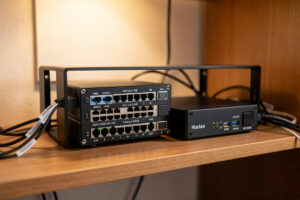
A home DNS stack is the layer that decides where every device on your network looks up names — and it is the single cheapest place to block ads, kill trackers, and stop your ISP from logging your browsing. In my setup it runs on the Proxmox host, not the router, and it filters every VLAN at once. Plain DNS rides UDP/TCP port 53; encrypted upstream rides 853 (DoT) or 443 (DoH).
I run a dedicated DNS layer because the ISP router cannot do this job properly, and because doing it on its own boxes means I can break it, reload it, and fail over to a second one without taking the whole house offline. This guide is the map of that layer: what each piece does, how the pieces stack, where DNS sits in a VLAN network, and which spoke to read when you are ready to build a given part. It is the dedicated DNS-and-blocking layer — distinct from the firewall-integrated approach I cover in my pfBlockerNG tutorial, and distinct again from the VPN-and-DNS privacy services post.
What a home DNS layer actually is
DNS is the phone book of the internet: it turns news.example.com into an IP address your device can route to. A “home DNS layer” means you run that phone book yourself instead of handing the job to your ISP or to a public resolver you do not control. Every web page pulls dozens of names, so whoever answers those queries sees, in real time, every site every device tries to reach.
That is why the layer matters three different ways at once. It is a privacy boundary, because the resolver sees your whole browsing pattern. It is a filtering point, because a resolver that refuses to answer for ads.tracker.net blocks that ad on every device with zero client software. And it is a reliability dependency, because when DNS dies the internet feels down even though the link is fine — the failure mode I see panic people the most. Get the layer right and all three improve together.
The three jobs of a DNS stack
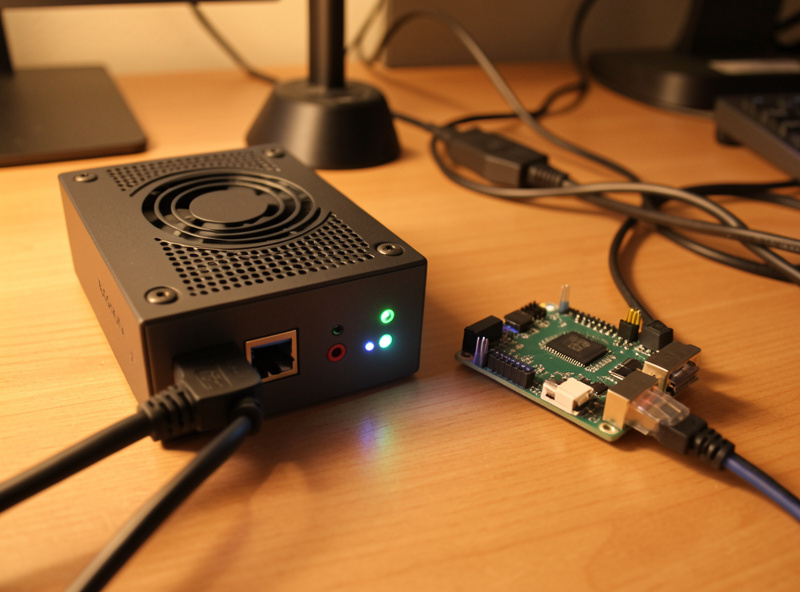
I split the DNS layer into three jobs, and it helps to keep them separate in your head even when one box does several of them. The first job is resolving — actually turning names into addresses. The second is filtering — refusing to resolve ad, tracker, and malware domains. The third is encrypting the path between your resolver and whatever it asks upstream, so your ISP cannot read or log the lookups.
Most people who “set up Pi-hole” are doing the filtering job and quietly forwarding the resolving job to Google or Cloudflare. That works, but it hands your full query log to a third party. The cleaner build does the resolving job yourself with a recursive resolver, so no single upstream company ever sees the whole picture. I run all three jobs, and the rest of this guide is how they fit.
Job one: resolving
A recursive resolver walks the DNS tree from the root servers down, asking each authoritative server in turn, and caches the answer. Run it yourself with Unbound and no upstream resolver ever sees your aggregate query stream — you talk straight to the authoritative servers. The tradeoff is the first lookup of a cold name is a hair slower than a warm public cache; after that it is local and fast.
Job two: filtering
The filter is the famous part — network-wide ad blocking. A DNS filter loads blocklists (curated lists of ad, tracker, and malware domains) and returns nothing, or a null address, when a client asks for one. Because it sits at the network level, a smart TV that ignores every browser ad-blocker still gets filtered. The two tools I run for this are Pi-hole and AdGuard Home — covered head to head in their own spoke.
Job three: encrypting
By default DNS is plaintext on port 53, which means your ISP — or anyone on the path — can read every name you look up and, in some countries, rewrite the answers. DNS over HTTPS (DoH) and DNS over TLS (DoT) wrap the query in TLS so the path is private. You apply this between your resolver and its upstream, and you can also force every client on the network to use it.
The stack I run on the Proxmox host
The DNS layer in my house does not live on the router. It lives as containers on the Proxmox host that is the spine of the whole network, and the firewall (OPNsense on dedicated hardware) simply hands every VLAN’s DHCP-issued DNS server down to those containers. That separation is deliberate: I can reload a blocklist, upgrade a resolver, or reboot a container without touching the firewall that every device depends on for routing.
Concretely, the path a query takes in my setup: a client asks its gateway, the gateway points it at the filtering resolver (Pi-hole or AdGuard Home in an LXC container), that resolver checks its blocklists, and anything that survives the filter is handed to Unbound, which resolves it recursively and encrypts only where it must reach outside. Two filtering resolvers run in parallel so the network does not fall over when I am working on one — that failover and redundancy design is its own spoke because it is where most home setups quietly have a single point of failure.
How the pieces compare
The hardest thing for people starting out is that the tool names overlap in what they can do. Pi-hole and AdGuard Home both filter; AdGuard Home can also do its own upstream encryption; Unbound resolves but does not filter. Here is how I keep the roles straight.
| Component | Primary job | Filters ads | Recursive resolver | Built-in encryption | Where I run it |
|---|---|---|---|---|---|
| Pi-hole | Filtering resolver | Yes | No (forwards) | No (pair with Unbound or cloudflared) | LXC container |
| AdGuard Home | Filtering resolver | Yes | No (forwards) | Yes (DoH/DoT upstream and server) | LXC container |
| Unbound | Recursive resolver | No | Yes | DoT upstream optional | Same or separate container |
| cloudflared / dnscrypt-proxy | Encryption proxy | No | No | Yes (DoH) | Sidecar to the filter |
| pfBlockerNG | Firewall-integrated filter | Yes | No | Inherits firewall | On the firewall itself |
Read the table as roles, not products. You need one filtering resolver, one recursive resolver, and one encryption path. A single AdGuard Home instance can cover the filter and the encryption; pair it with Unbound for the recursive job and you have the whole layer in two containers.
Where DNS sits in a VLAN network
If you run a flat network, DNS is simple: one resolver, everyone uses it. The moment you segment — and if you have read my home network VLAN guide you know I segment everything — DNS gets interesting, because each VLAN’s DHCP scope hands out a DNS server, and your firewall rules decide which VLANs are even allowed to reach it.
In my setup the resolver lives on a services segment, and every trusted VLAN is allow-listed to reach it on port 53 while being blocked from talking to any other upstream DNS. That last rule matters more than people expect: without it, a device can simply ignore your resolver and hardcode 8.8.8.8, dodging every blocklist you built. I force the issue by NAT-redirecting or blocking outbound 53/853 so the only resolver any client can reach is mine. The split-DNS spoke covers the related problem: serving local names for the lab and self-hosted services while still resolving public names correctly.
The IoT VLAN is the sharp edge. Those devices phone home constantly, and a lot of that traffic is telemetry I would rather drop. Pointing the IoT VLAN at the filtering resolver — and nowhere else — turns the DNS layer into a quiet privacy win on exactly the devices that deserve the least trust. The firewall rules that hold that line are the same default-deny recipes from my VLAN firewall rules post.
What DNS-level blocking does and does not do
DNS blocking is the highest-leverage privacy move you can make for the least effort, but it is not magic, and overselling it is how people end up disappointed. It works by refusing to resolve a domain, so it kills anything served from a separate ad or tracker hostname — most display ads, most analytics beacons, most smart-TV telemetry. A good blocklist covers tens of thousands to hundreds of thousands of such domains.
What it cannot do is block ads served from the same domain as the content. YouTube ads come from Google’s own hostnames, so DNS cannot cleanly separate them from the video — anyone promising “block YouTube ads with Pi-hole” is selling you a brittle hack that breaks playback as often as it works. DNS blocking also does nothing against tracking that has already loaded, and it does not encrypt your traffic — that is the encryption job, a different layer. When the blocking misbehaves — a page half-loads, an app refuses to start — that is almost always an over-aggressive blocklist, and my DNS ad-blocking troubleshooting spoke walks the diagnosis.
Redundancy: the part everyone skips
Here is the failure I have watched bite people the most. They set up one Pi-hole, point the whole house at it, and it is great — until they reboot that box to update it and suddenly nobody in the family can load anything, because DNS is down and DNS-down looks exactly like internet-down. A single resolver is a single point of failure for your entire network’s usability.
The fix is two resolvers, handed out as primary and secondary in every DHCP scope, ideally on different physical hosts so a reboot or a dead SD card never takes both. I run Pi-hole and AdGuard Home as the pair precisely so the two are independent codebases — a bad blocklist update that breaks one will not break the other. The catch is that clients treat the two as interchangeable, so both must carry the same blocklists or your filtering becomes a coin flip. The whole design — keeping the lists in sync, what “failover” actually means at the client level, and why a secondary that points at a public resolver silently defeats your blocking — is the failover and redundancy spoke.
Encrypting upstream so the ISP goes dark
Once your resolver answers locally and filters, the last leak is the queries it has to send out to the wider internet for names it does not know. Plaintext on 53, those are visible to your ISP. Switch the upstream to DoT (port 853) or DoH (port 443) and that path goes encrypted, so your ISP sees that you are doing DNS but not which names. AdGuard Home can do this natively; Pi-hole does it by forwarding to a local cloudflared or to Unbound configured for DoT. The full setup, including how to also run your resolver as a DoH/DoT server for your phones when they are off the home network, is in the DoH and DoT spoke.
One honest caveat I always give: if you run your own recursive Unbound, you are already talking straight to authoritative servers, and encrypting that last hop buys less than people think — the authoritative servers see the query either way. Encryption upstream matters most when you forward to a public resolver. Decide which model you are running before you bolt on encryption, or you are encrypting a leak you already closed.
How to actually build this, in order
If you are starting from an ISP router and nothing else, do not try to build the whole stack in one weekend. The order that has never burned me: stand up one filtering resolver first and point only your own laptop at it, so a bad blocklist annoys nobody but you. Then add the recursive resolver underneath so you stop forwarding to a third party. Then add the second resolver for redundancy. Then encrypt the upstream. Then, last, force every VLAN to use it with firewall rules — because that is the step that breaks things loudly if anything underneath is wrong.
Each of those steps is a spoke in this cluster. Start with the Pi-hole setup guide if you want the most documented path, or read AdGuard Home vs Pi-hole first if you would rather pick once and not switch. Everything downstream — recursion, encryption, redundancy, split-DNS, troubleshooting — assumes you have one filtering resolver answering before you layer the rest on. A Raspberry Pi or a small fanless box is plenty of hardware to start; this is homelab-scale infrastructure, run on a Proxmox host the way I cover in the Proxmox networking post — not a datacenter, and it does not need to be.
Hardware: what to run the layer on
The DNS layer barely touches a CPU — a home network’s query volume is trivial — so you do not need much. A Raspberry Pi 5 runs Pi-hole or AdGuard Home with room to spare, and for years the “Pi” in Pi-hole was exactly that. The only thing I would not do is run the resolver off a cheap microSD card as your only copy: those cards wear out, and when the card dies your whole house loses DNS. Boot from an SSD, or run it as a container on a host you already back up.
That is why mine live as LXC containers on the Proxmox host instead of on dedicated Pis — the host already has redundant storage and snapshots, so a broken resolver is a two-minute rollback, not a re-flash. If you would rather keep DNS off your main host, a small fanless mini PC is silent, sips power, and gives you a real disk. Either path is fine; the point is that the box your whole network depends on for name resolution should not be the flimsiest thing in the rack. As an Amazon Associate I earn from qualifying purchases.
Knowing the layer is actually working
The most common quiet failure is a DNS layer that looks configured but is being bypassed. Two checks settle it. First, from a client, run a lookup of a known ad domain — if it resolves to a real address instead of 0.0.0.0 or NXDOMAIN, your client is not using the filter. Second, watch the resolver’s query log while you browse: if you see queries from every device, the network is routing through it; if a device is missing, it has hardcoded its own DNS and your firewall is not blocking outbound 53.
I keep the resolver dashboards (Pi-hole’s and AdGuard Home’s both ship one) on a tab, less for the satisfying “percent blocked” number and more because the query log is the fastest way to diagnose a misbehaving app — you watch what it tries to reach the instant it breaks. That same log is the first place I send anyone in the troubleshooting spoke, because nine times out of ten the answer is sitting right there in the last fifty queries. Pair the dashboard with the firewall’s own logs from my OPNsense firewall rules setup and you can see both halves: what DNS blocked, and what the firewall dropped.
Frequently Asked Questions
Do I need both Pi-hole and AdGuard Home?
No, one filtering resolver is enough to block ads network-wide. I run both as a redundant pair so a reboot or a bad blocklist update on one never takes DNS down for the whole house, but a single instance does the core job fine.
Can a home DNS layer block YouTube ads?
Not cleanly. YouTube serves ads from the same Google hostnames as the video, so DNS cannot separate them without breaking playback. DNS blocking excels at display ads, trackers, and smart-TV telemetry served from dedicated ad domains, not same-origin ads.
Should the DNS server run on my router or a separate box?
A separate box. In my setup the filtering resolver and recursive resolver run as LXC containers on the Proxmox host, not on the firewall, so I can reload blocklists or reboot a resolver without touching the router every device routes through.
What is the difference between a filtering resolver and a recursive resolver?
A filtering resolver like Pi-hole decides which domains to answer for and forwards the rest. A recursive resolver like Unbound actually walks the DNS tree from the root servers to find answers. A complete stack uses both: filter first, then resolve.
Will network-wide ad blocking break websites?
Occasionally, when a blocklist is too aggressive and catches a domain a site genuinely needs, like a payment or login provider. The fix is whitelisting that one domain, not disabling blocking. Over-aggressive lists are the most common cause of half-loading pages.
Does DNS blocking encrypt my traffic?
No. Filtering and encryption are separate jobs. DNS blocking refuses to resolve ad domains but sends remaining queries in plaintext on port 53 unless you add DNS over HTTPS or DNS over TLS upstream. Run both layers for privacy plus filtering.
Related Guides
This hub anchors a full cluster on the dedicated DNS layer. Build it in order, or jump to the piece you need:
- Pi-hole setup guide for a home network — stand up your first filtering resolver
- AdGuard Home vs Pi-hole — pick the right filter for your house
- Unbound recursive DNS — stop forwarding to a third party
- DNS over HTTPS and DNS over TLS — encrypt the upstream path
- DNS failover and redundancy — survive a resolver reboot
- Split-DNS for a home network — serve local names alongside public ones
- DNS ad-blocking troubleshooting — fix the page that will not load
For the firewall-integrated alternative, see my pfBlockerNG tutorial, and for the broader security context read home network security hardening.