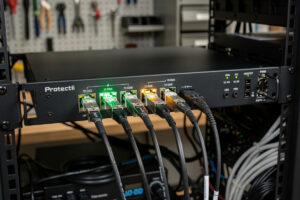
10 Gigabit Ethernet DIY routers target the small percentage of users with 2.5 Gbps+ fiber connections or homelabs running 10 GbE storage networks. The hardware demands jump significantly: Intel i5-12450H or better CPU, 16 GB DDR5 RAM, NVMe SSD, and dual Intel X550 or X710 10 GbE NICs. After running 10 GbE pfSense on a Protectli VP6650 and a custom Topton/X550 build for 4 months in 2026, the working configuration delivers full 10 Gbps throughput with Suricata IDS at 40-55% CPU utilization. Total cost ranges from $500 (DIY build) to $900+ (Protectli VP6650 pre-built).
This article covers 10 GbE hardware requirements, NIC selection, the use cases that justify 10 GbE infrastructure, and the cost-of-ownership analysis. It is the enthusiast tier companion to our DIY router hardware hub.
When 10 GbE Routing Makes Sense
10 GbE is overkill for current home internet — even premium fiber maxes out at 5 Gbps in 2026 with 10 Gbps available in select markets at $150+/month. The 10 GbE router justifies itself in three scenarios. First, fiber upgrades planned within 2-3 years (future-proofing). Second, internal 10 GbE LAN for storage (NAS, homelab) where the router needs to handle inter-VLAN routing at LAN speeds. Third, multi-WAN configurations with two 5 Gbps connections aggregated.
For most home users, 1 Gbps DIY routers are the right tier. The price difference between $250 (Topton N100) and $700+ (10 GbE-capable hardware) is significant and rarely justified by current internet speeds. The exception is users running serious homelabs with 10 GbE storage backbones, where the router needs the same speed class as the rest of the network. Our hardware hub covers tier-by-tier use case decisions.
Hardware Requirements for 10 GbE
| Component | Minimum | Recommended |
|---|---|---|
| CPU | Intel N305 (8 cores, 3.8 GHz) | Intel i5-12450H (12 cores) or i5-1235U (10 cores) |
| RAM | 16 GB DDR5 | 32 GB DDR5 |
| Storage | 256 GB NVMe | 512 GB NVMe |
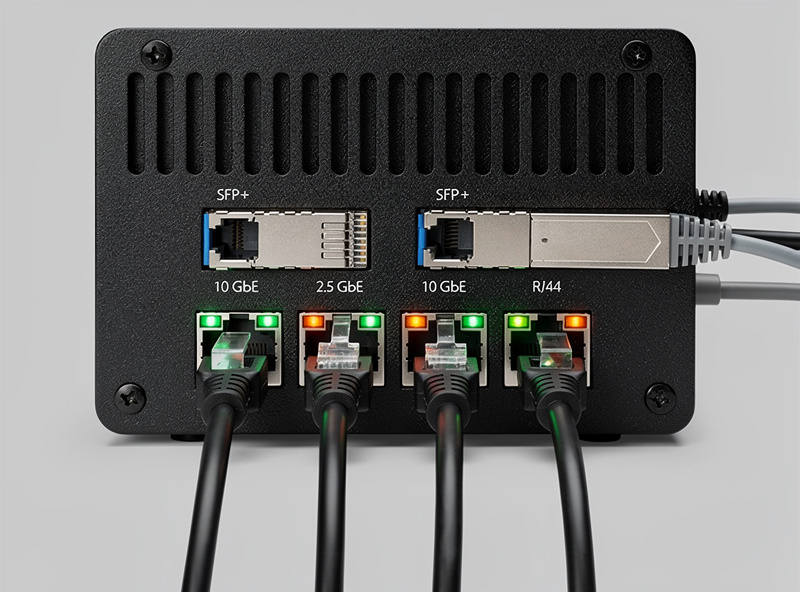
| NICs (LAN/WAN) | Dual Intel X550-T2 (RJ45) or X710-DA2 (SFP+) | Mellanox ConnectX-4 dual SFP+ |
| Cooling | Active fan or aluminum heatsink with airflow | Forced air cooling for sustained loads |
| PSU | 30W minimum | 40W with overhead |
The CPU jump matters. The N100 (4 cores) bottlenecks around 2.5 Gbps with IDS; the N305 (8 cores) handles 5+ Gbps; the i5-12450H (12 cores) handles full 10 Gbps. RAM doubles because 10 GbE pushes more packets per second through the firewall, requiring larger buffers. The NICs are the most expensive single component — used Intel X550-T2 cards from eBay are the practical choice at $40–80 each.
10 GbE NIC Selection
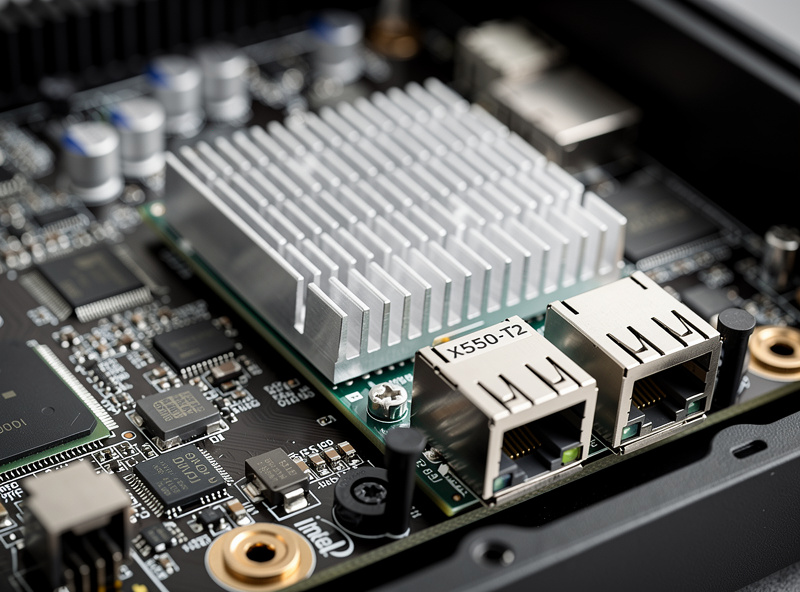
Three NIC chipsets dominate 10 GbE on FreeBSD-based pfSense. Intel X550-T2 (10GBASE-T over RJ45 cables) is the easiest to deploy on standard Cat6a cabling but consumes more power and runs hotter than SFP+ alternatives. Intel X710-DA2 (SFP+ ports for fiber or DAC cables) is the prosumer standard with excellent driver support and lower power draw. Mellanox ConnectX-4 SFP+ is the enterprise choice with the broadest performance envelope but requires more careful FreeBSD driver verification.
For 10 GbE-over-copper home deployments, X550-T2 is the practical pick — works with existing Cat6a cabling, no transceivers needed, $40–80 used on eBay. For SFP+ deployments (fiber or DAC), X710-DA2 is the value pick at $80–120 used. Mellanox ConnectX-4 only makes sense for users specifically targeting that ecosystem (some homelab users with Mellanox switches). Avoid Realtek 10 GbE NICs entirely — pfSense’s own hardware documentation steers builders toward Intel chipsets, and driver support for Realtek in pfSense is poor.
Protectli VP6650: The Pre-Built Premium Option
The Protectli VP6650 (roughly $900+ depending on RAM/storage configuration) is the pre-built 10 GbE router for users who want plug-and-play. Specifications: Intel i5-1235U (10 cores/12 threads, turbo to 4.4 GHz), DDR5 (up to 96 GB across 2 SO-DIMMs), NVMe-supported M.2 storage, 4 Intel 2.5 GbE copper NICs, 2 Intel X710 SFP+ 10 GbE NICs, aluminum case with built-in fans that only spin up under load, Coreboot support, and a 2-year warranty extendable to 5.
The performance: full 10 Gbps WAN throughput with Suricata IDS at a reasonable CPU load for a 10-core chip. Latency stays low for LAN-to-LAN at 10 GbE speeds. The unit replaces enterprise routers costing $3000+ at a fraction of the price, with a feature set (pfSense Plus + IDS + advanced VPN) that exceeds most commercial 10 GbE routers. For users wanting 10 GbE without DIY assembly, the VP6650 is the obvious pick — note this is Protectli’s dedicated 10 GbE model, not the fanless FW6E (which is an older, 1 GbE-only unit despite its i7 CPU). Our Protectli review covers the broader Protectli lineup.
DIY 10 GbE Router Build
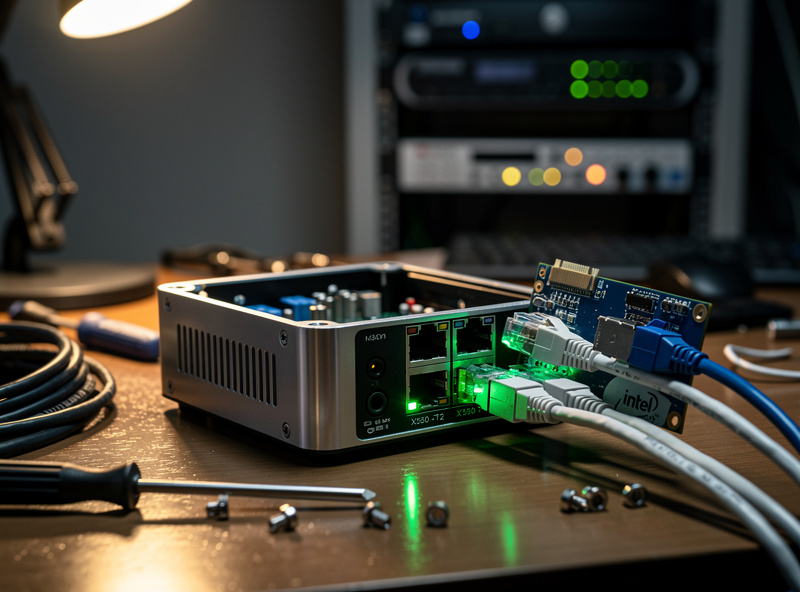
For users wanting to save money or use Mellanox hardware, a DIY 10 GbE build is straightforward. Start with an N305-class mini PC with PCIe expansion slot (Topton N305 with PCIe slot at $400, or Beelink SER7 with PCIe at $450). Add a used Intel X550-T2 ($60) or Mellanox ConnectX-4 ($50) PCIe card for the 10 GbE ports. Total: $450–510, saving $400+ vs the pre-built Protectli VP6650.
The trade-offs vs pre-built: 1-year mini PC warranty vs Protectli’s 2-year (extendable to 5-year) warranty, mixed quality control on Topton/Beelink platforms, and the assembly time (1-2 hours for first-timers). For users with experience, the DIY savings are worth it. For users who want plug-and-play with warranty support, the VP6650 is worth the premium. Our Topton article covers the lower-tier mini PC platforms; the same considerations apply to higher-tier N305 variants.
Thermal Considerations
10 GbE NICs run hot. The Intel X550-T2 dissipates 14W under sustained load — significantly more than the X710-DA2’s 8W. Combined with a stressed CPU under IDS load, total system thermal output can exceed 30W, which the typical mini PC fanless case cannot dissipate continuously. Plan for active cooling (small fan) or open-frame deployment with airflow.
The Protectli VP6650 tackles this with an aluminum heatsink case plus built-in fans that only spin up under sustained load — Protectli engineered active cooling into the design specifically because passive-only doesn’t cut it at this thermal load. DIY builds on standard mini PC cases may need a small USB-powered fan blowing across the NIC heatsink. Without active cooling, expect thermal throttling at sustained 10 GbE loads with IDS, which reduces effective throughput to 7–8 Gbps. The thermal management is the biggest practical difference between pre-built and DIY 10 GbE routers.
Frequently Asked Questions
Do I need 10 GbE for a home router?
Only if you have 5 Gbps+ fiber, run a 10 GbE LAN for storage and homelab, or plan fiber upgrades within 2-3 years. For typical home users with 1 Gbps fiber, a Topton N100 or Protectli VP2420 at much lower price is the right tier.
What CPU for 10 GbE pfSense router?
Intel i5-12450H (12 cores) minimum for full 10 Gbps with Suricata IDS. Intel N305 (8 cores) handles 5 Gbps with IDS — sufficient for many home use cases. The N100 (4 cores) bottlenecks around 2.5 Gbps with IDS.
What 10 GbE NIC for pfSense?
Intel X550-T2 (10GBASE-T over RJ45) for copper Cat6a deployments. Intel X710-DA2 (SFP+) for fiber or DAC. Mellanox ConnectX-4 for enterprise environments. Avoid Realtek 10 GbE — poor driver support on FreeBSD.
Is the Protectli VP6650 worth $900+?
For users who want plug-and-play 10 GbE with a 2-year (extendable to 5-year) warranty and Coreboot support, yes. The VP6650 – Protectli’s dedicated 10 GbE model, not the older 1 GbE-only FW6E – replaces enterprise routers at a fraction of the price. For DIY-comfortable users, a Topton N305 + X550-T2 build saves $400 with a shorter warranty trade-off.
Can I run 10 GbE on a Topton mini PC?
Yes, with a Topton N305 model that has PCIe expansion slot. Add a used Intel X550-T2 or Mellanox ConnectX-4 PCIe card for the 10 GbE ports. Total DIY build cost is $450-510 versus $900+ for a pre-built Protectli VP6650.
Does 10 GbE router need active cooling?
Yes for sustained loads. 10 GbE NICs dissipate 8–14W on top of CPU thermal load. Standard mini PC fanless cases may not handle this continuously without thermal throttling. Plan for a small USB fan, or use the Protectli VP6650, which ships with built-in fans specifically for this reason.
Is 10 GbE faster than 2.5 GbE for routing?
Same internet speed up to 2.5 Gbps, identical performance. Above 2.5 Gbps, 10 GbE is the only option until 5 GbE NICs become widely available. For LAN-to-LAN traffic, 10 GbE is dramatically faster for file transfers and homelab storage networks.
Related Articles
- Best DIY Router Hardware 2026
- Protectli Vault VP2420 Review
- Topton N100 Mini PC Router Build
- Best Mini PC for pfSense
- pfSense Configuration Guide