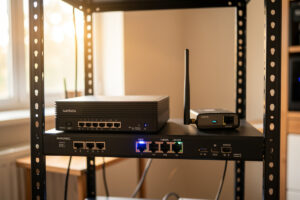
Multi-WAN failover means running two internet connections into one firewall so that when the primary line dies, traffic reroutes to the backup in seconds without you touching a thing. Done right, a home network survives a fiber cut or an ISP outage with a blip most devices never notice — usually under ten seconds of interruption.
I run exactly this on OPNsense at home in Sweden, with a fanless multi-NIC appliance as the firewall and a 5G modem sitting on the second WAN port. It is the single upgrade that changed how the whole house feels about the network. The hydro lab’s controllers, the kids’ consoles, the work VLAN I take calls on, and the reverse proxy that fronts my self-hosted services all stopped caring whether the primary line was up, because the router quietly decided that for them.
Here is the part the influencer videos skip: multi-WAN is not one feature. It is a stack of decisions — failover versus load balancing, how the firewall decides a link is dead, which VLAN is allowed to burn expensive cellular data, and whether you actually need high availability or just a backup. Get one of those wrong and you get a network that flaps every time a ping is lost, or a $200 phone bill because your NAS decided to run its nightly backup over LTE. This guide is the map. Each section links to a deeper build for the piece you care about.
What Is Multi-WAN and Why Would a Home Network Need It?
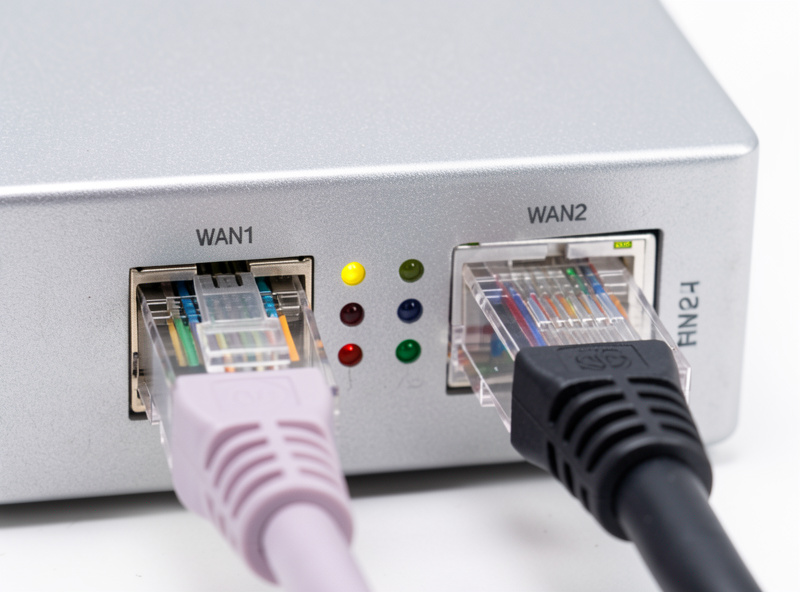
Multi-WAN is any firewall setup where two or more internet uplinks feed a single gateway, and the gateway owns the decision about which one carries traffic. At home that usually means one wired line — fiber, cable, or DSL — plus a cellular backup on a second physical NIC. Two independent paths to the internet, one set of rules governing them.
The reason it matters is that a single ISP line is a single point of failure for everything downstream, and the number of things downstream keeps growing. In my setup the router is the nervous system of the entire workshop: the welder-bench sensors, the sim rig, the IoT VLAN with no internet egress, and the management plane all trunk back to one box. When the fiber drops, it is not just Netflix that stops. My WireGuard tunnel home from a phone dies, the dynamic DNS updater goes stale, and any monitoring that reaches out to the internet goes dark right when I would want it most.
You do not need multi-WAN because outages are frequent. You need it because they are unpredictable. My primary line is genuinely reliable — but “reliable” still means a couple of multi-hour outages a year, plus the fiber contractor two streets over who once put a backhoe through the trunk. A second WAN converts “the internet is down, I am helpless” into “the internet is down, and the network already handled it.” That is the whole pitch.
Failover vs Load Balancing vs High Availability: What’s the Difference?
These three terms get used interchangeably and they should not be. Failover means one line is primary and the backup sits idle until the primary dies. Load balancing means both lines carry traffic simultaneously, spread across connections. High availability means two firewalls, not two internet lines — redundant hardware so a dead router does not take you offline. They solve different problems, and most homes only need the first.
The confusion costs people money and sanity. Someone reads “load balancing doubles your speed,” buys a second line, and is baffled when a single download is not any faster — because load balancing spreads sessions, not packets, and does not double a single stream. Someone else builds a two-firewall high-availability cluster to survive an ISP outage that a $60 dual-firewall CARP pair does absolutely nothing to fix, because both firewalls share the same dead uplink. Match the tool to the failure you actually fear.
Here is how I frame the three side by side, with the honest tradeoffs I have hit running each of them:
| Approach | What it protects against | Both lines active? | Extra hardware | Typical home fit |
|---|---|---|---|---|
| Failover (primary + backup) | Primary ISP or line outage | No — backup idle until needed | One backup uplink (e.g. 5G modem) | The default. Right for ~90% of homes. |
| Load balancing | Congestion; aggregate throughput for many sessions | Yes — sessions split across both | Two active paid lines | Busy households, many concurrent users |
| Policy-based routing | Sending specific traffic out a chosen line | Yes — but you control which | Two lines + rule discipline | Work VLAN on fiber, guests on cellular |
| High availability (CARP) | Firewall hardware or reboot failure | N/A — about the firewall, not WAN | A second identical firewall | Rare at home; overkill for most |
| Failover + HA together | Both line and firewall failure | Depends on config | Two firewalls + two uplinks | Home-office critical uptime only |
If you take one thing from this table: failover and high availability are not the same thing, and confusing them is the most common home-network planning mistake I see. Failover keeps you online when a line dies. HA keeps you online when the box dies. Most people fear the first and accidentally build for the second.
What Hardware Do You Need for a Second WAN?
You need a firewall with at least three usable NICs and a second internet source that can hand the firewall an IP. In practice that is a multi-port x86 appliance running OPNsense or pfSense, plus a cellular modem or a spare ISP connection. The firewall is the only piece that has to be “real” networking hardware; the backup source can be as humble as a phone in hotspot mode for emergencies.
My firewall is a fanless quad-i226 class box — Intel N-series, no moving parts, sits on the shelf and never gets touched. Three NICs are the practical floor: one LAN/trunk port carrying all my tagged VLANs, and two WAN ports. An ISP router in gateway mode simply cannot do this; consumer boxes assume one uplink and their state tables, DNS, and firmware lifecycle all reflect that assumption. This is the same reason I moved to OPNsense on dedicated hardware for the multi-WAN build in the first place — the second WAN is a first-class object there, not a bolted-on afterthought.
For the backup line itself, cellular is the obvious home answer because it is a genuinely independent path — different physical medium, different provider, immune to the fiber cut that takes out your primary. You can go two directions: a standalone LTE/5G router in bridge mode feeding your WAN port, or a bare modem. I cover the tradeoffs in depth in the guide to the best LTE and 5G modems for a failover WAN, but the short version is: you want something that hands your firewall a routable address and gets out of the way, not another NAT layer stacked on top of yours.
How Does Failover Actually Detect That a Link Is Down?
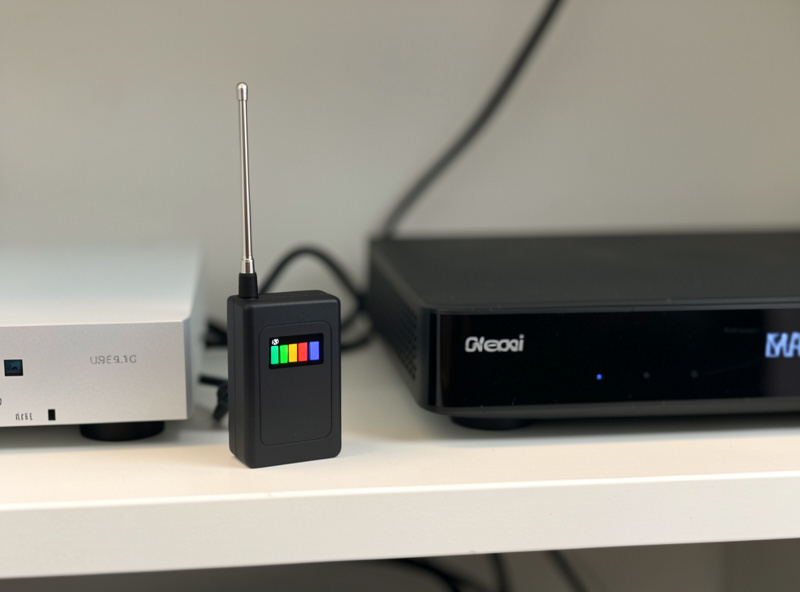
The firewall does not wait for a human to notice. It continuously pings a target through each WAN and watches latency and packet loss; when a gateway crosses a loss or latency threshold, it is marked down and traffic reroutes. On OPNsense and pfSense the daemon doing this is dpinger, a small, purpose-built latency-and-loss monitor (its source and documentation live on GitHub), and its thresholds are the difference between clean failover and a network that flaps constantly.
This is the part people under-think. If you point the monitor at your ISP’s own gateway, you detect a dead link but not a dead ISP — the gateway can answer while the path behind it is broken. If you point it at a distant public IP and set the loss threshold too tight, a couple of dropped pings on a healthy line will trigger a needless failover and drop every active connection. I learned this the annoying way: my first config used a 20% packet-loss trigger and a low-latency alarm, and a brief evening congestion spike flipped me onto cellular mid-video-call for no good reason. Widening the thresholds and choosing a stable, well-connected monitoring target fixed it.
Because this single daemon decides when your whole network changes paths, it earns its own deep dive. I walk through target selection, loss and latency thresholds, probe interval, and the “down” and “alarm” timers in the gateway monitoring and dpinger guide. Tune it once, understand what each number does, and failover stops being mysterious — you can predict exactly when and why the router will switch.
How Do You Set Up Multi-WAN Failover in OPNsense?
The OPNsense build has four moving parts: assign both WAN interfaces, define a gateway on each, put them in a gateway group with tiers, and point your LAN firewall rule at that group instead of a single gateway. Get the tiers and the rule right and failover is automatic; miss the rule and traffic never leaves the primary no matter what the monitor says.
The tier concept is the heart of it. In a gateway group you give the primary WAN Tier 1 and the backup Tier 2. Traffic uses all Tier 1 gateways; only when every Tier 1 member is down does it fall to Tier 2. Put both on Tier 1 and you have load balancing instead of failover — same screen, completely different behavior. Then the piece everyone forgets: your LAN allow rule must set its gateway to the group, because a rule with the default gateway ignores the group entirely and pins traffic to one WAN. The official OPNsense multi-WAN documentation walks the same gateway-group model, and it is worth reading alongside my click-path.
I keep the full click-path, screenshots-in-words, and the exact rule ordering in the OPNsense multi-WAN failover setup guide. If you run the other camp, most of the concepts map straight across to pfSense — the terminology (gateway groups, tiers, the LAN rule gateway field) is nearly identical, which is one reason I treat both as boxes worth knowing rather than picking a religion.
Can You Combine Two Connections to Double Your Speed?
Not for a single download, no. Load balancing across two WANs distributes separate connections across the two lines — one device’s big download still rides one link at its native speed. What you gain is aggregate capacity: many simultaneous sessions from many devices spread out, so the household as a whole moves more data even though no single transfer got faster.
This trips up almost everyone the first time. You add a second 100 Mbps line, run a speed test, and see 100 Mbps, not 200 — because a speed test is one session and one session takes one path. Where load balancing genuinely helps is a busy house: the kids streaming on one VLAN, a big Proxmox backup syncing offsite, a video call on the work VLAN, and someone downloading a game update all at once. Those are different sessions, and they can ride different lines. True packet-level bonding that speeds up a single stream exists but requires cooperation at the far end (a bonding server your ISP or a VPN provider runs), which is a different animal entirely.
I break down the session-versus-packet distinction, when load balancing is worth the second monthly bill, and how “sticky connections” keep your bank login from breaking mid-session in the load-balancing deep dive. For most homes, honestly, failover beats load balancing — an idle backup you never think about is worth more than a modest throughput bump you rarely saturate.
Can You Send Specific VLANs Out a Chosen WAN?
Yes, and this is where multi-WAN gets genuinely powerful. Policy-based routing lets you write a firewall rule that says “traffic from this VLAN leaves via this specific WAN,” overriding the normal gateway logic. My work VLAN is pinned to the fiber; my guest and IoT segments are the ones allowed to spill onto cellular when the primary is down.
The reason this matters on a failover build is cost and priority. Cellular data is metered and slow relative to fiber. When I fail over, I do not want my NAS running its offsite backup or the media server pre-caching over LTE and torching my data cap. With policy routing I can let the important, low-bandwidth stuff — work calls, home automation, remote access — ride the backup, while telling the bandwidth-hungry, non-urgent VLANs to simply wait for the primary to come back. That is the polymath-on-one-router problem in miniature: the hydro lab, the kids’ consoles, and the work segment are three different priorities on the same two WANs, and a rule for each keeps them honest.
Rule order is everything here, because firewall rules are evaluated top-down and the first match wins. I lay out the exact rule sequence, the alias trick that keeps it maintainable, and the failure mode where a stale policy rule sends a VLAN out a dead WAN in the policy-based routing guide. It pairs naturally with the segmentation philosophy the rest of this site is built on — if I am going to separate the hobbies onto their own VLANs, I am going to separate which internet line each one is allowed to use too.
What Kind of LTE or 5G Modem Should Back Up Your WAN?
For a failover WAN you want a cellular device that operates in bridge or pass-through mode, hands your firewall a public or CGNAT address on the WAN port, and adds no extra NAT layer. Whether that is a dedicated 5G router, an industrial LTE modem, or a repurposed hotspot depends on your budget and how bad your primary’s outages are.
The trap is double NAT. Many consumer LTE routers insist on doing their own NAT and DHCP, so your OPNsense box ends up behind them, and now you have two firewalls fighting, broken port forwards, and WireGuard that will not connect back in. What you want is the modem in bridge mode so your firewall is the only thing doing NAT. Carriers also love CGNAT on cellular, which means no inbound connections at all on the backup — fine for outbound failover, a real limitation if you need to reach home while failed over, and the reason I keep Tailscale as an overlay so remote access survives even a CGNAT’d backup line.
I rank specific device classes, antenna considerations for a weak-signal shelf install, and the bridge-mode gotchas in the best LTE and 5G modems for failover guide. Signal quality at the install location matters more than the headline speed rating — a 5G modem stuck reading one bar in a basement rack will underperform a well-placed LTE unit every time.
Do You Actually Need High Availability, or Just Failover?
Almost certainly just failover. High availability protects against your firewall hardware failing — a dead power supply, a kernel panic, a botched update — by running a second identical firewall in a CARP cluster that takes over instantly. That is a real problem in a datacenter with an SLA. At home, it is usually solving a failure you will hit once a decade at the cost of doubling your hardware and your config complexity.
The honest math: a fanless appliance with no moving parts is already extremely reliable, and the outage a home actually experiences is nearly always the line, not the box. Spend your redundancy budget on a second WAN, not a second firewall. The exception is a genuine home office where a firewall reboot during a client call is unacceptable — there, an HA pair plus multi-WAN gives you belt and suspenders. I make that call explicitly, with the specific home scenarios where HA earns its keep versus where it is complexity for complexity’s sake, in failover versus true high availability.
What Would I Do Starting Today?
If I were building this from scratch tomorrow, I would do it in this order. Put OPNsense on a multi-NIC appliance if you have not already — the second WAN is barely worth attempting on an ISP box. Add a cellular backup on a second WAN port, in bridge mode, with the antenna somewhere it actually gets signal. Build a simple failover gateway group in OPNsense with the primary on Tier 1 and cellular on Tier 2. Tune dpinger against a stable public target with sane loss thresholds so it does not flap. Then, and only then, add policy routing to keep your metered backup from being drained by the wrong VLAN.
Skip load balancing and high availability at first. They are optimizations for problems you may not have, and failover alone delivers the thing you actually want: the network staying up when the line goes down, without you in the loop. I still remember the first real outage after I finished mine — the fiber dropped, my phone buzzed with the monitoring alert, and by the time I looked up the dashboard already showed cellular carrying the house. Nothing had actually broken. That quiet is the whole point.
Start with the OPNsense setup, get gateway monitoring dialed in, and pick a backup modem that fits your signal and budget. The rest of this cluster fills in every decision along the way.
How Much Does a Home Multi-WAN Setup Cost?
A capable home multi-WAN build lands somewhere between roughly $150 and $500 all-in, not counting the monthly cellular plan. The firewall appliance is the biggest single line item; the backup modem is next; the switch you probably already own. The recurring cost — a data SIM for the backup line — is the number people forget to plan for.
Break it down and it is less intimidating than it sounds. A fanless multi-NIC firewall box in the quad-i226 class runs in the low-to-mid hundreds and lasts years with no moving parts to fail. A decent LTE modem or 5G router for the backup WAN spans a wide range depending on whether you buy consumer or industrial and how much antenna flexibility you need — I get into specific tiers in the modem guide. The cellular data plan is the ongoing piece: because a failover backup mostly sits idle, a small or pay-as-you-go data SIM is usually enough, and you are paying for insurance, not bandwidth. That reframing matters. You are not buying a second internet connection to use every day — you are buying the guarantee that the day your primary dies, the network does not.
Where people overspend is by reaching for high availability hardware or a second full-speed wired line before they have even set up basic failover. Start with the cheapest thing that removes your single point of failure — a modem on a second WAN port — and only climb the cost curve if a specific need justifies it. My own rack grew exactly that way: failover first, refinements later, never a big-bang purchase.
What Are the Most Common Multi-WAN Mistakes?
The four failures I see most are double NAT on the backup line, a LAN rule that never points at the gateway group, dpinger thresholds so tight the network flaps, and no policy routing to protect a metered backup. Every one of them produces a setup that looks configured but behaves wrong — and each is avoidable once you know to look for it.
Double NAT is the classic: the cellular router does its own NAT, your firewall sits behind it, and now port forwards break and inbound VPN will not connect. The fix is bridge mode on the modem so your firewall is the only NAT layer. The gateway-group rule mistake is subtler — you build a perfect failover group, but your LAN allow rule still uses the default gateway, so traffic never consults the group and never fails over. I have watched people test by unplugging the primary and conclude “failover does not work,” when the real problem was one dropdown on one rule.
The flapping problem comes from treating dpinger like a smoke alarm you want maximally sensitive. Set the packet-loss trigger too low and every normal congestion blip throws you onto cellular and back, resetting connections each time — genuinely worse than no failover. And the expensive mistake is forgetting policy routing: when you finally fail over, every VLAN pours onto the metered line at once, including the NAS backup you did not want anywhere near cellular. Plan which traffic is allowed on the backup before the outage, not during the surprise bill. Avoid these four and you are ahead of most home multi-WAN builds I have seen.
Keep Building
- Setting Up Multi-WAN Failover in OPNsense
- Gateway Monitoring and Dpinger: How Failover Decides a Link Is Down
- Internet Failover With a 5G or LTE Backup Modem
- Load Balancing Two Internet Connections: Does It Double Your Speed?
- Policy-Based Routing: Sending Specific VLANs Out a Chosen WAN
- Best LTE/5G Routers and Modems for a Failover WAN
- Failover vs True High Availability: What Home Really Needs
How fast does internet failover actually switch?
With sane dpinger settings, most home failover switches in roughly 5 to 15 seconds after the primary line goes down. The delay is deliberate: the firewall waits to confirm the link is genuinely dead before rerouting, so a brief hiccup does not trigger a needless switch. Existing connections may reset on the switch, but new ones immediately use the backup.
Will multi-WAN failover double my internet speed?
No. Failover keeps a backup line idle until the primary fails, so it adds resilience, not speed. Load balancing can raise total household throughput across many simultaneous connections, but it never speeds up a single download, because one session always travels one path.
Do I need two ISPs for failover, or can I use cellular?
Cellular is the ideal home backup because it is a genuinely independent path that survives the fiber cut or cable outage that takes down your primary. A single 5G or LTE modem on a second WAN port is enough. Two wired ISPs work too, but they can share the same underground infrastructure and fail together.
Can an ISP router do multi-WAN failover?
Almost never. Consumer and ISP-supplied routers assume a single uplink, and their state tables, DNS handling, and firmware do not support a second WAN with proper gateway monitoring. Multi-WAN realistically requires a firewall like OPNsense or pfSense on hardware with multiple network ports.
What is the difference between failover and high availability?
Failover protects against an internet line going down by switching to a backup uplink. High availability protects against the firewall hardware itself failing by running a second identical firewall that takes over. Most homes only need failover, because the line fails far more often than the box.
How do I stop failover from draining my cellular data cap?
Use policy-based routing to control which VLANs are allowed onto the backup line. Pin high-bandwidth, non-urgent traffic like NAS backups and media caching to the primary WAN only, and let just the important, low-bandwidth traffic ride cellular during an outage. This prevents a surprise data bill when a backup line takes over.