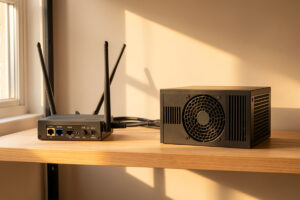
A 5G or LTE modem makes an almost perfect internet backup because it reaches the network over a completely different physical path than your wired line — so the fiber cut, the multi-hour cable outage, or the neighborhood contractor with a backhoe that kills your primary leaves cellular untouched, and failover to it takes seconds, not hours. Plug it into a second WAN port, put it in bridge mode, and your firewall treats it exactly like any other uplink to fail over to.
This is the backup I actually run at home: a cellular modem on WAN2, feeding my OPNsense box, sitting quietly idle until the day the fiber drops. The appeal is independence. Two wired ISPs in the same street often share the same underground duct and fail together; cellular does not care about that duct at all. But there are three things that decide whether a cellular backup is bulletproof or a source of mysterious problems — bridge mode, CGNAT, and your data cap — and this article is about getting all three right.
If you have not built the failover mechanism yet, the OPNsense failover setup covers the gateway-group side, and the multi-WAN overview frames where cellular fits in the bigger picture. Here we focus on the modem itself.
Why Is Cellular the Best Backup for a Home WAN?
Because it is a genuinely independent path. The entire point of a backup is that it does not share a failure mode with your primary, and cellular clears that bar in a way a second wired line often cannot. Fiber and cable enter your street through shared physical infrastructure; a mobile network arrives over the air from a tower miles away. When one dies, the other almost never dies with it.
There is a second reason: cost fits the job. A failover backup mostly sits idle, so you are not paying for a full second internet plan — a small data SIM covers occasional outages for a modest monthly fee. My cellular line carries maybe a gigabyte or two in a typical month, almost all of it during the handful of real outages plus my own testing. I am paying for insurance, not bandwidth, and cellular is the only backup medium where that math works cleanly. A phone hotspot can do this in a pinch for a true emergency, but a dedicated modem on its own WAN port is the difference between “I can limp along” and “the network handled it before I noticed.”
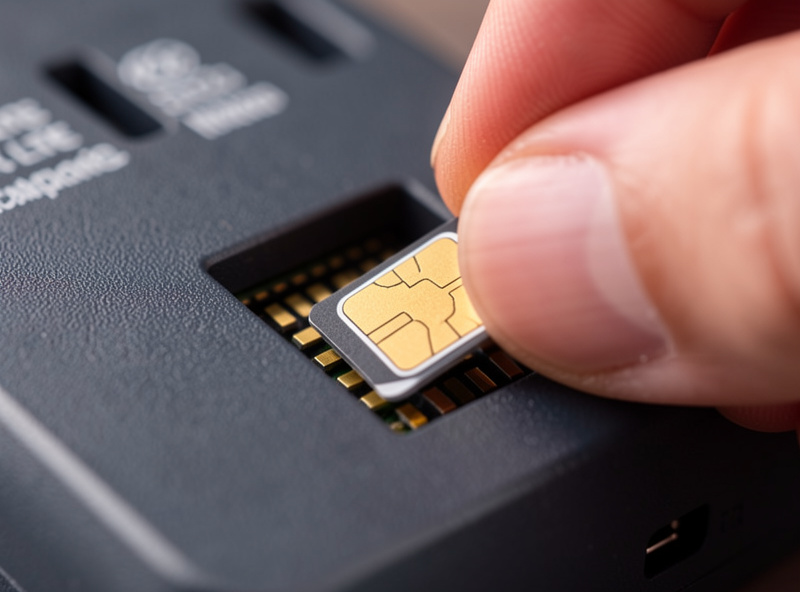
What Is Bridge Mode and Why Does It Make or Break the Setup?
Bridge mode tells the cellular modem to stop being a router and simply hand its internet connection straight to your firewall. Without it, the modem does its own NAT and DHCP, your OPNsense box ends up behind it, and you get double NAT — two firewalls stacked, broken port forwards, and inbound VPN that refuses to connect. Bridge mode makes your firewall the one and only router, which is exactly what you want.
This is the single most common cellular-backup mistake, and it is worth checking before anything else. Many consumer LTE routers ship in router mode by default and hide the bridge or pass-through toggle deep in their admin page — some cheaper units do not offer it at all, which is a reason to avoid them. When I first added cellular, I did not check, ran happily on failover for a week, and only discovered the double NAT when my WireGuard tunnel home refused to come up during an actual outage — the one moment I needed it. The fix was flipping the modem to bridge mode so my firewall got the address directly. If you are unsure whether you have this problem, the double NAT explainer shows how to spot it, and it is the first thing to rule out on any new backup line.
What Is CGNAT and Why Does It Matter for a Backup Line?
CGNAT — carrier-grade NAT — is when your mobile provider puts many customers behind one shared public IP, handing you a private address from the 100.64.0.0/10 range instead of a real public one. It is nearly universal on cellular. For outbound failover it changes nothing; for reaching your network from outside while you are failed over, it is a hard wall.
The distinction matters. When your fiber is down and traffic rides cellular, everything outbound works fine — browsing, calls, cloud backups, streaming. What breaks is anything inbound: a port forward to your NAS, a self-hosted service you reach from your phone, a WireGuard listener waiting for a connection home. Behind CGNAT there is no public IP for those to live on, so they are simply unreachable. That shared address space is defined in RFC 6598, and you can confirm whether your cellular line is behind it using the method in how to check if you are behind CGNAT. If you need inbound access even during an outage, the answer is not to fight the carrier — it is an overlay network, which is the next section.
How Do You Reach Home While Failed Over to Cellular?
Use an overlay network like Tailscale or a self-hosted Headscale, which builds encrypted peer-to-peer tunnels that punch through CGNAT without needing an inbound public IP. Because the connection is coordinated outbound from both ends, it works even when your backup line has no reachable public address — solving the exact problem CGNAT creates.
This is why I keep Tailscale running as a belt-and-suspenders layer alongside my WireGuard setup. Plain WireGuard needs a reachable endpoint to connect to, which CGNAT denies; an overlay negotiates the path differently, using techniques described well in Tailscale’s writeup on NAT traversal. The practical result: when my fiber is down and the house is on cellular, I can still reach my NAS and my dashboards from my phone, because the overlay does not care that the backup line is behind carrier NAT. If remote access during an outage matters to you at all, set this up before you need it — the Tailscale and Headscale guide walks through it. It is the piece that turns cellular failover from “outbound only” into “fully usable.”
How Do You Keep Cellular From Draining Your Data Cap?
Control which traffic is allowed onto the backup line with policy-based routing, and pin the bandwidth-hungry, non-urgent stuff to the primary WAN only. Cellular data is metered and comparatively expensive, so the danger is a surprise bill when your NAS runs its nightly offsite backup or your media server pre-caches — over LTE — the moment failover kicks in.
I learned to plan this deliberately. When my house fails over, I want the work VLAN, home automation, and remote access to ride cellular, and I want the big, patient transfers to simply wait for fiber to return. That is a rule you write in advance, VLAN by VLAN, not a scramble during an outage. The mechanics live in the policy-based routing guide, but the mindset is what matters here: a cellular backup without traffic discipline is a data-cap accident waiting to happen. Set a monthly data warning on the SIM too, so if something does slip onto the backup and stay there, you find out from an alert rather than a bill.
Does Antenna Placement Beat the Speed Rating?
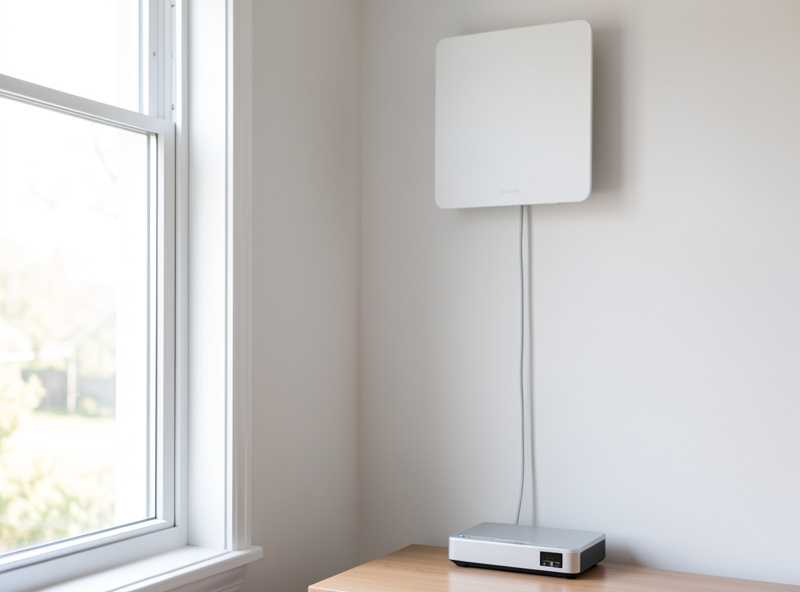
Almost always, yes. A modem’s headline speed rating means nothing if it is reading one bar in a basement rack. Signal quality at the install location — measured as RSRP and SINR, not marketing megabits — is what actually determines your backup’s usable throughput, and a good external antenna near a window will beat a faster modem stuffed in a metal cabinet every time.
My modem sits on the rack shelf, which is a terrible place for cellular reception — metal all around, interior wall, far from a window. The fix was an external MIMO panel antenna mounted high near a window with the coax run down to the modem, which turned a marginal two-bar signal into something solidly usable. You can feel the difference in a failover test: with the bare modem, pages loaded like it was 2009; with the panel antenna, the switch to cellular was genuinely unremarkable. If your rack is signal-hostile like mine, budget for the antenna as part of the build, not an afterthought — a decent external LTE/5G MIMO antenna kit costs far less than upgrading to a higher-tier modem and helps more. Check the modem’s signal page for RSRP (aim for stronger than about -90 dBm) and SINR (higher is better) before and after; the numbers make the improvement obvious.
As an Amazon Associate I earn from qualifying purchases.
5G or LTE: Does the Faster Standard Matter for a Backup?
For a pure failover backup, LTE is usually enough and 5G is a nice-to-have rather than a requirement. The job of a backup is to keep the house functional during an outage — calls, browsing, remote access, home automation — and even modest LTE speeds handle all of that comfortably. 5G matters most if you expect to run the whole household at near-primary speeds during a long outage, or if your area has weak LTE but strong 5G coverage.
I run LTE for mine and have never wished for more during a real outage, because I use policy routing to keep only the important traffic on the backup — and important traffic is rarely bandwidth-heavy. Where 5G earns its price is a specific situation: you work from home, outages in your area last hours not minutes, and you genuinely need multiple video calls plus normal work to run without anyone noticing the switch. In that case the extra headroom is worth it. There is also a coverage angle — in some locations the 5G signal is simply stronger or less congested than the LTE band, so a 5G modem is not about peak speed but about getting a usable signal at all. Check what actually reaches your install location before paying the 5G premium; a well-placed LTE modem with a good antenna beats a 5G unit reading one bar every single time. When it is time to pick a specific device, work back from the requirements in the multi-WAN overview rather than the headline speed number.
Keep Building
- Multi-WAN & Internet Failover: A Home Network Guide
- Setting Up Multi-WAN Failover in OPNsense
- Gateway Monitoring and Dpinger
- How to Check if You Are Behind CGNAT
- Tailscale and Headscale for a Home Network
Can I use a phone hotspot as a failover backup?
For a true emergency, yes, but a dedicated cellular modem on its own WAN port is far better. A hotspot needs to be manually enabled and often cannot be bridged cleanly to your firewall, while a dedicated modem in bridge mode fails over automatically and stays ready without you touching it.
Does CGNAT stop cellular failover from working?
No, not for outbound traffic. When you fail over to cellular, browsing, calls, and cloud services all work normally even behind CGNAT. CGNAT only blocks inbound connections, like reaching your NAS from outside, because there is no public IP to reach. An overlay network like Tailscale solves that.
Why does my WireGuard break when I fail over to LTE?
Usually because the cellular line is behind CGNAT, so there is no reachable public endpoint for WireGuard to accept an incoming connection on. Use an overlay like Tailscale or Headscale, which negotiates a peer-to-peer tunnel outbound from both ends and works through carrier NAT.
How much cellular data does a failover backup use?
If configured with policy routing so only important traffic rides the backup, very little, often just a gigabyte or two a month covering brief outages and testing. The risk is letting bandwidth-heavy tasks like NAS backups run over cellular during an outage, which can burn through a data cap quickly.
Do I need bridge mode on my LTE modem?
Yes. Without bridge mode the modem does its own NAT, placing your firewall behind it and creating double NAT that breaks port forwards and inbound VPN. Bridge or pass-through mode hands the connection straight to your firewall so it is the only router, which is what failover expects.