Double NAT sounds alarming, but for most home networks it breaks almost nothing. It happens when two routers in your home each perform network address translation — typically your own router plugged into an ISP gateway that is still in router mode. Web browsing, streaming, and every outbound connection work fine. What it actually breaks is a short, specific list: inbound port forwarding, some peer-to-peer apps, and strict-NAT gaming.
I run a layered network at home and I am deliberate about where NAT happens, because the failure modes of double NAT are subtle — things work right up until the day you try to host something. This guide separates what double NAT genuinely breaks from what it does not, so you can decide whether to fix it or ignore it. It is the conceptual companion to the main CGNAT and double NAT guide; if you are not yet sure which state you are in, start with how to tell if you’re behind CGNAT or double NAT.
What Double NAT Actually Is
Double NAT means your traffic is translated twice on the way out. Your router’s WAN gets a private address (like 192.168.0.x) from an upstream router instead of a public IP, so both boxes are doing NAT in series. The giveaway is a private RFC 1918 address on your WAN interface that does not match your public IP.
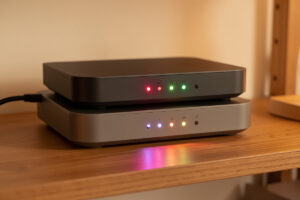
The classic cause is buying a capable router — an OPNsense box, a UniFi gateway, a mesh system — and plugging it into the ISP’s combined modem-router without changing anything on that ISP unit. The ISP box keeps doing its job (NAT, DHCP, firewall) and your router does the same a second time behind it. Your devices now live two private networks deep: the ISP’s LAN, then your LAN inside it. Nothing about that stops outbound traffic, because NAT is designed to handle outbound flows transparently no matter how many times you stack it. The trouble only appears when something needs to come in, because now there are two translation boundaries to traverse and only the outer one faces the internet.
What Double NAT Breaks
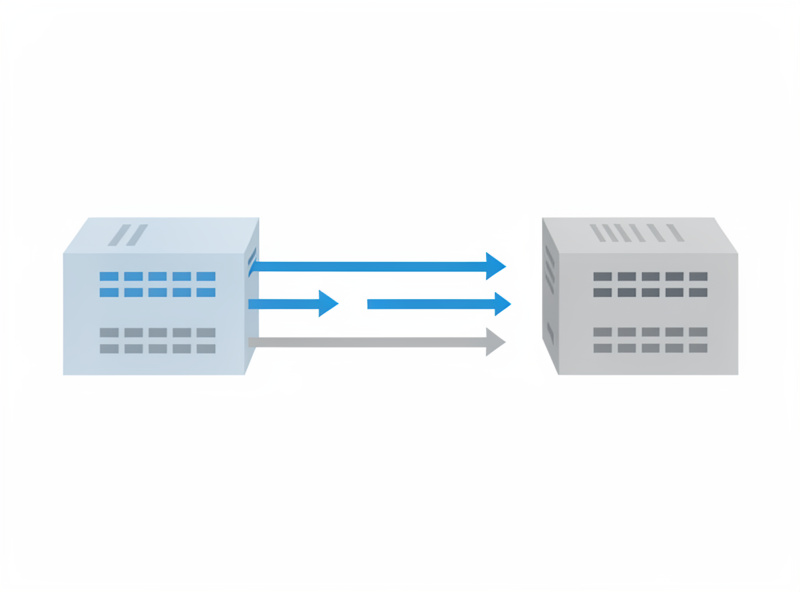
The damage is confined to inbound and peer-to-peer scenarios. Port forwarding needs to be configured on both routers to work, automatic UPnP port mapping usually fails across two layers, online games may report a Strict or Type 3 NAT, and some VPN and peer-to-peer protocols struggle to establish direct connections. Everything outbound is unaffected.
Here is the concrete list of what actually suffers:
- Port forwarding requires a forward on the outer router pointing to the inner router’s WAN, plus a matching forward on the inner router to the real server. Miss either and inbound dies. This is the single most common double-NAT headache.
- UPnP and automatic port mapping generally cannot punch through two routers, so apps that rely on it — some game servers, certain torrent clients — silently fail to open their ports.
- Online gaming often shows Strict/Type 3 NAT, which can block party chat, hosting matches, and connecting to some peers. Console networking is especially sensitive to it.
- Peer-to-peer and some VPN setups that need direct inbound connections or NAT traversal can degrade or fall back to slower relayed paths.
- NAT reflection (hairpin) across two layers gets unreliable, so reaching your own service by its public name from inside the LAN may not work even after forwards are set.
Breaks vs. Doesn’t Break
| Activity | Affected by double NAT? |
|---|---|
| Web browsing, streaming, email | No — works normally |
| Outbound app connections and updates | No — works normally |
| Outbound client VPN (you connecting out) | Usually fine |
| Hosting a server / port forwarding | Yes — needs forwards on both routers |
| UPnP automatic port mapping | Yes — typically fails |
| Online gaming NAT type | Yes — often Strict/Type 3 |
| Peer-to-peer / NAT traversal apps | Sometimes — may relay or fail |
What Double NAT Does Not Break
Despite the reputation, double NAT leaves the vast majority of home internet use untouched. Browsing, video streaming, software updates, cloud sync, outbound VPN clients, and ordinary app traffic all work exactly as they would on a single router. Millions of people run double NAT for years without noticing, because they never host an inbound service.
This is the part worth internalizing before you go rearranging your network: NAT was built to make outbound connections work no matter how nested the private networks are. Each layer simply translates your traffic on the way out and tracks the return path, so a video stream, a game’s outbound connection to its matchmaking server, or your laptop reaching a cloud drive all behave normally. If you do not host anything, do not run a self-hosted service you reach from outside, and do not hit Strict-NAT problems in the specific games you play, double NAT is a non-issue you can safely leave alone. The performance hit from the extra translation is negligible on home-scale hardware — the cost is reachability and predictability, not speed.
How Double NAT Sneaks Into a Home Network
Most double NAT is accidental — it appears the moment you add a second router without reconfiguring the first. The four common ways it happens: a capable router behind an ISP modem-router combo, a mesh system added behind the existing gateway, a travel router used at home, or stacked routers from a partial upgrade. None of them announce themselves.
The textbook case is the ISP combo unit. Carriers love shipping a single box that is modem, router, Wi-Fi, and firewall all in one, and when you wire your own router into its LAN port, you instantly have two NAT layers. A close second is the mesh upgrade: people buy a mesh kit, plug the primary node into the ISP router’s LAN port instead of replacing it, and now the mesh is NATing behind the gateway. Travel routers create the same thing on purpose, isolating your devices behind their own NAT for safety, which is fine until you try to host from behind one. And partial upgrades — keeping the old router as a “switch” but leaving its routing enabled — quietly stack a second layer. The fix in every case is the same: decide which box should be the only router, and either bridge the other or set it to access-point mode. If you are designing the network rather than untangling it, my home network VLAN guide covers building a single clean routing layer from the start.
When to Actually Care — and When to Leave It
Care about double NAT only if you host inbound services, play games that report Strict NAT, or run peer-to-peer apps that need direct connections. If none of those apply, you can ignore it indefinitely. When they do apply, the cleanest fix is bridge mode on the upstream router so only one NAT layer remains.
My rule of thumb: double NAT is a problem you fix when it becomes one, not preemptively — unless you already know you are going to self-host, in which case clean it up from the start. If you have decided it matters, you have three options in rough order of preference. First and best, put the ISP gateway into bridge mode so your router gets the address directly and there is only one NAT layer — full walkthrough in bridge mode vs passthrough. Second, if bridging is impossible, cascade your forwards: forward the port on the outer router to your inner router’s WAN, then forward again on the inner router to the service, or place your router’s WAN in the ISP box’s DMZ. Third, simply accept it if the only symptom is a game NAT type you can live with. Whatever you choose, confirm the result from outside with the methods in testing inbound reachability.
Double NAT vs CGNAT — Do Not Confuse Them
Double NAT and CGNAT produce the same inbound symptom but are different problems. Double NAT happens inside your home with routers you own, so you can fix it with bridge mode. CGNAT happens on carrier equipment you do not control, shown by a 100.64 WAN address, and no local change fixes it. Always confirm which one you have before acting.
The distinction decides your entire fix path. If your WAN address is private (192.168, 10, or 172.16–31) the obstacle is in your house and bridge mode solves it for free. If it is in 100.64.0.0/10 you are behind the carrier and must either get a public IP or tunnel out, as covered in beating CGNAT without a public IP and how to get a static or public IP from your ISP. Diagnosing the difference takes thirty seconds with the WAN-vs-public test in how to check if you’re behind CGNAT. Get that right before you touch anything, because fixing the wrong layer wastes the most time.
Frequently Asked Questions
Is double NAT bad?
For most home use, no. Double NAT does not affect browsing, streaming, or outbound traffic, and the speed impact on home hardware is negligible. It only matters if you host inbound services, play games that report Strict NAT, or run peer-to-peer apps that need direct connections.
How do I know if I have double NAT?
Check your router’s WAN IP. If it is a private RFC 1918 address such as 192.168.x or 10.x and does not match your public IP, another router in your home is doing NAT, which means double NAT. A 100.64 address means CGNAT instead, which is a different problem.
Does double NAT slow down my internet?
Not meaningfully on home-grade hardware. The extra translation adds a tiny amount of processing, but it does not reduce throughput in any way you would notice. Double NAT costs you reachability and predictability for inbound connections, not speed.
Can I fix double NAT without bridge mode?
Yes, though it is messier. You can cascade port forwards by forwarding the port on the outer router to your inner router’s WAN and again on the inner router to the service, or place your router’s WAN address in the ISP box’s DMZ. Bridge mode is cleaner because it removes the second NAT layer entirely.
Does double NAT cause Strict NAT in games?
Often, yes. Two NAT layers frequently leave consoles and games reporting a Strict or Type 3 NAT, which can block hosting matches, party chat, and some peer connections. Collapsing to a single NAT layer with bridge mode usually returns the NAT type to Open or Moderate.
Further Reading
- CGNAT & Double NAT: How to Get Your Home Network Reachable
- How to Tell If You’re Behind CGNAT and Why Your Port Forwards Silently Fail
- Bridge Mode vs Passthrough: Putting Your ISP Box Into the Right Mode
- Testing Inbound Reachability: Port Checks, Hairpin NAT, and What ‘Open’ Really Means