
The simplest way to get a public or static IP is to ask your ISP directly — many will move you off CGNAT to a public dynamic IP for free, or sell you a static IP for a small monthly fee, often just by phrasing the request the right way. A public dynamic IP plus dynamic DNS is enough for nearly all home hosting; a true static IP costs more but never changes. If the ISP refuses, you route around them with a tunnel that needs no public IP at all.
I always try the ISP route first when reachability matters, because a real public address makes everything normal again — every port-forward guide, every game server, every self-hosted app just works without a tunnel in the middle. This guide covers exactly what to ask for, the dynamic-versus-static distinction, dynamic DNS as the cheap middle ground, and the fallbacks when the answer is no. It is the ISP-side branch of the main reachability guide, and it only helps once you have confirmed you are behind CGNAT in how to tell if you’re behind CGNAT.
Dynamic Public IP vs Static IP — What You Actually Need
Most people do not need a static IP. A public dynamic IP — one that is genuinely routable but may change occasionally — paired with dynamic DNS gives you reliable inbound access by hostname. A static IP never changes and is worth paying for only if you run services that depend on a fixed address, like custom DNS records, mail, or allow-lists. The key word in both is “public”: that is what defeats CGNAT.
The distinction trips people up because they conflate “static” with “able to port forward.” You do not need a static IP to port forward — you need a public one. A dynamic public IP is fully forwardable; it simply might change when your lease renews or your line reconnects, and dynamic DNS handles that by keeping a hostname pointed at whatever your current address is. A static IP only earns its monthly cost when something genuinely cannot tolerate a changing address. So when you call the ISP, the priority is getting off CGNAT to a public IP — static versus dynamic is the secondary question, and dynamic is fine for most of us.

How to Ask — the Phrasing That Gets a Yes
Call or message support and be specific: ask to “be moved off CGNAT to a public IPv4 address,” or to “add a static IP to my plan.” Vague requests like “my ports won’t open” get scripted troubleshooting; naming CGNAT and public IPv4 signals you know what you need and routes you to someone who can actually flip it. Some carriers do it for free, some charge for a static add-on.
A few things that help the conversation go your way. Lead with the technical term — “carrier-grade NAT” or “CGNAT” — because front-line agents recognize it as a real request rather than a generic connectivity complaint — carrier-grade NAT is a defined standard, with RFC 6598 reserving the 100.64.0.0/10 shared address space ISPs use for it. Ask the two questions plainly: can I get a public (non-CGNAT) IPv4 address, and is there a static IP option and what does it cost. Be ready for the answer to vary by plan: some residential plans include a free opt-out, some gate public IPs behind a static add-on, and some reserve them for business tiers. If the first agent says it is impossible, a polite callback often reaches someone who knows the actual provisioning options — front-line scripts frequently do not mention the opt-out at all. And confirm whether the change requires a modem reboot or re-provision, so you know when to recheck your WAN address.
What It Costs
Pricing ranges from free to a modest monthly fee. Being moved to a public dynamic IP is frequently free on request. A static IP add-on typically runs from a few dollars to around fifteen dollars a month on consumer plans. A business plan, which usually includes one or more static IPs, costs more but adds support guarantees. Weigh the static fee against free alternatives like dynamic DNS or a tunnel before committing.
Watch for one-time and contract costs hiding behind the headline price: some carriers add a small provisioning or setup fee for a static IP, and a few only offer static addresses on a contract or a higher service tier rather than as an a-la-carte add-on. Ask whether the static fee is purely recurring or whether changing it later (or cancelling) incurs anything, so the cheap-sounding option does not turn into a lock-in. None of this applies to a free public dynamic IP, which is why it remains the first thing to ask for.
The honest math: if a public dynamic IP is free, take it and pair it with dynamic DNS — that combination costs nothing and covers the vast majority of home hosting. Pay for a static IP only when a changing address would actually break something you run. And compare the static fee directly against a small VPS tunnel, which runs a similar few-dollars-a-month and works even if the ISP will not give you any public IP at all. Sometimes paying the ISP is cleanest; sometimes the tunnel is both cheaper and more flexible.
Comparing Your Options
| Option | Port forwarding works? | Address changes? | Typical cost | Best for |
|---|---|---|---|---|
| Public dynamic IP | Yes | Occasionally | Often free | Most home hosting, paired with dynamic DNS |
| Public dynamic IP + dynamic DNS | Yes (by hostname) | Handled automatically | Free to low | Reliable access without a fixed address |
| Static IP | Yes | Never | ~A few to ~fifteen per month | Mail, custom DNS, allow-lists |
| Tunnel / VPS (no public IP) | Yes (via tunnel) | N/A | Free tier to ~six per month | When the ISP refuses a public IP |
Dynamic DNS: The Cheap Middle Ground
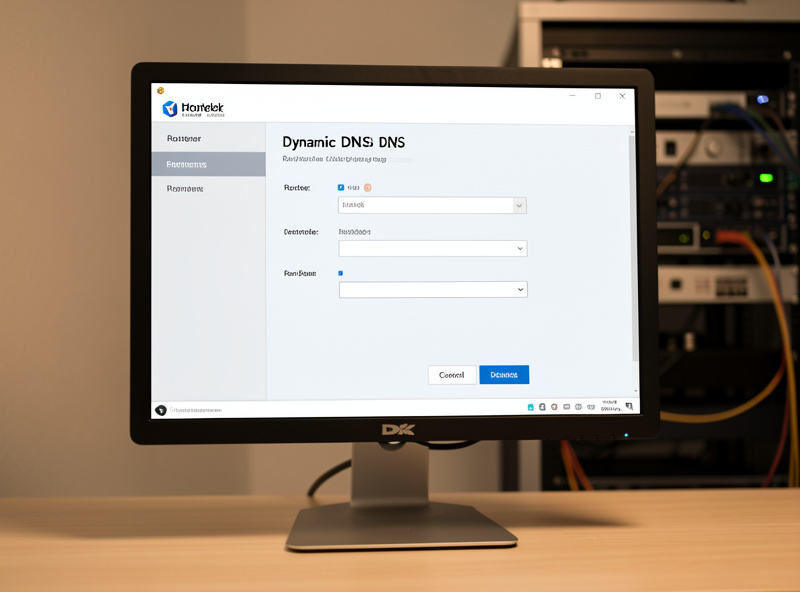
If you get a public dynamic IP that changes from time to time, dynamic DNS solves the moving-target problem. A small client on your router or a home server watches your public IP and updates a hostname whenever it changes, so you always reach home by name instead of a number. Most routers, including OPNsense and pfSense, have built-in dynamic DNS clients for the major providers; the OPNsense dynamic DNS manual walks through the setup.
This is the configuration I would set up for most people the moment they secure a public dynamic IP: it is free or nearly free, it runs unattended, and it turns an occasionally changing address into a stable hostname you can point everything at. On OPNsense or pfSense you enable the dynamic DNS service, pick a provider, and the router pushes updates automatically; many DNS hosts and free DDNS services work fine. From there your port forwards reference the hostname and you never think about the changing IP again. The only thing dynamic DNS cannot do is conjure a public IP where there is none — behind CGNAT it has nothing routable to point at, which is why confirming you are off CGNAT comes first.
Is a Static IP Actually Worth Paying For?
For most home labs, no — a public dynamic IP with dynamic DNS does everything a static IP does for hosting, at no cost. A static IP earns its monthly fee in a narrow set of cases: running your own mail server that needs a stable address and reverse DNS, publishing custom DNS records that point straight at your home, or sitting behind firewalls elsewhere that allow-list you by IP. Outside those, you are paying for convenience you may never use.
The case I see people overpay for is “I want my services to always be at the same address.” Dynamic DNS already solves that at the hostname level, which is the layer you actually connect to — your apps, bookmarks, and forwards all reference the name, not the number, so a changing IP underneath is invisible. Where a static IP genuinely matters is reverse DNS: a self-hosted mail server needs a stable address with a matching PTR record to be accepted by other mail systems, and ISPs only set PTR records on static assignments. If you are not running mail and not being allow-listed by IP somewhere, save the money. And remember the comparison that keeps coming up: the monthly cost of an ISP static IP is in the same range as a small VPS, and the VPS also gives you a public endpoint that works even behind CGNAT — so if you are going to pay anyway, weigh which one buys you more.
When the ISP Says No
If the ISP will not provide a public IP at any price — common on mobile, fixed-wireless, and some budget fiber plans — you have two paths. Switch to an ISP that offers public IPs if one is available in your area, or route around CGNAT entirely with an outbound tunnel that needs no public IP. The tunnel approach works regardless of what your carrier allows.
Switching ISPs is worth checking but often not practical, since competitive options are limited and the next carrier may also use CGNAT. The reliable fallback is the tunnel: a free Cloudflare Tunnel for web apps, or a cheap VPS with WireGuard for any protocol, both of which dial out from home and sidestep the carrier completely. That route is fully covered in beating CGNAT without a public IP and the Cloudflare Tunnel vs VPS reverse proxy comparison. Mobile and 5G home internet are the hardest cases — they are almost always CGNAT with no opt-out, so plan on a tunnel from the start rather than expecting a public IP.
Keep Building
Once you have a public IP — dynamic or static — the rest falls into place: if you also run your own router behind the ISP box, put that box into the right mode so the public address lands on your WAN, covered in bridge mode vs passthrough. Then confirm everything actually works from outside your network with testing inbound reachability rather than trusting an in-LAN check, and lock down what you expose using OPNsense firewall rules on an isolated segment. If the ISP would not budge, head straight to the tunnel guides above and you will be reachable regardless. Either way, start from the full CGNAT and double NAT guide to see where this step fits in the whole reachability picture.