
For exposing home services, a Cloudflare Tunnel is the fastest and cheapest route for web apps, while a VPS reverse proxy gives you any-protocol flexibility and full control for a few dollars a month. Both defeat CGNAT by relying on an outbound connection from home, so neither needs a public IP or a port forward. The right pick comes down to what you are serving, how much control you want, and whether Cloudflare’s content rules apply to you.
I run both patterns, because they are good at different things — Cloudflare’s edge fronts the simple web dashboards I want reachable with zero fuss, and a VPS with WireGuard handles everything that does not fit Cloudflare’s web-shaped box. This guide is the direct comparison, factor by factor, so you can choose without trial and error. It is the decision companion to beating CGNAT without a public IP and part of the broader reachability guide.
The Short Answer
Choose a Cloudflare Tunnel if you are exposing web apps and dashboards over HTTPS and want the simplest, free setup with built-in DDoS protection. Choose a VPS reverse proxy if you need non-web protocols, serve large media files, or want full control of the public endpoint and your traffic path. Many people run both, sending web UIs through Cloudflare and everything else through the VPS.
That summary covers most decisions, but the details matter once your use case has edges. The two approaches share a foundation — an outbound link from home to a public endpoint — and diverge on ownership and capability. Cloudflare gives you their global edge for free in exchange for routing your traffic through them and accepting their content rules. A VPS gives you a public IP you own outright, with no content restrictions and any protocol you like, in exchange for a small monthly fee and the responsibility of maintaining it. Neither is universally better; they are tools for different jobs.
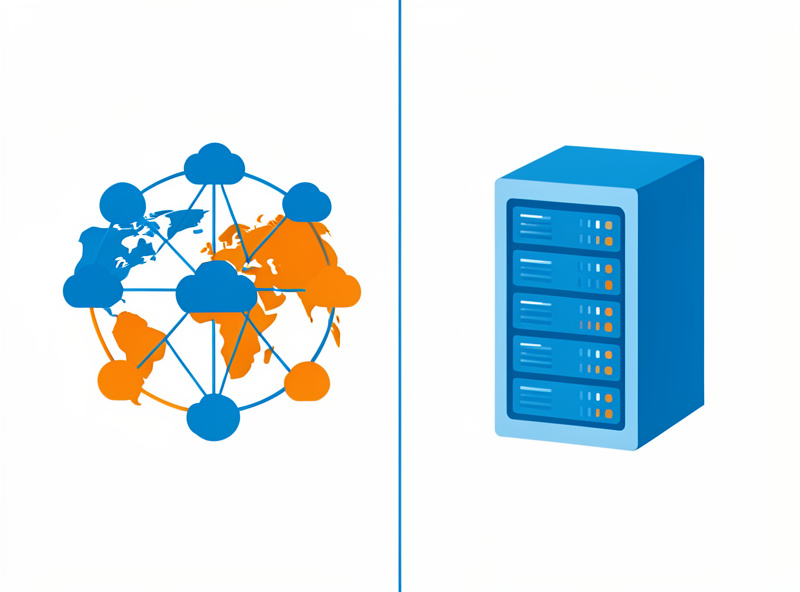
Cloudflare Tunnel: Strengths and Limits
Cloudflare Tunnel’s strengths are setup speed, cost, and protection. The cloudflared daemon connects out to Cloudflare’s edge, you map a hostname to a local service, and it is reachable over HTTPS with automatic certificates and DDoS mitigation, all on a free tier; Cloudflare’s Tunnel documentation covers the cloudflared setup end to end. The limits are content rules that restrict large non-HTML files, an HTTP(S)-centric model, and full dependency on Cloudflare for your traffic.
What you get is genuinely impressive for zero dollars: a managed public endpoint, TLS handled for you, your home IP hidden behind Cloudflare’s, and absorption of attack traffic at their edge before it ever reaches your tunnel. For a self-hosted dashboard, wiki, or admin panel, it is the path of least resistance. The constraints to weigh: Cloudflare’s terms restrict using the proxy to serve large volumes of non-HTML content such as big video or general file downloads, so a media server you stream from heavily is the wrong fit. The model is built around HTTP(S) — arbitrary TCP/UDP is possible but more work. And your traffic flows through Cloudflare, which is a privacy and dependency consideration if you would rather no third party sit in the path.
VPS Reverse Proxy: Strengths and Limits
A VPS reverse proxy’s strengths are control and flexibility. You rent a server with a public IP for roughly $4 to $6 a month, link it to home with WireGuard, and run Nginx, Caddy, or Traefik to front any service — web or not, large files included — with no third-party content rules. The limits are that you maintain and secure the VPS, you pay monthly, and bandwidth is capped by the provider’s allowance.
This is the option when Cloudflare’s web-shaped model does not fit. You own the public IP, so you can expose any protocol, serve media without policy concerns, keep your own logs, and control the entire traffic path. The reverse proxy on the VPS terminates TLS, routes hostnames, and can enforce authentication, while WireGuard carries traffic privately down to home. The cost is responsibility: the VPS is now a public box you must patch, harden, and monitor, and its monthly bandwidth allowance sets a ceiling on how much you can serve. For a media server, a game server, or anything where you want no one but you in the loop, that trade is usually worth it. The WireGuard side is covered in the WireGuard vs OpenVPN guide and the proxy software in Nginx Proxy Manager vs Traefik.

Factor-by-Factor Comparison
Across the factors that matter — cost, protocols, content rules, setup effort, DDoS protection, privacy, and maintenance — Cloudflare wins on ease and free DDoS protection, while the VPS wins on protocol freedom, content freedom, and control. There is no single winner; the table maps each factor to the approach that handles it better so you can weight them for your own needs.
| Factor | Cloudflare Tunnel | VPS Reverse Proxy |
|---|---|---|
| Cost | Free tier | ~$4–6/mo |
| Protocols | HTTP(S) mainly | Any TCP/UDP |
| Large media / file hosting | Restricted by ToS | Allowed (within bandwidth) |
| Setup effort | Low | Moderate |
| DDoS protection | Built in | You arrange it |
| Hides home IP | Yes | Yes |
| Traffic path / privacy | Through Cloudflare | Through your VPS only |
| Maintenance | Minimal | You patch and secure it |
| Control | Cloudflare’s rules | Full |
Performance and Latency
For web traffic, Cloudflare often feels faster because requests terminate at a nearby edge location on their global network, with caching available. A VPS reverse proxy’s latency depends on where you rent it — pick a region close to your users and your home — and a single VPS has no global anycast, so distant visitors see more delay. For your own use from one region, both feel fine.
The practical guidance: if your audience is geographically spread, Cloudflare’s edge and caching give it a real edge for static and web content. If your users are mostly you and people near you, a well-placed VPS is indistinguishable in feel and gives you the protocol freedom Cloudflare lacks. One nuance for the VPS path: all traffic makes the trip home over WireGuard, so your home upload bandwidth is the real ceiling for anything served from the house regardless of which method you choose — the VPS or Cloudflare only changes the front door, not your home pipe.
Security Trade-offs to Weigh
The two approaches shift security responsibility in opposite directions. Cloudflare absorbs attacks at its edge and hides your home IP, but you trust them with your traffic and inherit their access model. A VPS gives you full control of security policy but makes you responsible for patching, firewalling, and hardening a public-facing box that, if breached, sits at the mouth of your tunnel home.
With Cloudflare, the heavy lifting — DDoS absorption, certificate management, optional access policies in front of apps — is handled for you, which genuinely reduces the surface you have to defend. The flip side is that a misconfigured tunnel can expose more than you intended, and Cloudflare is in your traffic path by design. With a VPS, you decide everything, but a neglected, unpatched VPS becomes the weak link: it has a public IP and a WireGuard tunnel into your home, so compromising it is a foothold. Mitigate it the same way I do — keep the VPS minimal and patched, restrict SSH to keys and ideally to the overlay, and crucially, terminate the home end on an isolated DMZ VLAN so even a compromised tunnel endpoint cannot reach the trust LAN. The firewall discipline for that is in OPNsense firewall rules.
When to Combine Them
Running both is common and sensible. Send web apps and dashboards through Cloudflare Tunnel for free, easy, protected access, and route media servers, game servers, and non-web protocols through the VPS. You get Cloudflare’s convenience where it fits and the VPS’s freedom where it does not, with each handling what it does best.
This is exactly how my setup is arranged, and it keeps each tool in its lane. The web UIs that benefit from edge termination and DDoS protection ride Cloudflare; the streaming and arbitrary-protocol services that Cloudflare restricts ride the VPS. Whichever mix you land on, isolate everything internet-facing on a separate VLAN with default-deny rules — see the home network VLAN guide — and verify the result from outside your network with testing inbound reachability. If you have not confirmed you are even behind CGNAT yet, start at how to tell if you’re behind CGNAT.
Frequently Asked Questions
Is Cloudflare Tunnel free?
Yes, Cloudflare offers a free tier for tunnels that covers a great deal of home use, including automatic TLS certificates and DDoS protection. You need a domain managed through Cloudflare, but the tunnel itself and the cloudflared daemon cost nothing for typical self-hosting.
Can I stream media through a Cloudflare Tunnel?
It is not recommended. Cloudflare’s terms restrict using the proxy to serve large volumes of non-HTML content such as big video files, so a media server you stream from heavily can violate the rules. For media hosting, a VPS reverse proxy with WireGuard is the better choice because it has no such content restriction.
Do I need a public IP for either method?
No. Both a Cloudflare Tunnel and a VPS reverse proxy rely on an outbound connection from your home, so they work behind CGNAT with no public IP and no port forwarding. The public IP belongs to Cloudflare’s edge or to your rented VPS, not to your home connection.
Which is more private, Cloudflare or a VPS?
A VPS keeps your traffic on a server you control, while a Cloudflare Tunnel routes traffic through Cloudflare’s network. If keeping a third party out of your traffic path matters to you, a self-managed VPS reverse proxy is the more private option, at the cost of maintaining and securing it yourself.
Is a VPS reverse proxy hard to set up?
It is moderate, not hard. You rent a VPS, bring up a WireGuard tunnel to home, and run a reverse proxy like Nginx, Caddy, or Traefik to route hostnames and handle TLS. Each step is well documented, but it is more involved than Cloudflare Tunnel’s near-instant setup.
Can I use Cloudflare Tunnel and a VPS together?
Yes, and it is a common pattern. Route web apps and dashboards through Cloudflare Tunnel for free, protected access, and send media servers, game servers, and non-web protocols through the VPS reverse proxy. Each method then handles the traffic it is best suited for.
Related Guides
- CGNAT & Double NAT: How to Get Your Home Network Reachable
- Beating CGNAT Without a Public IP: WireGuard, Tunnels, and Reverse Proxies
- Reverse Proxy Setup: Nginx Proxy Manager vs Traefik
- Self-Hosting Guide: Run Your Own Services on a Homelab
- Testing Inbound Reachability: Port Checks, Hairpin NAT, and What ‘Open’ Really Means