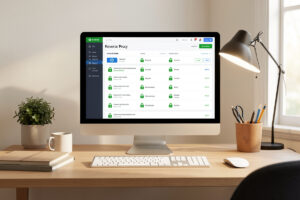
A reverse proxy sits in front of your self-hosted services and routes clean hostnames like photos.yourdomain.com to the right container, handling HTTPS certificates automatically so every service gets a valid TLS lock for free. The two homelab favourites are Nginx Proxy Manager, which gives you a friendly web UI, and Traefik, which configures itself from your Docker labels. I run a proxy in front of everything on my stack and have not typed a port number into a browser in years.
This is the single upgrade that makes a homelab feel like a real platform instead of a pile of ports. If you are running more than three or four self-hosted apps, you need one — both for sanity and for security, since exposing a dozen ports is a mess you do not want. Here is how the two leading options actually differ, and which I would pick for which kind of person. Both assume your services already run as Docker containers.
What a Reverse Proxy Actually Does
A reverse proxy is a single entry point that receives every incoming web request and forwards it to the correct backend service based on the hostname. Instead of remembering that Jellyfin is on port 8096 and Nextcloud on 443 of some other IP, you visit a name and the proxy routes it. It also terminates HTTPS centrally, so one place handles certificates for every service.
Three jobs make it indispensable. First, name-based routing: many services, one IP, clean hostnames. Second, automatic TLS — it requests and renews Let’s Encrypt certificates so every service is HTTPS without you touching a certificate file. Third, a single hardened front door: only the proxy publishes a port, and everything behind it talks over an internal Docker network. That last point is why a proxy is a security upgrade, not just a convenience — it shrinks your exposed surface to one well-understood box.
Nginx Proxy Manager: The UI-First Choice
Nginx Proxy Manager — NPM — wraps the powerful but fiddly Nginx config in a clean web interface. You add a proxy host by filling in a form: the domain, the internal service address and port, and a click to request a Let’s Encrypt certificate. For someone who wants a reverse proxy working in twenty minutes without learning a config syntax, nothing beats it.
NPM is what I recommend to anyone setting up their first proxy. The UI makes the concepts visible — you can see your hosts, your certificates, and your access rules in a list, and adding a new service is genuinely a two-minute job. The trade-off is that it is manual: every new service is a few clicks in the UI. For a stack that changes occasionally, that is no burden at all, and the clarity is worth it. NPM also handles certificates, basic access lists, and custom Nginx snippets when you need them, so you rarely outgrow it for a home setup.
Traefik: The Auto-Configuring Choice
Traefik takes the opposite approach: instead of you telling it about each service, it watches Docker and configures itself from labels you add to each container. Add a few labels to a container’s Compose definition and Traefik automatically picks it up, routes the hostname, and requests a certificate — no separate configuration step at all.
Traefik is brilliant once your whole stack lives in Docker Compose, because adding a service and exposing it become the same action. There is no second place to update; the routing lives in the same file as the service. The cost is a steeper learning curve — the label syntax and the static-versus-dynamic configuration split take a bit of reading to get straight, and when something is wrong the debugging is less obvious than NPM’s visible UI. But for a stack you change often, the self-configuring workflow is genuinely lovely, and it is what I run on my own Proxmox Docker host.

Head to Head
Both do the core job well — route hostnames and handle HTTPS. The difference is philosophy: NPM is click-to-configure with a visible UI, Traefik is declare-in-labels and let it configure itself. Pick by how you like to work and how often your stack changes.
| Factor | Nginx Proxy Manager | Traefik |
|---|---|---|
| Configuration | Web UI, point and click | Docker labels, auto-discovered |
| Learning curve | Gentle | Steeper |
| Best for | First proxy, stable stacks | Compose-heavy, fast-changing stacks |
| HTTPS / Let’s Encrypt | Yes, click to request | Yes, automatic |
| Adding a service | Fill in the UI form | Add labels to the container |
| Debugging | Visible in the UI | Logs and config files |
Which Should You Run?
For most people setting up their first reverse proxy, start with Nginx Proxy Manager. It gets you HTTPS and clean hostnames fast, the UI teaches you the concepts, and you can run it for years without hitting a wall. Move to Traefik only when manual UI clicks start to feel like friction.
The honest decision tree I give people: if you want it working today with the least reading, NPM. If your entire stack is Docker Compose and you change it often enough that “add the service and expose it in one step” sounds appealing, Traefik. There is no wrong answer — I have run both, and the day-to-day experience is more about how your brain likes to manage configuration than about capability. Whichever you choose, the rule that matters more than the choice: put the proxy in front of everything, and stop publishing service ports directly.
The Security Half Nobody Skips
A reverse proxy is necessary for safe self-hosting but not sufficient on its own. The proxy gives you one front door with HTTPS, but a front door still needs the right walls around it. On my stack the proxy is the only thing with a published port, it sits on a segment that cannot reach my trusted LAN, and anything genuinely sensitive is reachable only over WireGuard rather than the public internet at all.
The pattern to internalize: use the proxy for clean access to internal services, use a VPN for personal remote access, and reserve public exposure for the rare service that truly needs it — and even then, behind strong authentication on a segmented VLAN. This is where self-hosting meets network design: the proxy is a routing tool, the firewall and VLANs are the security boundary, and the two together are what let you sleep while your services face outward. A proxy with no segmentation behind it is a tidier way to be exposed, not a safer one.
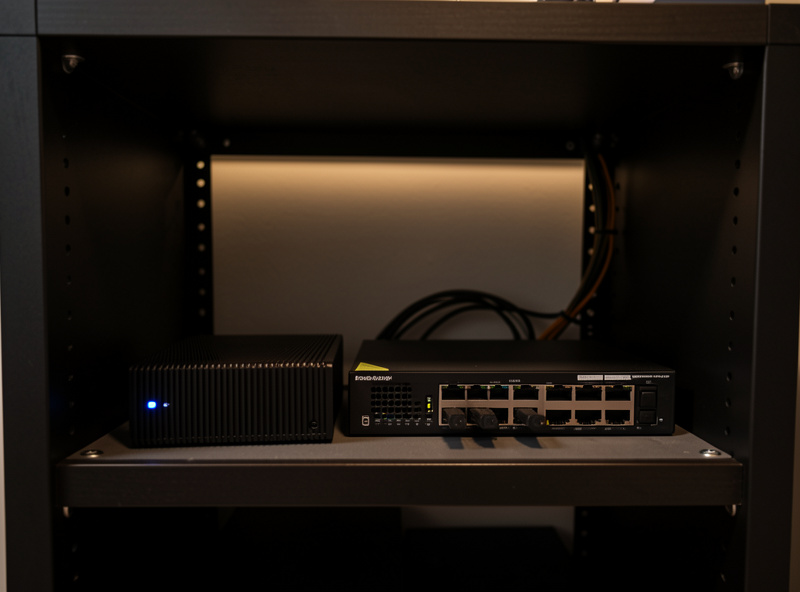
A Word on Caddy, the Third Option
People always ask where Caddy fits, and it deserves a mention. Caddy is a web server and reverse proxy whose headline feature is that HTTPS is automatic and on by default — you write a short, readable config file and it handles certificates with zero ceremony. It sits philosophically between NPM and Traefik: more hands-on than NPM’s UI, simpler to read than Traefik’s labels.
I would reach for Caddy when I want a configuration file I can read at a glance and I am comfortable editing text rather than clicking a UI, but I do not need Traefik’s auto-discovery. Its config syntax is genuinely the friendliest of the three for a human to read months later. For a first proxy I still point people at NPM for the visible UI, but Caddy is a completely legitimate choice and worth knowing exists before you commit. The broader point holds regardless of which of the three you run: the proxy is one piece of a self-hosting stack, and it only shines when the segmentation behind it is solid.
Frequently Asked Questions
Do I really need a reverse proxy for self-hosting?
Once you run more than three or four services, yes. It gives you clean hostnames instead of IP and port numbers, automatic HTTPS for every service, and a single hardened entry point so you are not publishing a dozen ports to your network.
Is Nginx Proxy Manager or Traefik easier for beginners?
Nginx Proxy Manager is far easier to start with. You add services through a web form and request HTTPS certificates with a click. Traefik configures itself from Docker labels, which is powerful but has a steeper learning curve and less visible debugging.
Does a reverse proxy give me HTTPS automatically?
Yes. Both Nginx Proxy Manager and Traefik integrate with Let’s Encrypt to request and renew TLS certificates automatically. You get a valid HTTPS lock on every service without manually handling certificate files, terminated centrally at the proxy.
Is a reverse proxy enough to safely expose services to the internet?
No. A proxy gives you one front door with HTTPS, but it is not a security boundary by itself. Keep services on a segmented VLAN, use a VPN like WireGuard for personal access, and only expose the rare service that truly needs it, behind strong authentication.
Can I switch from Nginx Proxy Manager to Traefik later?
Yes. The services behind the proxy do not change, only how routing is configured. Many people start on Nginx Proxy Manager for its UI and migrate to Traefik once their stack is fully in Docker Compose and they want self-configuring routing.
Does the reverse proxy need its own domain name?
It works best with one, even a cheap domain used only at home, so you get clean hostnames and valid certificates. You can run it with local-only names and a private certificate authority, but a real domain makes HTTPS and remote access far smoother.
Related Guides
- Self-Hosting Guide: Run Your Own Homelab Services
- Docker Basics for Self-Hosting
- Best Self-Hosted Apps 2026
- Proxmox Homelab Setup Guide
- Home Network VLAN Guide