
The best self-hosted apps in 2026 are the ones that cleanly replace a subscription you already pay for: Immich for photos, Jellyfin for media, Home Assistant for smart-home control, Vaultwarden for passwords, and Pi-hole for network-wide ad-blocking. On my own stack those five do most of the heavy lifting, and together they replaced more monthly bills than the hardware cost to run them.
There are thousands of self-hostable apps, and the mistake is trying to run all of them. This is the shortlist I would actually build, in the order I would add them, with the honest reason each one earns a slot. Everything here runs as a Docker container and sits behind a reverse proxy on my stack, which is the foundation the whole self-hosting guide is built on.
Start Here: The First Three Apps
If you self-host nothing else, three apps deliver the most value for the least effort: a network-wide ad blocker, a photo backup, and a media server. Pi-hole blocks ads for every device on the LAN the moment it is up, Immich gives you a Google Photos replacement that keeps your library private, and a media server turns your existing files into your own streaming service.
I always tell people to start with the app that replaces the subscription that annoys them most, because that is the one whose payoff you feel immediately. For most households Pi-hole is the gateway drug — the whole family notices fewer ads within a day, and it costs almost nothing to run. From there, photo backup is the emotional win (your memories, on your hardware, not training someone’s model), and a media server is the one that makes the NAS feel worth it.
Photos: Immich
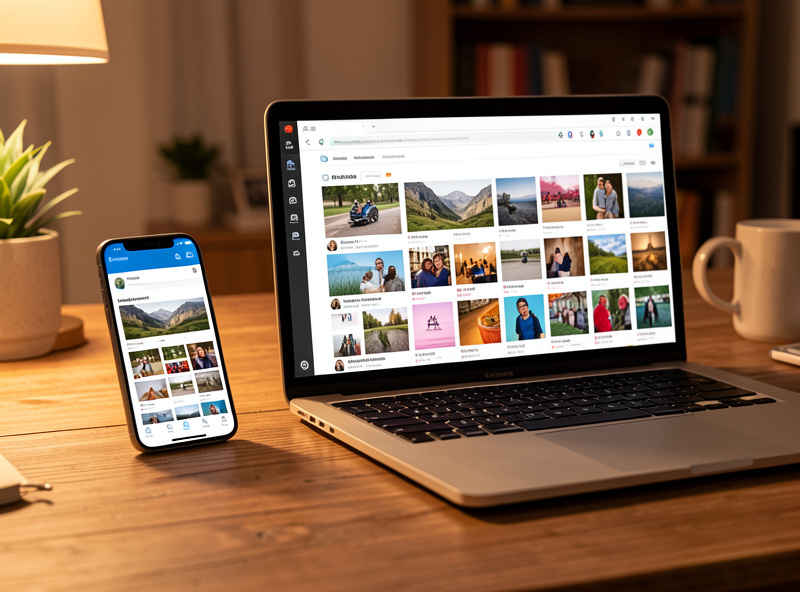
Immich is the self-hosted app that finally made me delete a cloud photo subscription. It does automatic phone backup, face and object recognition, albums, and a timeline that genuinely feels like the commercial apps — all running on your own hardware, with your library never leaving the house. It is the single most-recommended self-hosted app of the last two years for good reason.
The catch worth knowing: Immich moves fast and the developers say so openly, so pin a version and read release notes before updating rather than blindly tracking latest. The machine-learning features want a bit of RAM, so it is happiest on a box with 8GB or more to spare. Back the library volume up off the host — these are your irreplaceable photos, and the same “redundancy is not backup” rule that governs every storage decision applies double here.
Media: Jellyfin or Plex
A media server turns the files on your NAS into a Netflix-style library streamable to every TV and phone in the house. Jellyfin is fully open-source and free with no paywalled features; Plex is more polished with better apps but gates some features behind a subscription. Both transcode, organize, and stream — the choice comes down to free-and-open versus polished-and-paid.
I run the comparison in full in Jellyfin vs Plex, but the short version: Jellyfin if you value owning the whole stack with zero subscriptions, Plex if you want the most polished apps on the widest range of TVs and will pay for them. Either way, a media server is the app that most justifies the storage investment — it is where a homelab visibly improves daily life for everyone in the house, not just the person who built it.
Smart Home: Home Assistant
Home Assistant is the local hub that ties every smart device together without sending your home’s state to a vendor’s cloud. Lights, sensors, locks, energy monitoring, and automations all run on your own hardware, keeping working even when the internet is down. It is the most powerful smart-home platform there is, self-hosted or not.
It is also the app that most rewards segmentation. Smart devices are the least trustworthy things on any network, so Home Assistant and the gear it controls belong on a caged IoT VLAN with no unsolicited internet access. The full walkthrough — installation options, the VLAN setup, and local-first control — is in self-hosting Home Assistant. If you have ever had a smart-home brand discontinue a cloud and brick your devices, this is the app that makes sure it never happens to you again.
Passwords and Files: Vaultwarden and Nextcloud
Two more apps round out a serious stack. Vaultwarden is a lightweight, self-hosted Bitwarden-compatible password manager — your vault on your hardware, syncing to the official Bitwarden apps. Nextcloud is the self-hosted Dropbox-plus-Office: file sync, sharing, calendar, and contacts in one place. Together they cover the two things people are most nervous about handing to the cloud.
Vaultwarden is tiny and sips resources, which makes it an easy early add — but it is also the one service where you must get backups and HTTPS exactly right, because it holds the keys to everything. Nextcloud is heavier and benefits from a bit of tuning, but nothing replaces it for owning your files end to end. Both belong strictly behind a VPN or a properly hardened reverse proxy — a password vault is the last thing you ever expose carelessly to the internet.
The Shortlist at a Glance
Here is the stack laid out by category, what it replaces, and roughly how demanding it is to run — so you can pick a starting point that matches your hardware.
| App | Category | Replaces | Resource demand |
|---|---|---|---|
| Pi-hole / AdGuard Home | DNS ad-blocking | Per-device ad blockers | Very light |
| Immich | Photos | Google Photos | Medium (RAM for ML) |
| Jellyfin | Media server | Netflix-style streaming | Medium (transcoding) |
| Home Assistant | Smart home | Vendor smart-home clouds | Light to medium |
| Vaultwarden | Passwords | 1Password / LastPass | Very light |
| Nextcloud | Files & office | Dropbox / Google Drive | Medium to heavy |
Utilities That Make the Stack Pleasant
Beyond the headline apps, a few small utilities make a self-hosted stack feel finished. A dashboard like Homepage or Homarr gives you one page linking every service; Uptime Kuma watches them and tells you the moment one goes down; and a reverse proxy ties it together with clean hostnames and HTTPS. These are the touches that turn a pile of containers into something that feels like a product.
I would add these once the core services are running, not before — they are the polish, not the foundation. A dashboard in particular is the thing that makes the whole stack legible to anyone else in the house, and Uptime Kuma is what catches the silent failures (a full disk, an expired certificate, a container that quietly stopped) before they become an outage. None of them are heavy; all of them earn their place once you are running more than a handful of services.
What I Don’t Self-Host (And Why)
An honest shortlist has to include the things I deliberately leave in the cloud. Email is the obvious one: self-hosted mail is technically doable but a deliverability headache, and a single misconfiguration lands you in spam folders for months. For most people, the effort-to-reward ratio there is terrible, and I say so plainly rather than pretending everything belongs on the rack.
I also do not self-host anything where being my own support team at midnight would ruin the thing. Off-site backup is the clearest example — I keep a copy of my critical data with a provider precisely because the whole point of off-site is that it survives when my house and my homelab do not. Self-hosting maximalism, the urge to move every last service in-house as a point of pride, is how people burn out and end up with a fragile stack nobody trusts. The skill is the same one that runs through good network design: decide what genuinely benefits from being yours, give it your full attention, and let the rest be someone else’s problem. A focused stack of six apps you actually maintain beats twenty you half-run.
Frequently Asked Questions
What is the best self-hosted app to start with?
A network-wide ad blocker like Pi-hole. It is light, easy to run, and the whole household notices fewer ads within a day. After that, photo backup with Immich and a Jellyfin media server deliver the most visible everyday value for the effort.
Can I run all these apps on one mini PC?
Yes. An N100 or N305 mini PC with 16GB of RAM comfortably runs Pi-hole, Immich, Jellyfin, Home Assistant, Vaultwarden, and a dashboard at once. The two heavier loads are Immich’s machine learning and media transcoding, so add RAM if you run both hard.
Is self-hosted Immich a good Google Photos replacement?
For most people, yes. Immich offers automatic phone backup, face and object recognition, albums, and a timeline that feels like the commercial apps, all on your own hardware. It moves fast, so pin a version and read release notes before updating.
Which self-hosted apps need to be exposed to the internet?
Ideally none directly. Reach them through a VPN like WireGuard or Tailscale instead. The rare app you genuinely need public, such as a shared file link, goes behind a hardened reverse proxy with strong authentication, never a forwarded port.
Do I need a NAS to self-host these apps?
Not to start. The apps run on a mini PC’s internal SSD. You want a NAS once your photo and media libraries outgrow that drive, or when you want redundancy so a single dead disk does not take your data with it.
Related Guides
- Self-Hosting Guide: Run Your Own Homelab Services
- Jellyfin vs Plex: Which Home Media Server to Run
- Self-Hosting Home Assistant
- Docker Basics for Self-Hosting
- NAS as a Home Server
- Reverse Proxy: Nginx Proxy Manager vs Traefik