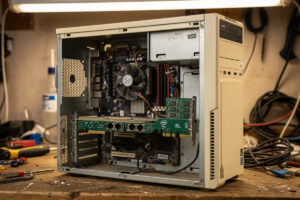
Repurposing an old PC as a pfSense or OPNsense router is the cheapest entry point to DIY networking — total cost can be under $50 if you have spare hardware and an Intel-chipset PCIe NIC. The catch is power consumption: a desktop drawing 60W average costs roughly $85 more per year in electricity than a 6W mini PC, and a mini PC upgrade pays back that price difference in under 3 years on electricity savings alone. After running pfSense on three different salvaged PCs (Dell OptiPlex 3080, generic i5-7500 build, AMD Ryzen 5 1600 system) in 2026, the old-PC approach works for learning environments but mini PCs win for long-term home use.
This article covers minimum old PC requirements, the NIC card upgrade required, the BIOS configuration for headless operation, and the cost-of-ownership analysis that determines whether old hardware makes sense. It is the salvage-tier companion to our DIY router hardware hub.
Minimum Requirements for Old PC Router
| Component | Minimum | Recommended |
|---|---|---|
| CPU | 4-core Intel i3 (2014+) or Ryzen 3 1200 | 4-core i5 (2017+) or Ryzen 5 2600 |
| RAM | 4 GB DDR3/DDR4 | 8 GB DDR4 |
| Storage | 32 GB SATA SSD | 128 GB NVMe |
| NIC | 1 onboard + 1 PCIe Intel I350-T2 ($30) | 2-port PCIe Intel I350-T2 or X550-T2 |
| PSU | Working 200W+ PSU | 80+ Bronze rated PSU under 5 years old |
| Total Cost | $0–80 (with spare hardware + NIC) | $50–150 (with NIC + minor upgrades) |
The CPU minimum (4-core Intel i3 from 2014 or newer) reflects what handles 1 Gbps with full pfSense IDS. Older single-core or dual-core CPUs from the 2010-2013 era cannot keep up with modern Suricata rule volumes at gigabit speeds — they work for routing alone but fail with IDS enabled. The RAM and storage minimums are conservative; pfSense itself uses very little, but log retention and IDS rules grow over time.
PCIe NIC Card: Mandatory Upgrade
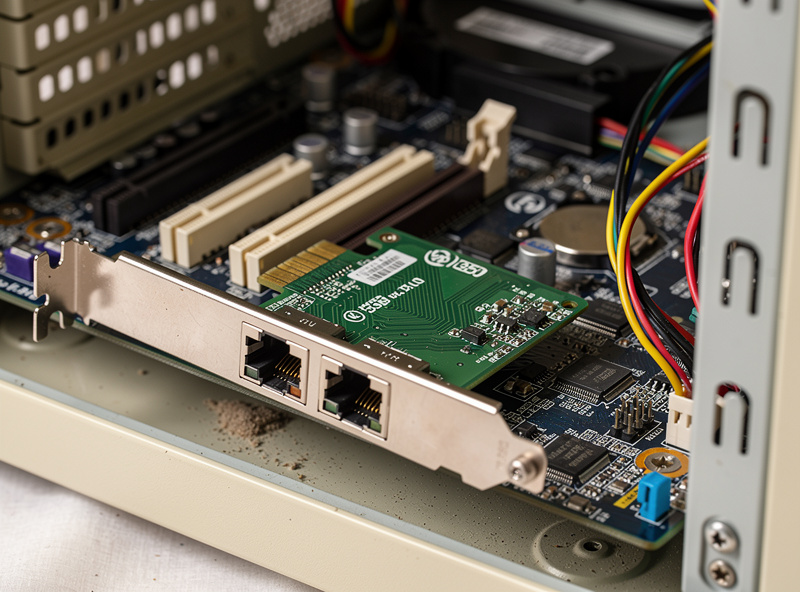
Most old desktops have a single onboard Realtek NIC, which is insufficient for two reasons. First, you need at least 2 NICs (one for WAN, one for LAN). Second, the onboard Realtek NIC has the same driver issues that plague Realtek NICs in mini PCs — pfSense’s own hardware documentation recommends Intel NICs specifically for this reason. The fix is a PCIe Intel-chipset NIC card. Used Intel I350-T2 dual-port cards from eBay cost $30–50 and provide reliable dual-port gigabit. Used Intel X550-T2 dual-port 10 GbE cards cost $40–80 for users with 10 GbE infrastructure.
Installation is straightforward: shut down the PC, install the PCIe card in any available slot, boot pfSense, the card appears as additional interfaces during initial configuration. The onboard Realtek NIC can be left disabled (in BIOS) and just use the two ports of the Intel card for both WAN and LAN. This eliminates the Realtek driver issues entirely. Our hardware hub covers Intel NIC chipset selection.
Power Consumption Math
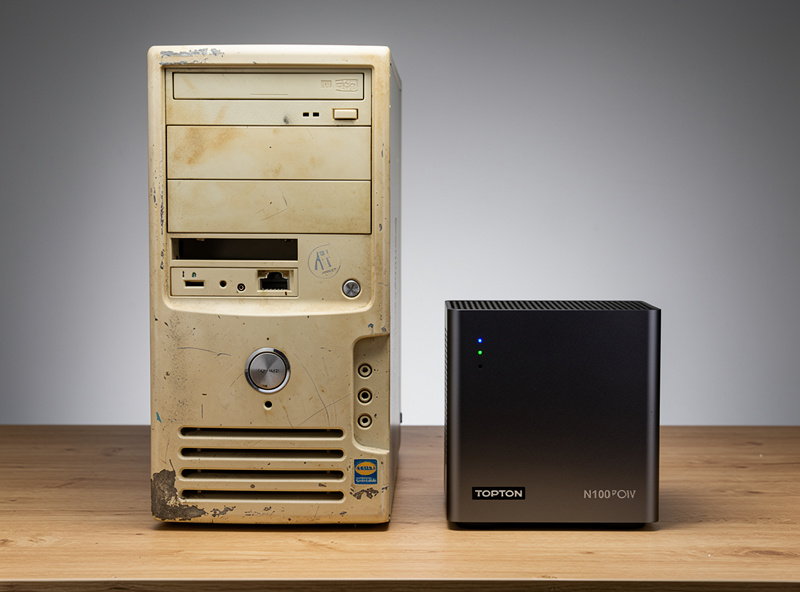
Power consumption is the deciding factor for old PC vs mini PC for long-term home use. A typical old desktop PC draws 60W average at idle (some draw 40W, others 80W depending on age and components). A mini PC like the Topton N100 draws 6W average at idle. The difference: 54W × 24 hours × 365 days = 473 kWh per year. At the current US average residential rate (roughly 18 cents/kWh in 2026), that is about $85 per year more for the desktop.
Over 5 years of operation, the old PC costs roughly $425 more in electricity than the mini PC. The Topton N100 at $250 effectively pays for itself in under 3 years just from electricity savings. For users with high electricity rates (California has climbed to roughly 35 cents/kWh, among the highest in the country), the payback is considerably faster. Old PCs make sense for learning, temporary use, or when running pfSense alongside other workloads on the same hardware. For dedicated long-term home routers, the mini PC wins.
BIOS Configuration for Headless Operation
Several BIOS settings need adjustment for reliable headless 24/7 operation as a router. Enter BIOS during POST (Delete or F2 on most desktops). Set “Power On After Power Loss” to “On” or “Last State” so the system boots automatically after blackouts. Disable “Halt on Errors” so missing keyboard or mouse does not prevent boot. Set boot order to USB first (for installer), then SATA/NVMe (for pfSense). Disable Secure Boot if pfSense fails to install — most BSD-based systems work without it.
For older Dell, HP, and Lenovo business desktops, look for “AC Recovery” or “PSU Auto Power-On” settings — these are the equivalent power-on policies. Some older BIOSes also have Wake-on-LAN settings that need configuration if you want remote power-on capability. The headless-operation settings are usually scattered across multiple BIOS menus; budget 30 minutes for first-time configuration. Our DIY router setup guide covers BIOS adjustments per major vendor.
Form Factor and Noise Considerations
Old desktop PCs are physically large and audibly noisy. A mid-tower desktop occupies 0.05 cubic meters; a Topton N100 mini PC occupies 0.001 cubic meters — 50x less space. The desktop’s case fans, CPU fan, and PSU fan produce 25–35 dB ambient noise, which is acceptable in a basement or closet but irritating in a living space. Mini PCs are silent.
For users with dedicated server closet or basement deployment, the size and noise of an old PC are acceptable. For users placing the router in a living space (most home users), the mini PC’s silent fanless design is the practical answer. The old-PC approach works best when the router is also serving as a homelab system running additional services — a Proxmox host with pfSense as one VM and other services as siblings — where the desktop’s higher CPU power, larger storage capacity, and PCIe expansion matter.
Best Old PC Types for Router Builds
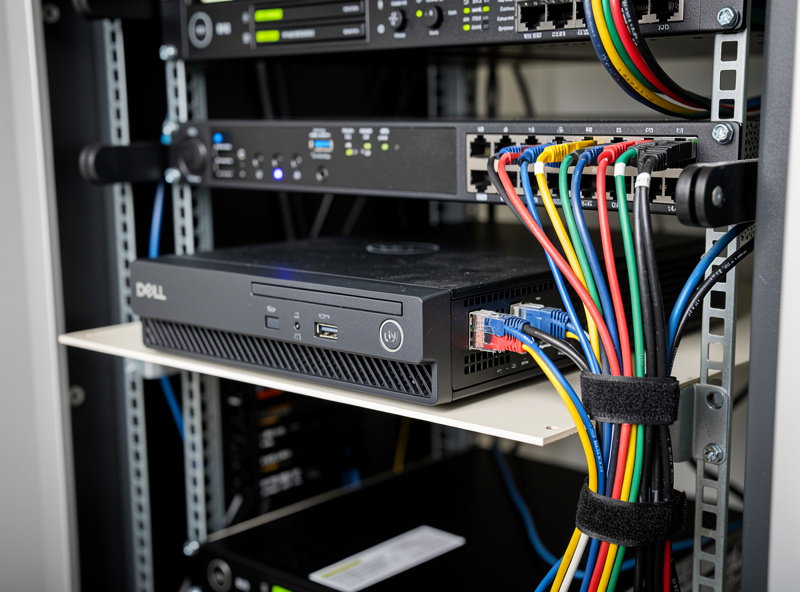
Three categories of old PCs work well as pfSense routers. Business-class desktops (Dell OptiPlex, HP EliteDesk, Lenovo ThinkCentre) from 2015 or newer are the best choice — they have ECC RAM options, business-grade PSUs, and tight construction tolerances. Used OptiPlex 3080 SFF systems cost $80–150 on eBay with i5 CPU, 8 GB RAM, and 256 GB SSD already installed. Add a $30 PCIe NIC and you have a solid router for $110–180.
Consumer desktops (custom-built i5/Ryzen systems) work but vary in PSU quality. Avoid OEM consumer towers (HP Pavilion, Acer Aspire) with proprietary PSUs that are hard to replace if they fail. Old workstations (Dell Precision, HP Z-class) work but the high power draw (80–150W) erases most of the cost savings vs new mini PCs. The “Goldilocks zone” for salvage routers is business-class desktops from 2015–2020, before mini PCs became the dominant form factor for pfSense work.
When Old PC Makes Sense
Old PC routers make sense in these scenarios: you have spare hardware sitting unused (zero acquisition cost), you are learning networking and want to experiment cheaply, you plan to upgrade to mini PC within 12-18 months and want a temporary solution, or you are running pfSense as one of several services on shared hardware (Proxmox host with multiple VMs).
For dedicated long-term home routers in living spaces, a Topton N100 or Beelink EQ12 with verified Intel NICs is almost always the better choice. The price difference is $200–250 for the mini PC vs $50–100 for old PC + NIC; the electricity savings cover that gap in roughly 2 years while providing better reliability, smaller form factor, and silent operation. Our mini PC article covers the alternatives in detail.
Frequently Asked Questions
Can I use an old PC as a pfSense router?
Yes, with 4-core Intel i3 (2014+) or Ryzen 3 1200 minimum, 4 GB RAM, 32 GB SSD, and a PCIe Intel I350-T2 NIC card. Total cost ranges $0–150 depending on existing hardware. Works for learning; mini PCs win for long-term home use.
What is the power difference between old PC and mini PC?
Old PC draws 60W average; mini PC draws 6W. The 54W difference costs roughly $85 per year extra in electricity at the current US average residential rate (about 18 cents/kWh in 2026). Over 5 years, the desktop costs roughly $425 more in power than a Topton N100 mini PC.
Do I need a special NIC card for old PC router?
Yes, almost always. Most old desktops have a single onboard Realtek NIC. Add a dual-port Intel I350-T2 PCIe card (used $30–50 on eBay) for two reliable NICs. Disable the onboard Realtek to avoid driver issues.
What is the best old PC for pfSense?
Business-class desktops (Dell OptiPlex, HP EliteDesk, Lenovo ThinkCentre) from 2015 or newer. Used OptiPlex 3080 SFF at $80–150 with i5 CPU is the value pick. Avoid OEM consumer towers and old workstations.
How much electricity does an old PC router use?
60W average means roughly 525 kWh per year, costing around $95 per year at the current US average residential rate (about 18 cents/kWh in 2026). In high-rate areas like California (now around 35 cents/kWh), expect closer to $185/year. Mini PCs at 6W consume only about $9-10 per year in electricity.
Will an old PC be loud as a router?
Yes, typically 25–35 dB from CPU fan, case fans, and PSU fan. Acceptable in basement or closet placement. For living-space placement, fanless mini PCs are dramatically quieter and the silence justifies the upgrade for most users.
What BIOS settings for headless old PC router?
Set Power On After AC Loss to On or Last State for auto-recovery after blackouts. Disable Halt on Errors so missing peripherals do not prevent boot. Set boot order USB first then SATA. Disable Secure Boot if pfSense fails to install.
Related Articles
- Best DIY Router Hardware 2026
- Best Mini PC for pfSense
- Topton N100 Router Build
- Raspberry Pi Router Speed Test
- pfSense Configuration Guide