
A site-to-site VPN permanently stitches two networks together so machines at each location reach each other as if they shared a building — no one clicks connect, the tunnel is just always up. In my lab it is what carries offsite backups from the home NAS to a box at a second location every night, automatically. The build is a persistent WireGuard peer on each firewall, each side advertising its own subnet, with static routes telling each network how to reach the other. Get the subnet planning right and it is rock solid; get it wrong and the tunnel comes up and routes nothing.
This is a different job from road-warrior remote access, where one device dials in. Site-to-site joins whole networks. If you are not sure which you need, my home VPN and remote access guide draws the distinction; this guide is the deep dive on connecting two locations for a home lab.
What you actually use it for
The honest home-lab use cases are few but valuable. Offsite backup is the big one: a 3-2-1 backup strategy wants a copy in a second physical location, and a site-to-site tunnel lets your NAS replicate to a remote box on a schedule without exposing either to the internet. Beyond that: reaching a second home or a relative’s setup as if local, running a service at one site that depends on a resource at the other, or keeping a remote monitoring node reporting back to your main dashboards. If your need is one laptop reaching home occasionally, you do not want site-to-site — you want the lighter remote access setup.
The subnet rule that makes or breaks it
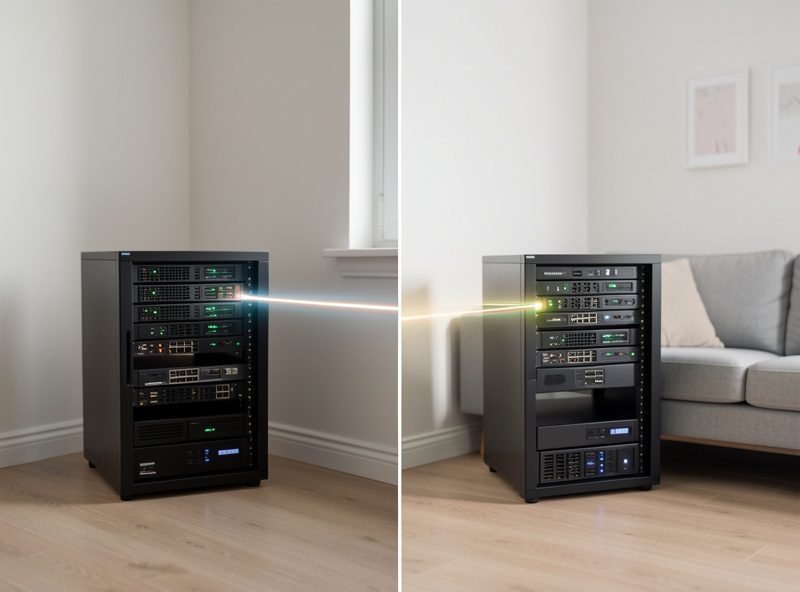
This is the single most important thing on the page, so I will put it plainly: the two sites must use different IP subnets. If both your home and the remote site run the default 192.168.1.0/24, routing is hopelessly ambiguous — a packet for 192.168.1.50 cannot tell which site it means — and the tunnel will establish but carry nothing useful. Plan distinct ranges before you build: for example 10.10.0.0/24 at home and 10.20.0.0/24 at the remote site. I keep my segments well off the common consumer defaults precisely so a future site-to-site link never collides. If you are still on a flat default network, fix the addressing first; the network segmentation guide covers laying out ranges sensibly.
How the WireGuard site-to-site tunnel is built
The mechanics are straightforward once the addressing is sane. Each firewall runs a WireGuard instance with one persistent peer — the other site. On each side, the peer’s allowed-IPs is set to the remote subnet, which is what tells WireGuard to route that traffic into the tunnel. Then you add a static route on each firewall pointing the remote subnet at the WireGuard interface, so the whole LAN — not just the firewall — knows the path. Because at least one side usually sits behind NAT, set PersistentKeepalive (25 seconds is the common value) on that side so the tunnel stays punched open through the NAT table rather than going idle and dropping.
At least one endpoint needs to be reachable — a public IP or a dynamic DNS hostname — so the other can dial it. If both sites are behind CGNAT and neither can be reached, you fall back to an overlay: a Tailscale subnet router at each location achieves the same site-to-site effect without either needing an open port, which I cover in the Tailscale and Headscale guide. On OPNsense and pfSense the WireGuard side is the same engine as the road-warrior setup in my OPNsense WireGuard tutorial — you are just pointing it at a network instead of a phone.
| Method | Both sides behind CGNAT? | Setup effort | Best for |
|---|---|---|---|
| WireGuard site-to-site | No (one side needs an endpoint) | Medium | Default for two reachable homes |
| OpenVPN site-to-site | No (one side needs an endpoint) | Higher | Legacy or TCP-443 constraints |
| Tailscale subnet routers | Yes | Low | When both sites are behind carrier NAT |
Firewall rules between the sites
A tunnel that is up is not the same as a tunnel that is safe. By default I do not let the two sites see everything at each other — the remote site is its own zone, default-deny, and I write explicit rules for exactly the traffic that needs to cross. For an offsite backup that is narrow: the backup source reaching the backup target on the replication port, and nothing more. The remote site does not need to reach my IoT VLAN, and a compromise at one location should not roam freely into the other. This is the same default-deny philosophy from my VLAN firewall rules, applied across the tunnel rather than within one building. The whole point of running a real firewall at each edge is that the inter-site link is just another set of rules.
DNS and naming across two sites
Once the tunnel is up you will want to reach the remote NAS by name, not by a memorised IP. The clean approach is conditional forwarding: your local resolver forwards queries for the remote site’s domain to the remote site’s DNS server over the tunnel, and vice versa. That keeps each site authoritative for its own names while letting either resolve the other. If you run Pi-hole or AdGuard at each end, this slots into the setup in my Pi-hole guide. It is a small touch that turns a working tunnel into one that actually feels like one network.

The failure modes I have hit
Three recurring ones. Overlapping subnets, already covered, and the cause of most dead-on-arrival tunnels. A missing static route, where the firewalls handshake fine but the rest of each LAN has no idea how to reach the far subnet — the tunnel works from the firewall and nowhere else. And an idle drop behind NAT, where the link works for a while then goes quiet because PersistentKeepalive was never set and the NAT mapping timed out. Walk those three and the tunnel that carries my nightly NAS backups stays up for months without a thought.
Bandwidth, scheduling, and not saturating the link
The detail that turns a working tunnel into a livable one is bandwidth management. A first full backup over a site-to-site link can be enormous, and a home upload pipe is usually the bottleneck — if your replication job tries to push everything at once it will saturate the connection and make the rest of the household miserable. I do the initial seed locally where possible (carry the disk, copy on the LAN, then ship it to the remote site) so the tunnel only ever carries incremental changes after that. Incrementals are small and the nightly job barely registers.
For the ongoing transfers, schedule them for the quiet hours and, if your firewall supports it, shape the VPN traffic so backups yield to interactive use. On OPNsense and pfSense you can prioritise so a streaming session or a video call always wins over a replication job — the same traffic-shaping discipline I apply elsewhere on the network. The goal is a link you forget exists: it quietly carries last night’s changes to a second location while you sleep, and it never once interrupts anything you are actively doing. That is what a home-lab offsite backup should feel like, and the addressing, routes, keepalive, and shaping above are what get you there.
Frequently Asked Questions
What is a site-to-site VPN for a home lab?
It is a permanent encrypted tunnel that joins two whole networks so machines at each location reach each other as if local, with no one clicking connect. Home labs use it mainly for automatic offsite backups between a NAS at home and a box at a second site.
Why must the two sites use different subnets?
If both sites use the same range, like 192.168.1.0/24, routing is ambiguous and the tunnel carries no useful traffic. Use distinct ranges such as 10.10.0.0/24 at home and 10.20.0.0/24 at the remote site so each network knows where to send packets.
Can I run a site-to-site VPN if both ends are behind CGNAT?
Not with a standard WireGuard or OpenVPN tunnel, because neither side has a reachable public endpoint. Use Tailscale subnet routers at both locations instead, which dial outbound and punch through NAT to achieve the same site-to-site effect without an open port.
Why does my tunnel come up but nothing can reach the other site?
Almost always a missing static route or a firewall rule. The firewalls handshake, but the rest of each LAN does not know how to reach the far subnet without a route pointing it at the WireGuard interface, and default-deny blocks traffic until you add an explicit allow rule.
Do I need PersistentKeepalive on a site-to-site WireGuard tunnel?
On the side behind NAT, yes. Without it the NAT mapping times out during idle periods and the tunnel goes quiet until traffic restarts it. A value of 25 seconds keeps the mapping open so the link stays up continuously for scheduled backups.
Further Reading
- Home VPN and Remote Access: The Complete Guide
- Tailscale and Headscale Setup Guide
- Remote Access to Your Home Network
- Home NAS Setup Guide
- Network Segmentation: How to Divide a Home Network