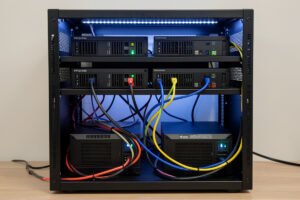
Home lab power redundancy is a ladder, not a single purchase: a UPS removes the brief-outage risk, dual power supplies fed from two independent UPS units remove the single-UPS risk, an automatic transfer switch protects single-PSU gear across two sources, and a generator or home battery covers the multi-hour outage a UPS never could. Most home labs need only the first rung or two. The skill is knowing which layer your actual risk justifies, and stopping there instead of gold-plating a setup that protects against an outage you will never have.
A single UPS is genuinely fine for the vast majority of home labs — it is reliable, and if it fails you are no worse off than the outage you were guarding against. But the moment the lab runs something the household truly depends on, or you have invested in servers with redundant power supplies, the single points of failure in your power chain start to matter. This guide maps the layers from the cheap and obvious to the elaborate, so you can buy exactly the redundancy you need. It sits under the UPS and power management hub, where the single-UPS fundamentals live.
Layer 0: stop overloading one wall circuit
Before any fancy redundancy, get the basics right: do not run the whole rack off one over-subscribed wall outlet. A rack drawing a few hundred watts is well within a single household circuit, but if your lab shares a breaker with space heaters, a workshop, or a kitchen, a tripped breaker takes everything down no matter how many UPS units you own. I run my core rack on its own circuit precisely so that nothing else in the house can trip the breaker that feeds it. This costs nothing but planning, and it removes the most common cause of a home lab power loss — a breaker tripping on an unrelated load, not a grid outage at all.
Knowing your real draw is the prerequisite, which is the same measurement you do for sizing in the runtime calculation guide. Once you know the rack pulls, say, 250 W, you know it is nowhere near a 15 A circuit’s limit and the breaker is not your bottleneck — but you also know not to pile three more loads onto that same circuit.
Layer 1: the UPS itself
The first real layer is the one most people stop at, and for good reason. A correctly sized pure-sine UPS converts a hard power cut into a graceful shutdown and conditions dirty mains every day. For a single-host lab, this is the whole job — pick the right unit in the best UPS guide, wire the shutdown with NUT (the open-source Network UPS Tools daemon), and you have removed the failure mode that actually threatens your data. Everything beyond this point is about removing the UPS itself, and the wall circuit, as single points of failure — which only matters if your tolerance for downtime is genuinely lower than “shut down cleanly and wait for power.”
Layer 2: dual power supplies, two UPS units
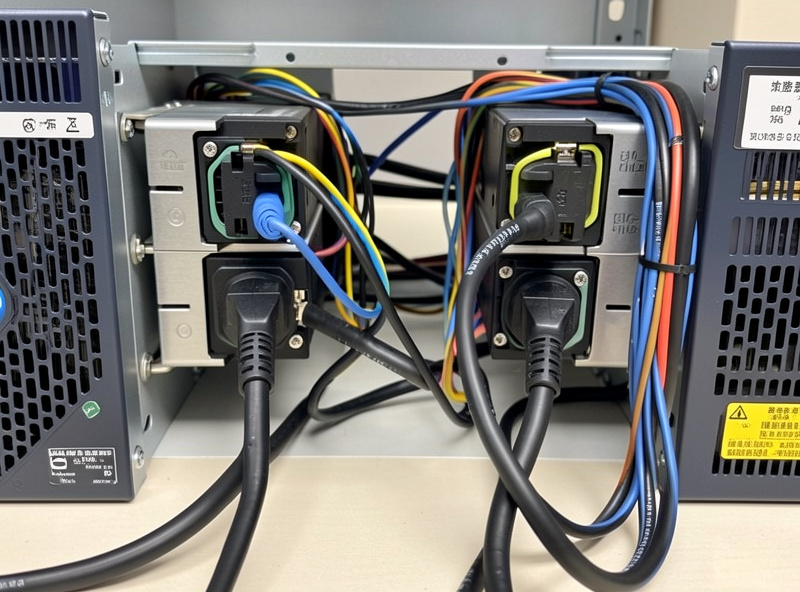
Servers with redundant (dual) power supplies are built for exactly this: each PSU can run the whole machine, so you feed them from two independent sources. Put each power supply on its own UPS, ideally on two different wall circuits, and now no single UPS, battery, or breaker can take the server down. One UPS dies or hits a dead battery mid-outage, the other carries the load, and the server never notices. This is the cleanest redundancy you can build, but it requires gear with dual PSUs — most home lab desktop-class hardware has a single supply, which is where the next layer comes in.
The subtlety is to genuinely separate the two paths. Two UPS units plugged into the same wall outlet share that outlet’s fate; two UPS units on the same breaker share the breaker’s. The redundancy is only as good as the independence of the two power paths, all the way back to separate circuits if you can manage it. Done right, it means I can replace a battery or even swap an entire UPS on a dual-PSU server with zero downtime — the other feed holds the load the whole time.
Layer 3: an automatic transfer switch for single-PSU gear
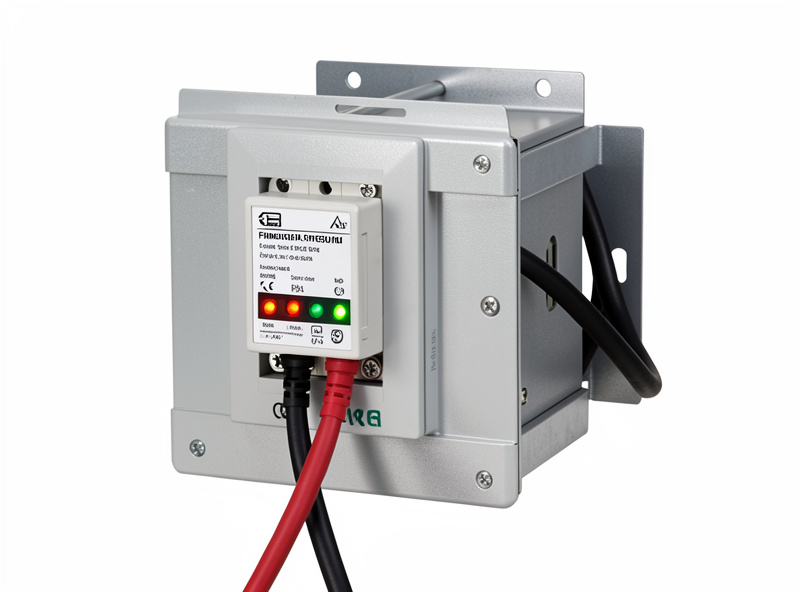
Most home lab gear — a single firewall appliance, a desktop-class host, a switch — has one power input, so it cannot natively take two feeds. An automatic transfer switch (ATS) solves that: it takes two power sources in and presents one output, switching between them in milliseconds if the primary fails. Feed the ATS from two UPS units and plug your single-PSU device into the ATS, and that device now survives the loss of either UPS. It is the way to extend dual-source redundancy to hardware that was never designed for it.
An ATS is not free and adds its own (small) failure surface — it is one more box in the path — so it earns its place only on gear you genuinely cannot afford to lose and cannot replace with dual-PSU hardware. For most home labs the firewall and the core switch are the candidates, because if they go down the network goes down even if everything else is happily on battery. I weigh an ATS specifically for those keystone devices, not for the whole rack.
| Layer | Protects against | Requires | Who needs it |
|---|---|---|---|
| Dedicated circuit | Unrelated breaker trips | An electrician or a spare circuit | Everyone — do this first |
| Single UPS | Brief cuts, dirty mains, data loss | One pure-sine UPS + NUT | Every home lab |
| Dual UPS + dual PSU | UPS/battery/breaker failure | Server with two power supplies, two UPS | Dependent services, serious uptime |
| Automatic transfer switch | Single-source failure on single-PSU gear | An ATS + two UPS feeds | Keystone single-PSU devices |
| Generator / home battery | Multi-hour outages | Generator or whole-home battery | Long-outage regions, true 24/7 needs |
Layer 4: where a UPS hands off to hours of power
Every layer so far buys you seconds to minutes. If you live somewhere outages run for hours, or you run services that genuinely cannot be down that long, no UPS or ATS solves it — you need a source that makes power, not one that stores a few minutes of it. That is a standby generator or a whole-home battery system, a different technology with its own sizing, fuel or charging, and safety considerations. The UPS still plays a role: it bridges the gap while a generator starts and stabilizes, so the two work together rather than competing. Knowing that boundary keeps you from buying an enormous UPS hoping for hours of runtime it can never deliver — the non-linear-runtime trap explained in the runtime guide.
How much redundancy is enough?
Right-sizing redundancy is the whole game, and the honest answer for most people is: less than the forums suggest. Walk your own risk. How often does your power actually fail, and for how long? What breaks if the lab goes down — is it a media server the kids will survive losing for an evening, or something the household genuinely depends on? Can the hardware shut down cleanly and come back on its own? For a typical home lab, a dedicated circuit plus one good UPS with a tested NUT shutdown covers the real risk completely, and every layer above that is optional insurance against increasingly rare events.
I run dual-source power only on the few devices whose loss takes the whole network down with them, and a single UPS on everything else, because that is where my actual risk sits. The same instinct that makes me segment the hydro lab, the workshop sensors, and the kids’ devices onto separate VLANs makes me segment the power risk too — protect the keystones heavily, accept that the rest can ride a single UPS and shut down cleanly. Redundancy you do not need is just money and complexity you are carrying for no return. Buy the rung of the ladder your risk justifies, test it, and stop.
The mistakes that quietly defeat redundancy
Redundancy fails in predictable ways, and almost all of them come down to a hidden shared dependency you did not account for. The classic one is two UPS units plugged into the same wall outlet or the same breaker — on paper you have dual power, but a tripped breaker or a failed outlet drops both at once, so the second UPS protects against nothing. True redundancy means the two paths share nothing in common until they reach the device, ideally back to separate circuits. Trace each path physically and ask what single thing, if it failed, would take down both.
The second common mistake is redundancy you never tested. A dual-PSU server fed from two UPS units is only redundant if pulling either feed really does keep it running — and the only way to know is to pull one and watch. I have seen “redundant” setups where one PSU was quietly dead for months and nobody noticed until the working one failed, at which point the redundancy was imaginary. Test by failing each path deliberately, on a schedule, the same way you test the NUT shutdown cascade.
The third is putting effort into power redundancy while ignoring the things that fail far more often. A second UPS does nothing for a dead fan cooking a host, a failing boot drive, or a misconfigured firewall rule that takes the network down. Power is one failure domain among several, and for most home labs it is not even the most likely one. Spend your redundancy budget where your real outages come from — which, for the majority of labs, is a single good UPS, a tested shutdown, and backups that actually restore, not a wall of transfer switches.
Further Reading
Power redundancy only works if the layer beneath it is solid, so build from the bottom up. Start with the UPS and power management hub for the full picture, size your unit honestly with the runtime calculation guide, pick the hardware in the best UPS guide, and wire a tested graceful shutdown with the NUT setup guide and the Proxmox integration guide. Keep the batteries honest with the battery replacement guide, and the whole power chain stays invisible until the day it quietly saves a pool.