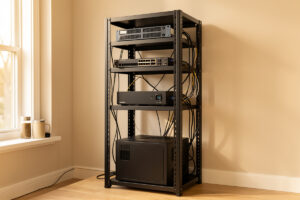
A home lab UPS is not a battery that keeps the lights on — it is the thing that buys your Proxmox host, your NAS, and your firewall enough time to shut down cleanly instead of corrupting a ZFS pool at 3 a.m. In my setup a line-interactive pure-sine unit on the core rack gives roughly 8–12 minutes of runtime at a 250–300 W draw, which is far more than the 60–90 seconds a graceful shutdown actually needs.
That gap is the whole point. Power management in a home lab is not about surviving a four-hour outage — it is about surviving the two-second brownout that drops your switch, the blink that reboots your host mid-write, and the long cut where everything needs to park itself safely before the batteries sag. This guide is the spine of the cluster: it covers what a UPS does, how to size one, how to wire graceful shutdown across a Proxmox host with Network UPS Tools, how to keep the batteries alive, and how to build real redundancy when one UPS stops being enough. Each section links out to a deeper guide where the detail earns its own page.
Why the ISP-router crowd never thinks about power — and you can’t afford not to
The person running a single ISP router does not own a UPS because losing that router for thirty seconds costs them nothing. A home lab is a different animal. The moment you have a host writing to disk, a NAS holding the family’s only copy of anything, and a firewall that everything routes through, an unclean power event stops being an inconvenience and starts being a data-integrity problem. A ZFS pool mid-transaction, a database mid-flush, an LXC container writing its state — none of those enjoy losing power without warning.
I run four trust zones on one segmented network — the hydro lab, the workshop sensors, the kids’ devices, and the lab subnet — and every one of them depends on the same core rack staying up or going down on its own terms. That is the instinct behind power management: if I am going to obsess about separating the hobbies in the workshop, I am going to make sure the rack that runs them never gets yanked offline mid-write. A UPS is the component that turns a hard crash into an orderly parking maneuver.
There is also the slow damage nobody sees. Dirty mains — sags, surges, and frequency wobble — quietly stresses power supplies over years. A line-interactive UPS with automatic voltage regulation (AVR) trims the voltage back into a usable window without ever touching the battery, which means your gear spends its life on cleaner power than the wall actually delivers. That is value you collect every single day, not just during an outage.
What a UPS actually does: the three topologies
There are three UPS topologies, and the difference between them is how the power gets to your gear. Standby (offline) units pass mains through untouched and only switch to battery when the voltage drops, with a transfer time of a few milliseconds. Line-interactive units add AVR to correct minor sags and surges without draining the battery, and they are the right default for almost every home lab. Online double-conversion units rebuild the waveform continuously from the battery, giving zero transfer time and perfectly clean output — overkill for most racks, and worth it only for the most sensitive loads.
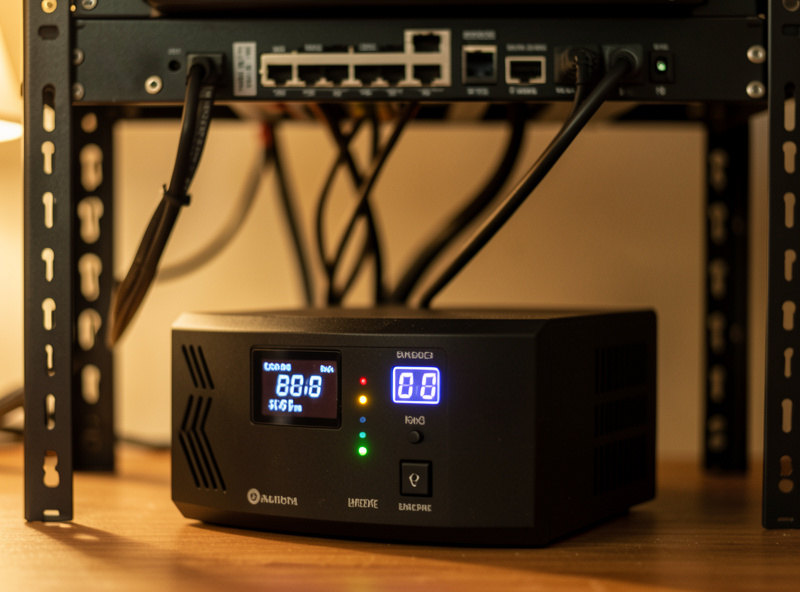
For 95% of home labs, line-interactive is the answer. It is efficient — it does not waste power constantly converting AC to DC and back like an online unit — it protects against the common voltage problems, and a decent one outputs a true sine wave on battery. That last point matters more than the marketing suggests, which is why it gets its own section below. Online double-conversion has a place: a rack with a finicky load, a site with genuinely filthy mains, or gear that cannot tolerate even a 4 ms transfer. But you pay for it in purchase price, in heat, and in a constantly-spinning fan. I run line-interactive on my core rack and have never regretted it.
| Topology | Transfer time | Power conditioning | Efficiency | Best for |
|---|---|---|---|---|
| Standby (offline) | ~6–10 ms | Surge only | Highest (~98%) | Single device, desktop PC, modem |
| Line-interactive | ~4–8 ms | AVR + surge | High (~96–98%) | Most home labs — the default |
| Online double-conversion | 0 ms | Full waveform rebuild | Lower (~85–92%) | Sensitive loads, dirty mains, no-blink requirement |
Sine wave matters: why active-PFC server PSUs hate cheap UPSes
Here is the trap that catches people who buy on VA rating alone. Most modern server and workstation power supplies use active power factor correction (active PFC). A cheap standby or budget line-interactive UPS outputs a stepped approximated sine wave on battery — a blocky waveform that an active-PFC PSU can misread as a fault, causing the PSU to shut off or reboot the instant the UPS transfers to battery. That is the opposite of what you bought it for.
The fix is to buy a UPS that outputs a true (pure) sine wave on battery for any rack running active-PFC supplies. Pure-sine line-interactive units cost more than the stepped-approximation models that dominate the cheap end of the shelf, and the price difference is the single most important spend in the whole power chain. When I help someone pick a unit in the best UPS for a home lab server guide, pure-sine output is the first filter — everything that fails it is off the list before VA, runtime, or brand even comes up.
VA vs watts: sizing without getting fooled
UPS capacity is quoted in two numbers — volt-amps (VA) and watts (W) — and they are not interchangeable. Watts is real power your gear consumes; VA is apparent power. The ratio between them is the power factor. Older UPS units assumed a power factor around 0.6, so a “1500 VA” unit might only deliver 900 W. Modern units run closer to 0.9. The number that constrains you is almost always the watt rating, because home lab gear with active-PFC supplies draws power at a power factor near 1.0.
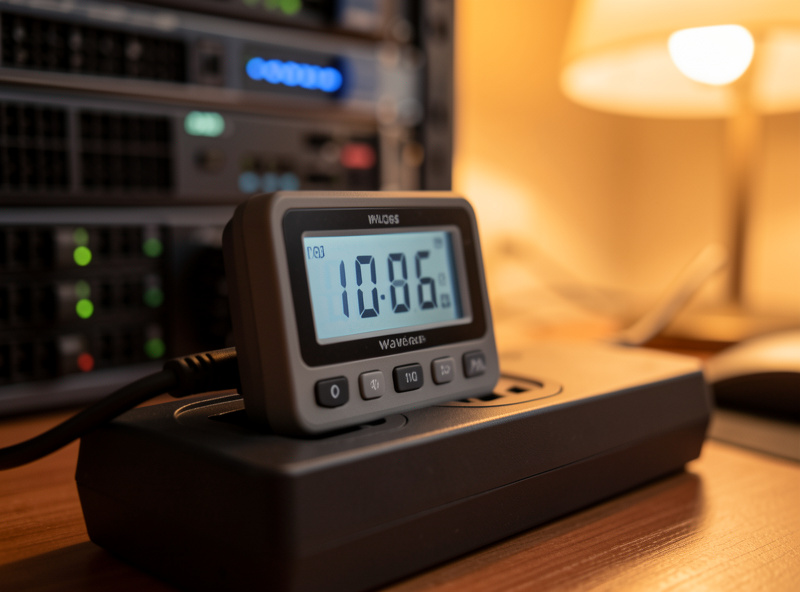
Size to your real measured load, not the sum of the PSU nameplate ratings — a server with a 750 W supply might idle at 90 W and peak at 200 W under load. Measure with a plug-in power meter at the wall and add headroom: I size a UPS so that my steady-state load sits around 40–50% of its watt rating, which keeps it efficient, keeps the battery cool, and leaves room to add a box without re-buying. Getting from a measured load to a real-world minutes figure is its own exercise — the math, the Peukert non-linearity, and a worked example live in the UPS runtime calculation guide.
Runtime is not linear: stop trusting the marketing minutes
The runtime printed on the box is measured at a fraction of the unit’s rated load and does not scale the way you would expect. Battery capacity falls off faster as the load rises — the Peukert effect — so doubling your load more than halves your runtime. A UPS rated for “X minutes” usually means X minutes at a light load; at 50% load you might get a third of that. This is why I never size for a long outage. I size for a clean shutdown plus a buffer for short cuts, and accept that anything longer needs a generator or a battery system, not a bigger UPS.
For my core rack the target is simple: enough runtime that a five-second flicker is invisible and a real outage triggers a graceful shutdown with margin to spare. In practice that is 8–12 minutes at my draw, against a shutdown that completes in well under two minutes. If you want the actual formula and a spreadsheet-ready method for turning your watt load into honest minutes, that is exactly what the runtime guide walks through.
Graceful shutdown: the part most people skip
A UPS that nobody told the servers about is half a solution. When the battery runs low, something has to tell every host to shut down cleanly before the power actually cuts. On a single machine, the UPS vendor’s software over USB handles it. In a home lab with a Proxmox host, a NAS, and other boxes all behind one UPS, you want one machine talking to the UPS and the rest listening over the network. That is what Network UPS Tools (NUT) is for.
NUT runs a driver and a server (upsd) on the machine physically connected to the UPS, and a monitor (upsmon) on every machine that needs to react. One host becomes the primary that owns the USB connection and is last to shut down; the others are secondaries that park themselves earlier. The full wiring — the ups.conf, upsd.conf, upsmon.conf chain, the user permissions, and the network access controls — is laid out step by step in the NUT setup guide. Getting it specifically right on a virtualization host, where you also need the guest VMs and containers to come down before the host does, is covered in the UPS and Proxmox integration guide.
Picking the unit: brand and battery realities
Once pure-sine output and a sane watt rating are locked in, the choice comes down to two practical camps that dominate the home lab shelf: APC and CyberPower. Both make good line-interactive pure-sine units in the range a home lab needs. They differ in software, in replacement-battery cost, in how their management cards and USB interfaces behave with NUT, and in warranty handling. I have run both on the bench and the differences are real but not dramatic — the head-to-head, including which one plays nicer with NUT and which has cheaper long-term battery costs, is in the APC vs CyberPower comparison.
The thing nobody mentions at purchase is that the battery is a consumable. The UPS chassis will outlast three or four sets of batteries. Buy with that in mind — a unit with affordable, easy-to-source replacement cells is cheaper over a decade than a marginally better unit whose proprietary battery packs cost a fortune.
Batteries die — plan for it
The sealed lead-acid (VRLA/AGM) batteries inside a home lab UPS last roughly three to five years, and they fail predictably: runtime collapses long before the UPS throws an error. A unit that gave twelve minutes when new might give ninety seconds at year four, and you will not notice until an outage catches you with no margin. The defense is a periodic self-test and watching the runtime trend, then swapping the cells before they reach the cliff.
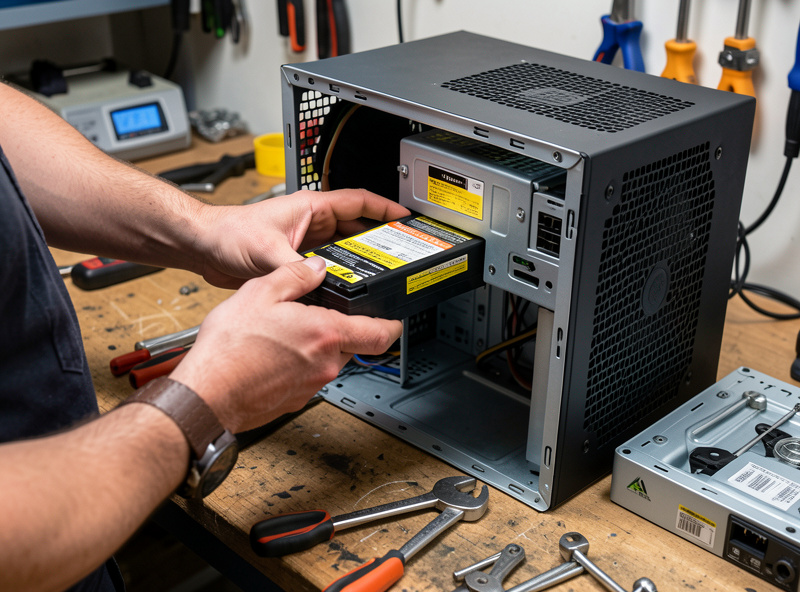
Replacing them is straightforward and far cheaper than a new UPS — most units take standard form-factor cells or a vendor replacement cartridge, and the swap is a ten-minute job with the right matched battery. Doing it without frying the new pack or yourself (and how to read the codes that tell you when it is time) is the whole subject of the UPS battery replacement guide. Treat battery replacement as scheduled maintenance, not an emergency, and the UPS becomes a fifteen-year piece of infrastructure instead of a five-year throwaway.
Redundancy: when one UPS stops being enough
A single UPS is a single point of failure. For most home labs that is an acceptable risk — the UPS is reliable and the consequence of it failing is the same outage you were protecting against. But the moment you have a server with dual power supplies, or services the household genuinely depends on, you start thinking about feeding the two PSUs from two independent UPS units, or putting an automatic transfer switch (ATS) in front of single-PSU gear so it can flip between two power sources. That is real redundancy: no single battery, no single UPS, and no single wall circuit can take the rack down.
This is also where a UPS hands off to larger power systems. A UPS covers seconds to minutes; a generator or a home battery covers hours. Knowing where that line sits — and how to stage a UPS, an ATS, and a longer-duration source so they cooperate instead of fighting — is the subject of the home lab power redundancy guide. Most people do not need all of it, but knowing the layers means you can buy exactly the redundancy your risk justifies and no more.
The power layout I actually run
On my core rack the UPS sits at the bottom, feeding the Proxmox host, the managed switch on the trunk, the firewall appliance, and the NAS — everything that has to stay up for the network to function or shut down cleanly to protect data. The IoT gear, the lab toys, and anything I can lose without consequence are not on UPS at all; battery runtime is too precious to spend on devices that do not care about a clean shutdown. The Proxmox host is the NUT primary because it owns the USB cable to the UPS, and the NAS runs upsmon as a secondary so it parks its pool before the host pulls the plug on itself.
I monitor the whole thing the same way I monitor the rest of the network — pulling UPS status into Grafana so battery charge, load, and runtime show up on the same dashboards as everything else, the way I describe in monitoring battery state of charge with Grafana. The point is not to stare at it — it is to get an alert when the battery starts aging out, long before an outage tests it for me. Power management done right is invisible until the day it saves a pool, and then it is the cheapest insurance in the rack.
Related Guides
This hub is the map; each guide below is the territory. Start with sizing if you are buying, or shutdown if you already own a unit:
- Best UPS for a Home Lab Server — what to actually buy, filtered by pure-sine output and watt headroom.
- UPS Runtime Calculation for a Home Lab — turn a measured watt load into honest minutes.
- NUT Network UPS Tools Setup Guide — primary/secondary graceful shutdown across the whole rack.
- UPS and Proxmox Integration Guide — clean shutdown for the host, VMs, and containers.
- APC vs CyberPower for the Home Lab — software, NUT behavior, and battery cost head-to-head.
- UPS Battery Replacement Guide — when to swap, how to do it safely, and what it costs.
- Home Lab Power Redundancy Guide — dual PSUs, transfer switches, and where a generator takes over.
Frequently Asked Questions
Do I really need a UPS for a home lab?
If anything in your lab writes to disk — a Proxmox host, a NAS, a database — yes. The UPS exists to convert a hard power cut into a graceful shutdown, protecting filesystem and pool integrity. It also conditions dirty mains every day, extending the life of your power supplies.
What size UPS do I need for a home lab?
Size to your measured watt load, not PSU nameplate ratings. Use a plug-in meter to find your real draw, then pick a unit whose watt rating leaves your steady load around 40-50% of capacity. A typical small rack idles at 150-300 W, which a 1000-1500 VA pure-sine line-interactive unit handles comfortably.
Why does sine wave type matter for a UPS?
Modern server power supplies use active power factor correction, which can misread a cheap UPS’s stepped approximated sine wave as a fault and shut off the instant the UPS switches to battery. A true (pure) sine wave output prevents this, so pure-sine is mandatory for active-PFC server gear.
How long does a UPS run a home lab during an outage?
A correctly sized line-interactive unit typically delivers 8-15 minutes at a small-rack load — far longer than a graceful shutdown needs, but not enough for a long outage. Runtime is non-linear: heavier loads cut it sharply. Size for a clean shutdown plus a buffer, not for riding out hours.
What software shuts my servers down when the UPS battery runs low?
Network UPS Tools (NUT) is the standard on Linux home labs. One host owns the USB connection and runs the NUT server; every other machine runs the upsmon monitor and reacts to low-battery signals. This lets one UPS trigger a coordinated, ordered shutdown across the whole rack.
How often do UPS batteries need replacing?
The sealed lead-acid batteries inside a home lab UPS last about three to five years. They fail by losing runtime, not by throwing errors, so watch the runtime trend and run periodic self-tests. Replacing the cells is a cheap ten-minute job and turns the UPS into a fifteen-year piece of infrastructure.
Related Articles
- Proxmox Homelab Setup Guide
- Sizing a UPS for Your Home Network
- Home NAS Setup Guide
- Home Network Monitoring and Observability
- Home Network VLAN Guide