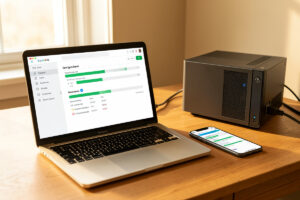
Nextcloud, Seafile, and OwnCloud all self-host your files but answer different questions. Seafile chunks files into 1 MB blocks and syncs only what changed, winning on raw speed; Nextcloud re-uploads whole files but wins on breadth; oCIS is a lighter Go binary winning on footprint.
The reason this comparison generates so many heated forum threads is that people ask “which is best” when the three were built to answer different questions. Nextcloud started as a fork of OwnCloud and chased the do-everything office-suite vision; Seafile was engineered from the ground up to be a fast Dropbox replacement and never tried to be a platform; OwnCloud eventually threw out its own PHP heritage and rewrote the server in Go as oCIS because the old architecture could not scale. Picking the right one is about knowing which of those problems you actually have.
I run Nextcloud in my rack because the breadth matters to me, but I have run Seafile alongside it and I benchmark them head to head before I trust a recommendation. This is the honest architectural comparison — sync model, footprint, ecosystem, encryption, and the database choices that actually decide whether your install feels fast or sluggish. If you want the wider context of where file sync fits in a full self-hosted stack, the self-hosted personal cloud apps guide is the umbrella piece.
How Do Nextcloud, Seafile, and OwnCloud Actually Differ Under the Hood?
The core architectural split is the sync model, and it drives almost every other difference. Nextcloud syncs whole files: change one byte in a 2 GB database dump and the client re-uploads the entire 2 GB. Seafile splits every file into fixed-size blocks — 1 MB by default — and syncs only the blocks that changed, so that same one-byte edit pushes a megabyte or two. OwnCloud Infinite Scale sits closer to Nextcloud philosophically but is implemented as a single Go binary with a decomposed storage backend rather than a PHP application on top of a web server.
That block-level model is why Seafile feels instant on large files and why it has a loyal following among people who sync databases, virtual machine disks, and other huge changing files. It is also why Seafile stores its data in its own chunked format rather than as plain files on disk — which is a real trade-off, because you cannot just browse into the storage directory and open a document the way you can with Nextcloud’s plain filesystem layout. OwnCloud oCIS, being newer, uses a decomposed storage model that can sit on top of a local filesystem or an S3-compatible backend, which is a meaningful advantage if you already run object storage.
What this means operationally is that your backup story differs. A Nextcloud data directory is a pile of normal files you can tar up; a Seafile storage tree is opaque and you back it up with Seafile’s own tools or by snapshotting the volume; oCIS depends on which storage backend you picked. None of these is a deal-breaker, but each shapes how you script disaster recovery.
Which Is Fastest at Syncing Files?
Seafile is the fastest of the three for sync, especially on large or frequently-changing files, because its block-level deduplication means only changed chunks traverse the wire. Nextcloud is the slowest on large files because it transfers whole files, and oCIS lands in the middle — better than classic PHP OwnCloud, not as surgical as Seafile on big changing files.
The difference is not subtle on the workload that exposes it. I keep a 3 GB encrypted container on my sync share that I mount and modify daily. On Nextcloud, every save meant re-uploading 3 GB, which on my upload link took the better part of an hour and choked the sync queue behind it. On Seafile, the same daily edit pushed roughly 1 to 4 MB of changed blocks and finished in seconds. For a folder of small documents that change occasionally, you will not feel the difference — Nextcloud and oCIS are both perfectly snappy on a 20 KB text file. The divergence is entirely on large files that change in place.
Sync conflict handling also varies. All three detect when a file changes on two clients between syncs and produce a conflict copy, but Nextcloud’s conflict naming and its web UI for resolving them are the most polished. Seafile is more bare-bones here; you get a conflict file and you sort it out in the filesystem. oCIS inherits OwnCloud’s client, which is mature. If your sync pattern is “many people editing the same documents,” weigh this; if it is “one household keeping files in sync across devices,” any of them is fine.
How Heavy Is Each One on Server Resources?
OwnCloud oCIS is the lightest, Seafile is in the middle, and Nextcloud is the heaviest — the gap is large enough that it should drive your hardware choice if you are size-constrained. A quiet oCIS instance idles in a few hundred megabytes, Seafile sits comfortably under a gigabyte, and a Nextcloud install with PHP-FPM, a database, and Redis for caching typically holds 1.5 to 2 GB before you sync a single file.
Nextcloud’s weight is the cost of its breadth. It is a PHP application, which means a web server (Nginx or Apache), a PHP-FPM pool with a recommended memory_limit of 512 MB, a database (MariaDB or PostgreSQL), and ideally Redis for caching because without it every page load hammers the database. That stack is not unreasonable on a real server, but it is the reason I wince when people talk about running Nextcloud on a 1 GB Raspberry Pi. oCIS exists partly to fix this — a single Go binary with no PHP and no mandatory external database boots in seconds and uses a fraction of the memory, which makes it the right call for a low-power host.
In my rack, Nextcloud lives in an LXC container on the Proxmox host, with its data directory mounted from the NAS over a dedicated storage segment. The container itself is on SSD because the database is the part that punishes slow storage — and I learned that the hard way. I once ran Nextcloud’s database on a microSD card in a single-board computer, and the card wore through in about two months — it ran hot to the touch under the sustained write load before it died, corrupting the database and taking a month of file metadata with it. Now every database lives on SSD on the host, and an 1 TB internal NVMe SSD is the one component I tell people not to skimp on for any self-hosted file sync.
As an Amazon Associate I earn from qualifying purchases.
What About the App Ecosystem and Extras?
Nextcloud has by far the largest ecosystem — calendars, contacts, tasks, talk (audio and video), office document editing, and hundreds of community apps installable from its app store — while Seafile and OwnCloud oCIS stay narrower and focus on files. If you want one platform that is also your calendar, your tasks, and your video calls, Nextcloud is the only one of the three that seriously attempts it.
This breadth is Nextcloud’s biggest selling point and the source of most of its bloat complaints. Every app you enable adds PHP overhead and another surface to maintain, and a maximally-loaded Nextcloud is a noticeably heavier beast than a minimal one. Seafile deliberately stays out of this race — it has a basic web UI, a Drive client, and a few features like wiki and document preview, but it does not pretend to be a groupware suite. OwnCloud oCIS is closer to Seafile’s philosophy than to Nextcloud’s: it is a files platform with sharing and federation, and it integrates with external office suites rather than shipping its own.
The honest take is that the ecosystem is a trap if you do not need it. People install Nextcloud, enable everything, and then complain it is slow — when what they wanted was fast file sync and a separate, lighter calendar server. My stack deliberately splits those concerns: Nextcloud for files and sharing, a dedicated CalDAV server for calendar and contacts, and a dedicated photo library. Each app does one thing well instead of one app doing everything adequately.
Can I Encrypt My Files End to End?
All three offer encryption, but the maturity differs: Seafile’s encrypted libraries are stable and battle-tested, Nextcloud’s end-to-end encryption works but has historically been the rough edge of the platform, and OwnCloud oCIS focuses on storage encryption and federation. If end-to-end encryption of the sync itself is a hard requirement, Seafile is the most trustworthy today.
Seafile lets you mark a library as encrypted, which means the server only ever stores encrypted blocks and the decryption key never leaves the client — so even someone with root on your server cannot read those files without the client key. The trade-off is that server-side features like thumbnails, full-text search, and preview generation do not work on encrypted libraries, because the server cannot see the plaintext. Nextcloud has an end-to-end encryption app, but it has been rewritten more than once and has compatibility quirks with certain client versions, so I treat it as “works for a careful single user, do not bet a team on it yet.” oCIS provides encryption at rest and in transit and leans on its enterprise edition for some advanced key-management features.
The practical pattern I recommend is defense in depth rather than betting everything on app-level E2EE. The server sits on the LAB segment behind OPNsense with default-deny inter-VLAN rules, the data volume is on encrypted ZFS, backups are encrypted, and the box is only reachable over WireGuard. That stack protects you against the realistic threats — a stolen disk, a network snooper, a compromised client VLAN — without the usability cost of encrypting every library.
Which Database and Cache Does Each One Need?
Nextcloud wants MariaDB or PostgreSQL plus Redis for caching, Seafile wants MariaDB or MySQL and optionally memcached, and OwnCloud oCIS can run with a minimal embedded database for small deploys and scales to PostgreSQL. The database choice matters more than people expect, because file sync is a metadata-heavy workload and a slow database turns into a slow sync.
For Nextcloud specifically, Redis is not optional if you care about performance — without it, file locking falls back to the database and concurrent syncs produce lock contention and conflicts. I run MariaDB with Redis on the same container, both on SSD, and a quiet Nextcloud stays responsive. SQLite is technically supported for Nextcloud but only for trivial single-user testing; do not run it in production. Seafile is less demanding — its metadata database is smaller because the heavy lifting is in the block storage, and a basic MariaDB instance is plenty. oCIS is the most flexible: a small install can use its built-in storage with no external database at all, which is part of why its footprint is so low.
One configuration detail that bit me: the database connection should use a Unix socket when the database is on the same host, not a TCP loopback, because the latency difference compounds under concurrent sync load. It is a small setting that produces a measurable speedup on a busy instance.
How Do the Desktop and Mobile Clients Compare?
All three ship desktop clients for Windows, macOS, and Linux and mobile clients for iOS and Android, and the quality is broadly comparable — Nextcloud’s clients are the most feature-rich, Seafile’s are the most focused on pure sync, and oCIS uses the OwnCloud client which is mature and reliable. You are not picking a loser on clients with any of these.
The Nextcloud client does selective sync, virtual files (files appear in the filesystem but download on first access), and sharing from the context menu. The Seafile client is similarly capable and, in my experience, slightly faster to notice and push a change, which lines up with the server’s block-level model. The OwnCloud desktop client — which oCIS uses — was one of the earliest to ship solid virtual-file support on Windows and macOS, and it shows. Mobile clients across all three handle background upload and camera-roll sync, though for photos specifically I would reach for a dedicated library like Immich rather than any of these; file sync apps treat photos as files, which misses the point of a photo library.
How Do the Three Compare at a Glance?
This is the decision matrix I use when someone asks me which to install. Match your dominant workload to the row, and the rest of the decision follows.
| Platform | Sync model | Footprint | Ecosystem | E2E encryption | Best for |
|---|---|---|---|---|---|
| Nextcloud | Whole files | Heavy, 1.5 to 2 GB | Huge app store | Works, historically rough | All-in-one hub with extras |
| Seafile | Block-level chunks | Medium, under 1 GB | Narrow, files-focused | Stable encrypted libraries | Fast sync of large files |
| OwnCloud oCIS | Whole files, Go binary | Light, a few hundred MB | Medium, integrates externally | At-rest and in-transit | Light modern footprint |
Which Should You Pick?
If you want one platform that is also your calendar, your tasks, and your sharing hub, install Nextcloud and accept the weight — just put the database on SSD and run Redis. If you want Dropbox-style sync that is fast on large files and nothing else, install Seafile and enjoy the block-level speed. If you want the OwnCloud lineage without the PHP weight and you like the idea of a single Go binary, install oCIS.
The mistake I see most often is installing Nextcloud for “all the features” and then disabling half of them because they are slow, leaving a heavy install doing a light job. If you only need file sync, Seafile or oCIS will give you a faster, lighter, more maintainable server. If you genuinely want the groupware breadth, Nextcloud is the right tool and the weight is justified. What I would do starting today, for a typical household, is run Nextcloud for the sharing and collaboration surface and put the database and Redis on SSD on the Proxmox host, with the data directory on the NAS — and reach for Seafile instead the moment the workload becomes large changing files rather than shared documents.
Whatever you pick, put it behind a reverse proxy with real TLS — Caddy, Traefik, or Nginx Proxy Manager all work, and the reverse proxy comparison and the Let’s Encrypt wildcard DNS-01 guide cover the certificate side — and reach it over WireGuard rather than a forwarded port. The app you choose matters less than the substrate underneath it.
Further Reading
- Self-Hosted Personal Cloud Apps: The Complete Guide
- Proxmox Homelab Setup Guide: Build a Self-Hosting Platform
- NAS as a Home Server: Turning Storage Into a Service Host
- Immich: Self-Hosting a Google Photos Replacement
- Paperless-ngx for a Self-Hosted Document Archive