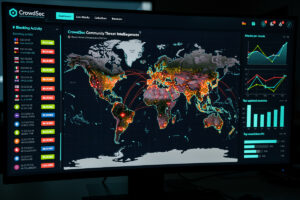
OPNsense + Crowdsec is one of the most impactful security upgrades you can make to your home or small business firewall in 2026. Crowdsec provides community-sourced threat intelligence — your firewall blocks IPs reported by other Crowdsec users worldwide. Within 30 minutes of deployment, your firewall is pulling CrowdSec’s free community blocklist — roughly 15,000 known-bad IPs tailored to your own reporting — without manual list maintenance. This is the plugin I run on my own OPNsense box, and this guide walks through complete setup from plugin install to active community-driven threat blocking.
Crowdsec works fundamentally differently than traditional firewall blocklists. Instead of static IP lists curated by individual security teams, Crowdsec uses community-contributed threat data — when an IP attacks one Crowdsec user, the community network blocks it for all users. The result: faster threat response (minutes vs days for traditional blocklists), broader coverage (a network CrowdSec puts at 70,000+ active users worldwide), and low maintenance overhead (the community blocklist refreshes automatically, typically within a couple of hours of a new report).
How Crowdsec Works
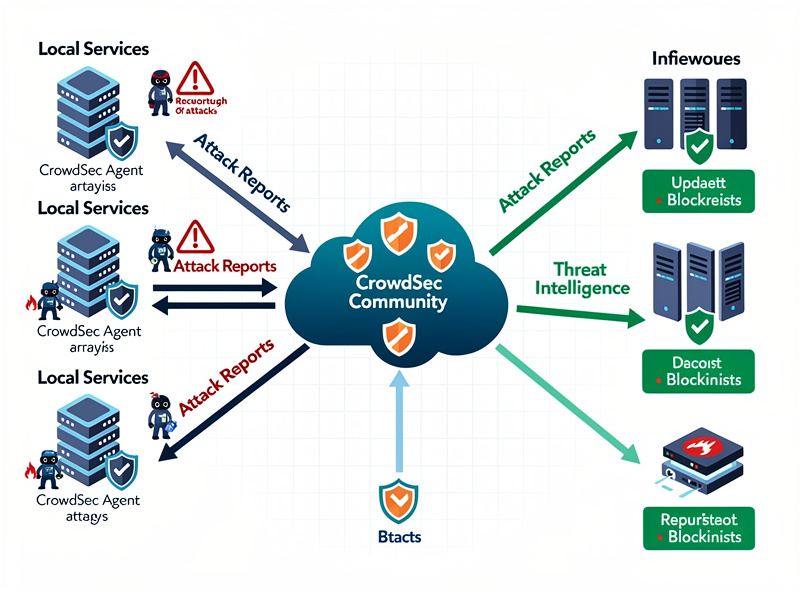
Three components: Local Crowdsec agent (analyzes logs from OPNsense for attack patterns — SSH brute force, web abuse, port scans), Crowdsec central database (community-contributed IP reputation data, updated continuously), and OPNsense bouncer (translates Crowdsec decisions into firewall block rules). Information flows: local agent detects local attacks → reports to community → community shares known-bad IPs back to your firewall → bouncer blocks them.
The “community” aspect is critical. Without participating (sharing your detected attacks with the community), you only get protection against your own detected attacks. With participation, you benefit from that 70,000+ user network’s threat intelligence. The privacy model is good — only IPs and attack types are shared, no personal data, no traffic content.
Account Setup (Free)
Step 1: Register at app.crowdsec.net — the free Community tier is genuinely usable for a home OPNsense box without hitting a paywall. Step 2: Generate API key for your machine in the dashboard. Step 3: Note the key for OPNsense configuration.
The free tier is genuinely usable — full community blocklist access and a basic dashboard for visualization, at no cost for a typical home deployment. CrowdSec’s paid tiers are aimed at organizations managing many security engines at once and are priced by engine count rather than a flat per-machine fee. For home and small business use, the free tier is sufficient.
Install os-crowdsec Plugin
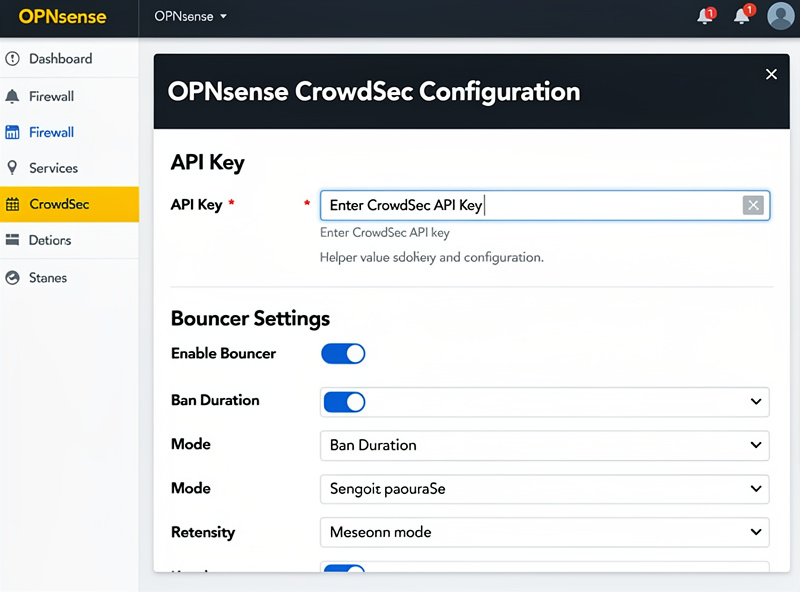
In OPNsense: Plugins → Available → search “crowdsec” → install os-crowdsec. Plugin installs in 60 seconds. After install, configuration appears under Services → Crowdsec.
Initial setup: enable Crowdsec service, paste API key from app.crowdsec.net, enable the bouncer (the component that actually blocks IPs in OPNsense firewall). Click Save & Apply. The plugin downloads the initial threat database (roughly 15,000 IPs for a typical actively-reporting setup) and starts blocking immediately. Total setup time: 15 minutes.
Configure Detection Scenarios
Crowdsec ships with detection scenarios for common attack patterns. Recommended scenarios for home OPNsense:
- crowdsecurity/ssh-bf — SSH brute force detection
- crowdsecurity/http-bf — HTTP brute force on web services
- crowdsecurity/http-cve — Web vulnerability scanner detection
- crowdsecurity/http-crawl-non_statics — Aggressive web crawlers
- crowdsecurity/iptables-scan-multi_ports — Port scan detection
- crowdsecurity/firewall-bf — Brute force across firewall services
Each scenario is a YAML rule that matches log patterns. OPNsense provides a UI for enabling/disabling scenarios. Custom scenarios can be created for specific applications (Plex, Home Assistant, Nextcloud) — the Crowdsec community maintains a shared hub of scenarios and parsers you can pull in directly.
Bouncer Configuration
The OPNsense bouncer is what actually blocks IPs. Configuration: Services → Crowdsec → Bouncers → Add. Settings: Name (e.g., “OPNsense-firewall-bouncer”), Type (firewall_bouncer), API Key (auto-generated), Update Frequency (default 10s — how often it polls Crowdsec for new blocks).
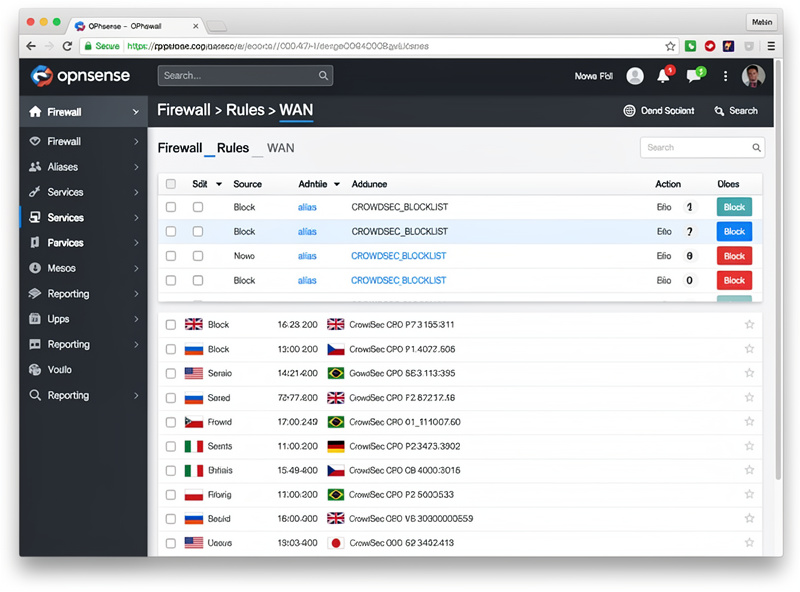
The bouncer creates a Crowdsec-managed alias in OPNsense (Firewall → Aliases → crowdsec_blocklists). This alias auto-updates with the latest blocked IPs. Reference this alias in floating firewall rules: “Block all traffic from crowdsec_blocklists alias on WAN inbound” is the standard pattern. Total bouncer setup: 5-10 minutes.
Firewall Rule Integration
Create a floating block rule referencing the Crowdsec alias: Firewall → Rules → Floating → Add. Configure: Action (Block), Direction (in), Interfaces (WAN, optionally OPT* WAN interfaces for multi-WAN), Source (single host or alias: crowdsec_blocklists), Destination (any). Save and Apply.
This single rule blocks all known-bad IPs from reaching your network. The rule processing is fast — IP set lookups are O(1) operations, no measurable impact on firewall throughput. Total firewall integration: 5 minutes.
Community Participation
To benefit fully from Crowdsec, enable community participation: Services → Crowdsec → Settings → “Share signals with community” = Yes. This shares your detected attacks (IPs and attack types) with the community in exchange for accessing the broader community database.
Privacy: only IPs and attack categories are shared. No personal data, no traffic content, no internal network details. The participation is anonymous from a Crowdsec central perspective. For most users, the security benefit far outweighs the privacy consideration. For privacy-strict deployments, you can run Crowdsec without sharing — you just lose access to community data.
Dashboard and Monitoring
The Crowdsec dashboard at app.crowdsec.net shows: total IPs blocked by your firewall, attack patterns detected, geographic distribution of attackers, top attack types over time. For home users, the dashboard is interesting (curiosity value) but not actionable. For business users, the dashboard provides security reporting useful for compliance documentation.
Local OPNsense logs (Services → Crowdsec → Logs) show real-time block events. Combined with Telegraf metrics export, you get Crowdsec event rates in your Grafana dashboards. See our OPNsense essential plugins for the broader monitoring stack.
Troubleshooting
No blocks happening: check API key is correct, verify community sharing is enabled, confirm bouncer is enabled and active (Services → Crowdsec → Status), test the alias is populated (Firewall → Aliases → crowdsec_blocklists should show IPs populated — typically a five-figure count for an actively-reporting setup — after 30 min). False positives blocking legitimate traffic: add IPs to allowlist (Services → Crowdsec → Whitelist), report false positive to Crowdsec community.
Performance issues: most reports of Crowdsec slowing OPNsense are misconfigurations. Crowdsec block enforcement uses IP sets (millisecond overhead), no firewall throughput impact for typical home gigabit. If experiencing slowness, check that the bouncer alias is configured correctly and not creating thousands of individual rules.
Decision Framework
Every OPNsense home deployment should run Crowdsec. Setup time is 15 minutes, security improvement is dramatic, performance impact is negligible, cost is zero. There is no scenario where running OPNsense without Crowdsec is the better choice.
For small business deployments, the free Community tier still covers a real deployment. For larger deployments needing more security engines or advanced features, CrowdSec’s paid tiers scale by engine count — check current pricing before budgeting. Most small businesses are well-served by the free tier.
For broader OPNsense context see OPNsense setup guide, firewall rules, and essential plugins.
Frequently Asked Questions
What is Crowdsec and why use it?
Crowdsec is community-sourced threat intelligence — your firewall blocks IPs reported by other Crowdsec users worldwide. Within 30 minutes of OPNsense deployment, your firewall is pulling in roughly 15,000 known-bad IPs from the free community blocklist without manual list maintenance. The blocklist refreshes automatically, typically within a couple of hours, providing faster threat response than traditional curated blocklists.
Is Crowdsec free for home use?
Yes, the Community tier is genuinely usable for home use at no cost. It includes full community blocklist access, a basic dashboard, and all detection scenarios. CrowdSec’s paid tiers are priced by security-engine count and are aimed at organizations running many machines, not typical home setups.
How long does Crowdsec setup take?
15 minutes total: register account at app.crowdsec.net (5 min), install os-crowdsec plugin in OPNsense (2 min), configure API key and enable bouncer (3 min), create floating firewall rule referencing crowdsec_blocklists alias (5 min). After setup, threat blocking is automatic.
Does Crowdsec affect firewall performance?
Negligibly. Crowdsec runs as background log analysis, adding modest CPU overhead during analysis windows. Block enforcement uses firewall IP sets (millisecond lookups), which doesn’t meaningfully cut into throughput at typical home gigabit WAN speeds.
Will Crowdsec block legitimate traffic?
Rarely. Crowdsec’s community-validated reputation data has a low false-positive rate in practice. For false positives, add IPs to OPNsense Crowdsec whitelist. Common false positive scenarios: VPN exit nodes, shared CDN IPs, your own IP if you participate in security testing communities. Whitelist takes 30 seconds to update.
How does Crowdsec compare to traditional blocklists?
Different mechanism, complementary result. Traditional blocklists (Spamhaus DROP, abuse.ch) update daily and reflect curated security team analysis. Crowdsec’s community blocklist refreshes faster and reflects real-time community-detected attacks. Combine both for maximum coverage — Spamhaus aliases for known-bad networks plus Crowdsec for individual attacker IPs.
Can I use Crowdsec without sharing data?
Yes, but you lose access to community data. Without sharing, you only get protection from your own detected attacks. With sharing, you benefit from CrowdSec’s wider user network’s threat intelligence. Privacy model: only IPs and attack categories are shared, no personal data or traffic content. For home users, sharing is recommended.
Related Articles
- OPNsense Setup Guide
- OPNsense Firewall Rules
- OPNsense Essential Plugins
- OPNsense vs pfSense 2026
- OPNsense WireGuard Tutorial