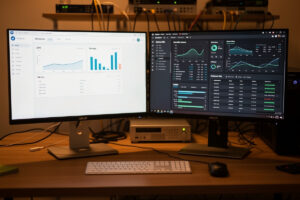
For a home lab, Proxmox beats VMware ESXi on cost, native containers, and consumer hardware — and Broadcom’s 2024 removal of the free standalone ESXi tier closes the conversation for most home labs before it starts. I’ve run both, ESXi when I was learning enterprise virtualization and Proxmox as the host my whole network now hangs off. Here’s the honest head-to-head, including the few places ESXi is genuinely the slicker product.
This is the platform-level comparison. If you’ve already picked Proxmox and want the install walkthrough, that’s the Proxmox initial setup guide; for the big-picture build, start at the Proxmox home server overview.
The elephant in the room: licensing and cost
This is where the conversation starts and, for most home users, ends. Broadcom’s acquisition of VMware reshaped how ESXi is licensed and removed the free standalone hypervisor tier that homelabbers relied on for years. For a hobbyist, that’s the decisive factor: the platform that used to be the free default isn’t anymore.
Proxmox, by contrast, is free and open source with no feature gating for home use. There’s an optional paid subscription that buys you the stable enterprise repository and official support, but every feature — clustering, backups, ZFS, live migration — is there in the free version. For a home lab where you’re spending your own money, paying per-socket licensing to run a few VMs is a non-starter, and that alone sends most people to Proxmox.
The architecture difference that actually changes how you build
Cost gets people in the door. The architecture is what makes them stay. ESXi is a pure type-1 hypervisor — it runs VMs, full stop. Proxmox runs both VMs (via KVM) and LXC containers under one interface, and that second capability changes your whole approach to a homelab.
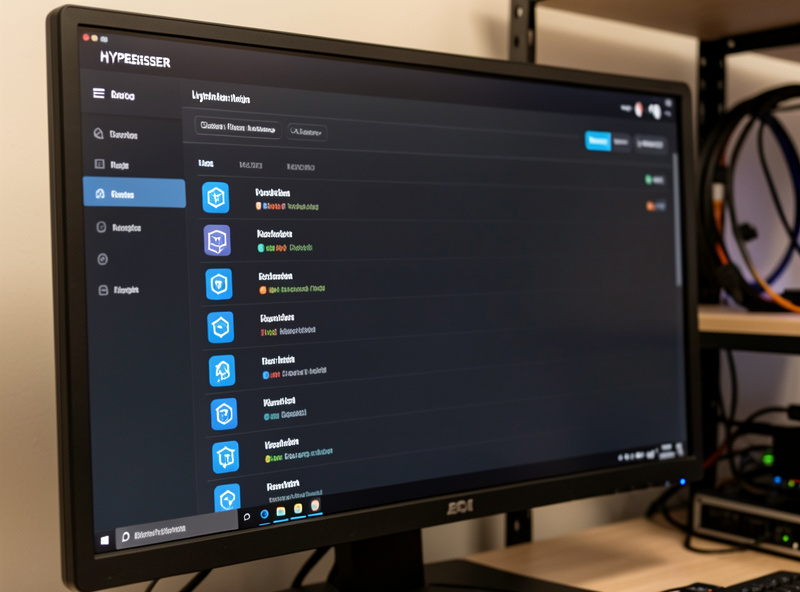
Why does it matter? Because a homelab is mostly a pile of small Linux services — a DNS blocker, a reverse proxy, a monitoring stack, a dozen little daemons. On ESXi, each of those is a full VM with its own kernel and its own RAM overhead. On Proxmox, they’re lightweight containers that share the host kernel, boot in a second, and use a fraction of the memory. You can run far more on the same hardware. I run my firewall as a full VM and almost everything else as containers — a density I simply couldn’t get on a VM-only platform. The trade-offs between the two are worth understanding before you build, and the main guide links to that breakdown.
Hardware compatibility: the quiet Proxmox win
ESXi has a strict hardware compatibility list. It’s enterprise software that expects enterprise hardware — specific NICs, specific storage controllers — and it will refuse to install or silently fail to see a device that isn’t on its list. Homelabbers spend real effort chasing compatible NICs and flashing controllers to make ESXi happy on consumer or recycled hardware.
Proxmox is Debian underneath. If Linux has a driver for it, Proxmox runs it. That recycled office mini PC, that 2.5G NIC, that random SATA controller — Proxmox almost certainly just sees it. For a homelab built on whatever hardware you can find or afford, that flexibility is enormous, and it’s the kind of thing you only appreciate after you’ve fought ESXi’s HCL for an evening. My mini PC guide and hardware guide cover boxes that run Proxmox happily.
Where ESXi is genuinely better
I’m not going to pretend this is one-sided. ESXi earned its reputation, and there are real places it’s the stronger product. Its management tooling, especially at scale with vCenter, is more polished and battle-tested than anything in the Proxmox world — if you’re managing dozens or hundreds of hosts, that maturity shows. Its driver stability and the sheer weight of enterprise testing mean it’s the known quantity in production datacenters. And if you work in a VMware shop, running ESXi at home to keep your skills sharp is a perfectly good reason to choose it despite the cost.
That’s the honest boundary: at enterprise scale, ESXi’s polish is real. But a home lab is not enterprise scale, and the things that justify ESXi’s tooling — fleets of hosts, compliance, vendor support contracts — aren’t homelab problems. For one host doing a lot at home, you’re paying for capabilities you’ll never use.
Backups and snapshots: a real day-to-day difference
This one doesn’t show up in the marketing but it shapes how you actually live with the platform. Proxmox ships backups as a first-class feature: scheduled, full VM and container backups to a storage target, plus the separate Proxmox Backup Server that adds deduplication and incremental backups so you can keep weeks of history without filling a drive. It’s built in, it’s free, and it’s the safety net that makes consolidating everything onto one host sane.
On free-tier ESXi, backups were always the awkward part — the host gives you snapshots, but a proper backup strategy meant bolting on third-party tooling, much of which was itself commercial. For a homelabber, “backups are included and they’re good” versus “go find and configure a backup product” is a bigger quality-of-life gap than it sounds. The snapshot-and-rollback workflow on Proxmox — take a snapshot, try something risky, roll back in seconds if it breaks — is the single feature I lean on most, and it’s right there in the base product. It’s also why I tell people backups are non-negotiable from day one rather than an afterthought.
Learning curve and community
Neither platform is hard, but they’re hard in different directions. ESXi’s polish means the happy path is very smooth — when your hardware is supported and you stay inside the GUI, it’s slick. The roughness comes when you step off that path on unsupported hardware. Proxmox asks slightly more of you up front (it’s Debian, and occasionally you’ll drop to a shell) but rewards you with transparency: when something breaks, you’re debugging a normal Linux box with an enormous community behind it, not a black box. For a hobbyist who wants to actually learn how the layers fit together, that transparency is a feature, not a tax. The Proxmox community forums and wiki are deep, active, and homelab-friendly in a way enterprise VMware resources aren’t.
Side-by-side: the comparison that matters at home
| Factor | Proxmox VE | VMware ESXi |
|---|---|---|
| Cost for home use | Free, all features included | Paid; free standalone tier removed |
| VMs | Full KVM virtualization | Mature, polished KVM-class hypervisor |
| Containers | Native LXC — major density win | None natively |
| Hardware support | Anything Linux supports | Strict hardware compatibility list |
| Backups | Built in, plus Proxmox Backup Server | Needs third-party tooling at the free tier |
| Management at scale | Good; cluster UI is capable | Excellent with vCenter — the enterprise edge |
| Best home use case | The default homelab choice | Keeping VMware job skills current |
So which should you run?
For nearly every home lab, Proxmox. It’s free, it gives you containers and VMs in one place, it runs on whatever hardware you’ve got, and its backup story is built in rather than bolted on. The only home scenarios where I’d reach for ESXi are: you specifically want to practice VMware for work, or you have a deep existing investment in VMware-specific tooling you’re not ready to leave. Outside those, the cost and the container density make Proxmox the obvious call.
If that’s settled it for you, the next step is the from-scratch install guide, and from there the full Proxmox home server guide walks you through storage, networking, and backups in the right order. For the wider picture of where a hypervisor fits in a home setup, see my homelab network builds overview.
Frequently Asked Questions
Is Proxmox better than VMware ESXi for a homelab?
For most home labs, yes. Proxmox is free with every feature included, runs lightweight LXC containers alongside full VMs for much higher density, and works on virtually any hardware Linux supports. ESXi remains excellent at enterprise scale with vCenter, but those strengths do not apply to a single home host, and its licensing is no longer free for standalone use. The main reasons to still pick ESXi at home are practicing VMware skills for work or an existing VMware tooling investment.
Is VMware ESXi still free?
The free standalone ESXi hypervisor tier that homelabbers relied on for years was removed following Broadcom’s acquisition of VMware. For a hobbyist this is the decisive factor, since the platform that used to be the free default now carries licensing cost. Proxmox, by contrast, remains free and open source with all features available, which is why most home users moved to it.
Can Proxmox run containers and VMs at the same time?
Yes, and that is one of its biggest advantages over ESXi. Proxmox runs full KVM virtual machines and native LXC containers under the same web interface. In a homelab this matters enormously, because most homelab workloads are small Linux services that run far more efficiently as containers than as full VMs. A typical setup runs the firewall as a VM and the rest as lightweight containers.
Does Proxmox work on consumer hardware?
Yes. Proxmox is based on Debian, so if Linux has a driver for your hardware, Proxmox runs it. This is a real advantage over ESXi, which enforces a strict hardware compatibility list and may refuse to see consumer NICs or storage controllers. Recycled mini PCs, 2.5G network cards, and budget controllers that frustrate ESXi users generally just work on Proxmox.
When does ESXi make more sense than Proxmox at home?
Two cases. First, if you work in a VMware environment and want to keep your skills current, running ESXi at home is worthwhile despite the cost. Second, if you have an existing investment in VMware-specific tooling or workflows you are not ready to leave. Outside those scenarios, the cost savings, native containers, and broad hardware support make Proxmox the stronger home choice.