
Multi-Link Operation is the one Wi-Fi 7 feature that actually earns its keep, but not for the reason the box art claims. In my setup, MLO lets a client run two radio links at once — say 5 GHz and 6 GHz — and the felt benefit is steadier latency, not a bigger headline number.
Every Wi-Fi 7 launch slide leads with a throughput figure that adds two bands together and calls it a day. That is technically what aggregation can do at close range, and I will show you when it holds. But the honest story is more interesting: MLO’s best trick is keeping a real-time stream smooth when one band gets noisy, and that is a reliability win, not a raw-speed one. Let me walk through what it is, the modes that matter, and where the marketing quietly detaches from what you will actually measure on your own hardware.
What MLO Actually Is
Under Wi-Fi 6 and everything before it, a client associated to one band at a time. Your phone picked 5 GHz or 2.4 GHz, negotiated a link, and lived there until it roamed or you nudged it with band steering. One radio link, full stop. Multi-Link Operation, a headline capability of Wi-Fi CERTIFIED 7, breaks that assumption. A single logical association can now span two — or in theory three — separate links across different bands simultaneously. So a Wi-Fi 7 client can hold a 5 GHz link and a 6 GHz link under one connection, and the driver decides how to use both.
The key word is logical. From the application’s point of view there is still one connection with one IP address. MLO lives below that, at the MAC layer, shuffling frames across whichever physical links are up. That abstraction is why MLO can do things a manual “5 GHz preferred” setting never could: it can move traffic link to link on a per-packet basis without the connection ever appearing to drop.
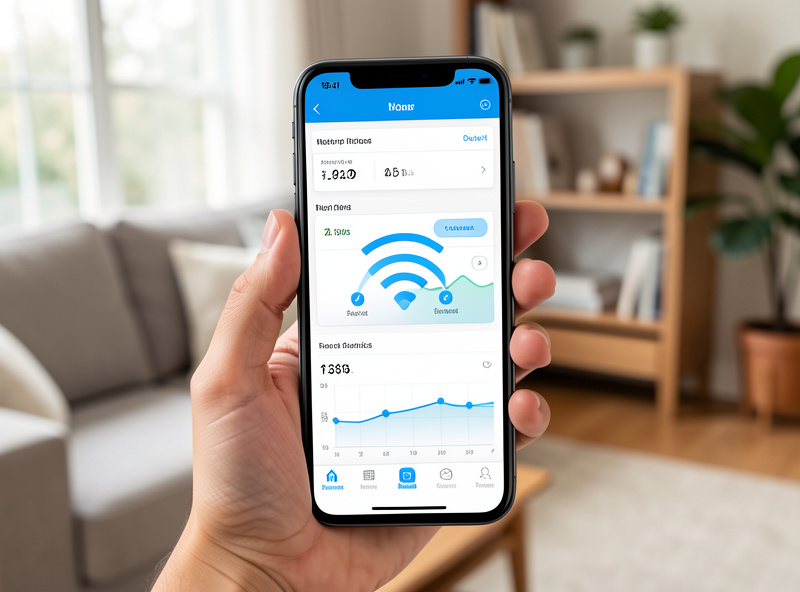
For any of this to happen, both ends need to be on board. The access point has to advertise MLO capability, and the client radio has to support it. Pair a Wi-Fi 7 AP with a Wi-Fi 6E laptop and you get a plain single-link connection on whichever band wins — no MLO at all. This mutual-support requirement is the first place hype meets reality, and it is worth checking before you assume a new AP is doing anything multi-link with your existing fleet of devices.
The Two Ways MLO Uses Those Links
MLO is not one behavior. It is a framework, and the driver picks a strategy per situation. There are two that matter for a home network, and they pull in different directions.
Throughput Aggregation (STR)
The mode the marketing loves is Simultaneous Transmit and Receive, or STR. Here the client genuinely uses both links at the same time and stripes data across them. If the 5 GHz link is carrying a certain rate and the 6 GHz link is carrying another, aggregation lets a single large transfer draw from both at once. That is where the “add the two bands together” throughput claims come from, and at close range with a clean spectrum, aggregation is real — you can see a single file copy pull meaningfully more than either band alone would deliver.
STR is demanding, though. Transmitting on one band while receiving on another close by causes self-interference, so true simultaneous transmit-and-receive requires enough band separation and radio isolation to keep the two from stepping on each other. That is exactly why the flagship pairing is 5 GHz plus 6 GHz rather than two channels in the same band — the gap between them makes clean STR feasible.
Latency and Reliability Steering
The mode I actually care about in day-to-day use holds one link as the workhorse and the second as a clean standby, steering packets across on a per-packet basis. Instead of chasing peak Mbps, the driver watches link quality and sends time-sensitive frames down whichever link is quietest right now. If your 6 GHz link hits a burst of interference, a latency-sensitive packet can go out on 5 GHz that same instant rather than queuing behind a retransmit.
This is the mode that smooths out a video call or a game. It does not raise your throughput ceiling — it shrinks the tail latency and jitter, the occasional 40 or 80 ms spikes that make a call stutter even when average bandwidth looks fine. For real-time traffic that felt improvement matters far more than another chunk of throughput you were never going to saturate anyway.
MLMR, eMLSR, and Why Your Phone Might Only Get Half
Two acronyms from the IEEE 802.11be spec show up in the fine print, and they map directly onto whether your client has the radio budget for full aggregation. Keep them at a high level and they are not hard.
MLMR — Multi-Link Multi-Radio — describes a client with two genuinely independent radios, one per band. That client can do true STR aggregation because it has the hardware to transmit and receive on both links at once. This is the premium config, and it is what you find in higher-end Wi-Fi 7 APs and a shrinking number of top-tier clients.
eMLSR — enhanced Multi-Link Single Radio — describes the far more common case: a client, often a phone, with one radio that can listen across both links but only actively transmit or receive on one at a time. It cannot aggregate throughput, because there is no second radio to stripe onto. What it can do is listen on both links, then dynamically switch to whichever one is clearest for a given exchange. So an eMLSR device gets the latency and reliability benefit — the fast, clean link selection — without the throughput-doubling.

This distinction is the single most misunderstood thing about MLO. Most people’s mental model is “MLO doubles my speed,” but most people’s phones are single-radio eMLSR clients that will never aggregate a thing. They still benefit — the responsiveness improvement is real — but it lands in latency and stability, not in the speed-test number they were expecting to double.
Hype vs Reality: Where the Gains Actually Land
Now the honest accounting. Aggregation throughput gains are real, but they are close-range and they are capped by physics and by your wiring. Two things put a hard lid on the headline number.
First, MLO only aggregates the air side. The moment your traffic leaves the AP it rides whatever is behind it — the Ethernet uplink, your router, your internet handoff. If your AP is wired back on a single gigabit link, no amount of air-side aggregation gets a single client past roughly gigabit toward the rest of your network or the internet. You would need a 2.5 GbE or faster uplink on that AP before aggregated air throughput has anywhere to go. In my setup the APs are wired back on PoE with multi-gig uplinks precisely so the wire is not the bottleneck, and even then, one client rarely needs it. This is why “wire matters more than radio” is a recurring theme once you get past the spec sheet.
Second, aggregation only shows its full margin at close range with clean spectrum. Move across the house, add walls, add a congested 6 GHz neighborhood, and the weaker link contributes less and less until aggregation is barely distinguishable from single-link. The doubled-throughput demo is a best-case bench result, not a whole-home guarantee.
So where does MLO earn its place? Latency and jitter reduction for real-time traffic. That is the win you will actually feel: fewer stutters on calls, tighter and more consistent response in games, faster recovery when a band gets noisy. It is a quality-of-experience upgrade, not a raw-speed one, and framing it any other way sets you up for disappointment when the speed test looks the same as your old Wi-Fi 6E link.
What MLO Does Not Do
One clarification I have to make, because people conflate them: MLO does nothing for network segmentation. It operates at the radio and MAC layer, deciding how frames move across links. Your VLAN structure lives above that. If you want your IoT gear isolated from your trusted devices, that is still 802.1Q tagging on the wire, SSIDs mapped to VLANs at the AP, and firewall rules between the subnets on your router.
In my setup every SSID maps to its own VLAN, and MLO changes none of that. A Wi-Fi 7 client on my IoT VLAN using two links is still boxed into the same subnet and the same firewall policy as it was on Wi-Fi 6. MLO is a transport optimization. Segmentation is a policy control. They live on different layers and MLO is not a shortcut around building your VLANs and rules properly.
Should You Care?
If you are shopping specifically for MLO, be honest about what you own. A Wi-Fi 7 AP paired with mostly Wi-Fi 6E clients gives you no MLO benefit until those clients turn over. A Wi-Fi 7 AP with newer phones and laptops gets you the eMLSR latency benefit broadly and true aggregation on the handful of dual-radio clients you own. For most homes the realistic outcome is smoother real-time traffic, not a doubled speed test — and that is still a worthwhile upgrade if you make a lot of calls or game on Wi-Fi.
If you want to look at hardware, a search for a Wi-Fi 7 access point with MLO support will surface current PoE-capable units worth wiring into a managed switch. As an Amazon Associate I earn from qualifying purchases.
Frequently Asked Questions
Does MLO double my Wi-Fi speed?
Only in the narrow case of a dual-radio client doing STR aggregation at close range with clean spectrum. Most clients are single-radio eMLSR devices that get latency and reliability gains instead of a doubled throughput number, so the headline figure rarely materializes at home.
Do both my access point and device need to support MLO?
Yes. MLO is a mutual capability. A Wi-Fi 7 access point paired with a Wi-Fi 6E client falls back to a normal single-link connection on one band. You get no multi-link behavior at all until both ends are Wi-Fi 7 and advertise MLO.
What is the difference between MLMR and eMLSR?
MLMR means multi-radio: two independent radios that can transmit and receive on both links at once, enabling true throughput aggregation. eMLSR is single-radio: it listens across both links but transmits on one at a time, delivering latency and reliability benefits without aggregating throughput.
Which bands does MLO usually combine?
The flagship pairing is 5 GHz plus 6 GHz. The separation between those bands makes clean simultaneous transmit and receive feasible by reducing self-interference. Combining two channels in the same band is far harder for a client to do without stepping on itself.
Does MLO help with my VLAN segmentation?
No. MLO works at the radio and MAC layer and has no effect on segmentation. Isolating IoT or guest devices is still done with 802.1Q VLAN tagging, SSIDs mapped to VLANs at the access point, and firewall rules on your router between the subnets.
Is MLO worth upgrading for right now?
If you make frequent calls or game on Wi-Fi and own newer devices, the smoother latency is a genuine benefit. If your clients are mostly Wi-Fi 6E, hold off — you will see no MLO gain until those devices are replaced with Wi-Fi 7 hardware.
Keep Reading
- The complete Wi-Fi 7 home network guide — where MLO fits in the bigger picture.
- Wi-Fi 7’s 320 MHz channels and the 6 GHz band — the spectrum that makes clean MLO possible.
- Is Wi-Fi 7 worth it? — an honest look at whether the upgrade pays off.
- Best Wi-Fi 7 access point for a home network — PoE-capable units worth wiring in.
- Wi-Fi 6E vs Wi-Fi 7 — what actually changed between the two generations.