
For a home network in 2026, run Suricata. It’s multithreaded, it scales across the cores in a modern firewall appliance, and it’s the better-supported package on both OPNsense and pfSense. Snort 3 is genuinely good and closed most of the old gap, but for the box that has to route, run a VPN, and inspect traffic at the same time, Suricata’s threading is the deciding factor in my setup.
That’s the verdict. The reason it’s the verdict — and the handful of cases where Snort still makes sense — needs the detail, because both tools share so much DNA that the marketing makes them sound identical. They’re not, and the differences show up exactly where a home lab feels them: CPU load on cheap hardware, how rule sets are managed, and how each behaves when you flip it from detection into blocking.
The short answer for a home network
Suricata and Snort are both signature-based intrusion detection engines: they compare packets against rules and fire named alerts when something matches. They even consume largely the same rules — the Emerging Threats Open ruleset runs on either. (Suricata and Snort both publish their engine internals openly.) The practical split is architectural. Suricata was built multithreaded from the start, so it spreads inspection across every core you give it. Classic Snort (version 2.x) was single-threaded, which on a busy gigabit link meant one core pinned at 100% while the others sat idle. Snort 3, released to address exactly this, added a multithreaded design and is competitive again — but on a home firewall the path of least resistance is Suricata, because it’s the more mature package on both major firewall platforms. If you’re still choosing between those platforms first, my OPNsense vs pfSense comparison is the place to start; the IDS choice is downstream of it.

Threading and CPU: the difference your hardware feels
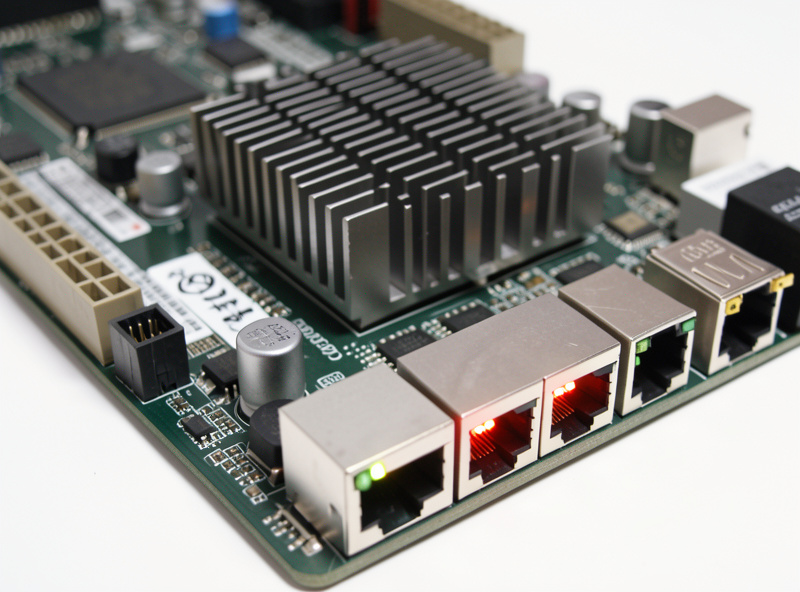
This is where the choice stops being academic. Inspecting traffic at line rate is CPU-heavy, and running an IDS roughly doubles a firewall’s processing load. On a multi-core x86 appliance — the fanless quad-port boxes most home labbers run — Suricata hands each worker thread a slice of the traffic and keeps up with gigabit comfortably. Hand the same job to single-threaded Snort 2 and you bottleneck on one core long before you saturate the link.
Snort 3 fixed this with its own multithreaded packet processing, so the gap is no longer the chasm it was a few years ago. But two things keep me on Suricata for home use: its threading has more road behind it on firewall distributions, and its EVE JSON output is a cleaner feed for the dashboards and log pipelines you’ll inevitably want. If your firewall hardware is modest — an older dual-core box or a low-power SBC — Suricata’s threading is the difference between an IDS you can leave on and one that throttles your throughput. Either way, size the hardware to your line speed before you enable inspection; an underpowered box is the most common reason a home IDS gets quietly disabled.
Rule sets: mostly shared, with a catch
Both engines run the Emerging Threats Open ruleset, which is the free, community-maintained set most home labs live on. The historical wrinkle is the official Snort “Talos” subscriber rules: the registered-user set is delayed by 30 days versus paying subscribers, and those rules are written in Snort’s syntax. Suricata reads ET rules natively and can use most Snort-format rules too, which in practice means Suricata users rarely feel locked out of anything a home network needs.
For a home network the ET Open ruleset plus disciplined tuning covers the realistic threat model. You do not need a paid subscription to detect the things that actually reach a residential connection — commodity malware, scan-and-exploit attempts, known-bad infrastructure. What you do need is to cut down the default rules to what applies to you, which matters far more than which engine ships them. That work is the same on both engines and I cover it in tuning IDS rules for home networks.
IDS vs IPS behavior
Both engines do detection (alert only) and inline prevention (drop the packet). The mechanics differ slightly — on pfSense and OPNsense, inline IPS mode with Suricata uses the netmap framework for performance, and there are interface and hardware-offload caveats worth reading before you enable it. The behavior you care about is the same on either: a false positive in blocking mode drops a legitimate connection, so you run detection for weeks first and promote categories to blocking only once they’ve proven trustworthy.
| Factor | Suricata | Snort 3 |
|---|---|---|
| Threading | Multithreaded (native) | Multithreaded |
| Maturity on pfSense/OPNsense | Excellent, primary package | Good, available package |
| Rule compatibility | ET + most Snort rules | Snort + ET rules |
| Structured output | EVE JSON (clean, easy to ship) | JSON in Snort 3 |
| Free subscriber-rule delay | n/a (uses ET Open) | 30-day delay on registered Talos rules |
| Best home fit | Default choice | If you prefer its ruleset workflow |
When Snort still makes sense
I’m not anti-Snort. If you already know Snort’s rule syntax, if you specifically want to write or read rules in the format the official Talos set uses, or if you’re following a course or book built around Snort, then running it is the right call — the learning transfers and the detection quality is there. Snort 3’s configuration is more modular than Snort 2 was, and people who enjoy that depth tend to stick with it. The engine isn’t the weak link in a home IDS; tuning and monitoring are. A well-tuned Snort beats a neglected Suricata every day of the week.
What I’d steer you away from is agonizing over the decision. Both are capable signature engines. Pick Suricata for the smoother default on home firewall hardware, pick Snort if you have a specific reason to prefer it, and then spend your real energy on the parts that determine whether the thing is useful: placement, tuning, and actually reading the output. If you’re on pfSense, the Suricata install walkthrough gets you running in an evening, and the deeper end-to-end pfSense Suricata IDS/IPS tutorial covers the production config.
What the choice looks like once it’s running
Here’s the part the comparison charts never show: a week after you pick either engine, you won’t think about the name on the box again. What you’ll think about is the alert that just fired. In my setup Suricata sits on the LAN-side interfaces, scoped per VLAN, and the alerts that earn a second look are the same ones Snort would have caught — an IoT device reaching for an address it has no business contacting, a plaintext exploit probe that slipped past the reputation feeds, a host suddenly speaking a protocol it never used before. The engine found it; the value came from me having tuned the rules down far enough that the alert wasn’t buried under a thousand benign ones.
That’s why I keep insisting the engine debate is the least important decision in the stack. Suricata’s threading earns its default spot because it keeps the firewall responsive while inspecting, but if you ran a tuned Snort 3 on the same box, your daily experience — the alerts you read, the ones you suppress, the one that actually mattered — would be nearly identical. Put your effort where the payoff is. Reading those alerts well is a learned skill, and it’s the one I’d build next in reading IDS logs for beginners.
Don’t confuse either with a DNS filter
One clarification that saves beginners a lot of confusion: neither Suricata nor Snort is a replacement for DNS and IP reputation blocking. A tool like pfBlockerNG blocks connections to known-bad domains and addresses by list; the IDS engines inspect packet contents and recognize attack behavior. They’re different layers that work together, and I break the distinction down fully in pfBlockerNG vs Suricata. The whole picture — where each layer sits, in what order to build them — lives in the home network intrusion detection guide.
Frequently Asked Questions
Is Suricata or Snort better for a home network?
For most home networks, Suricata. It is multithreaded so it uses all the cores in a modern firewall appliance, it is the more mature package on both pfSense and OPNsense, and its EVE JSON output is easy to feed into dashboards. Snort 3 is a strong alternative if you prefer its rule workflow.
Do Suricata and Snort use the same rules?
Largely yes. Both run the free Emerging Threats Open ruleset, which covers the realistic home threat model. Suricata reads ET rules natively and most Snort-format rules too. The official Talos subscriber rules are written in Snort syntax and delayed 30 days for free registered users, but home networks rarely need them.
Will Suricata slow down my home internet?
Only if the hardware is underpowered. Running an IDS roughly doubles a firewall’s CPU load. On a multi-core x86 appliance, Suricata’s threading keeps up with gigabit comfortably. On an older dual-core box or a single-board device, throughput can drop. Size the hardware to your line speed before enabling inline blocking.
Is Snort still single-threaded?
Snort 2.x was single-threaded, which bottlenecked one CPU core on busy links. Snort 3 introduced a multithreaded design and is competitive with Suricata again. The legacy single-thread limitation only applies to the old Snort 2 branch, which you should not deploy new in 2026.
Can I run both Suricata and Snort at once?
You can install both, but running two full signature engines inline on the same home firewall doubles the CPU cost for little gain, since they detect largely the same threats from the same rules. Pick one engine and instead pair it with a different layer, like DNS and IP reputation filtering, which catches things signatures miss.
Related Reading
- Home Network Intrusion Detection: The Complete Guide
- Installing Suricata on pfSense
- Tuning IDS Rules for Home Networks
- pfBlockerNG vs Suricata
- Reading IDS Logs for Beginners