
ZFS is the reason a modern NAS can promise your data is correct, not just present. It checksums every block it writes, verifies every block it reads, and repairs silent corruption automatically from redundancy — which is something a normal filesystem on a normal RAID card simply cannot do. If you’re building a NAS rather than buying an appliance, understanding ZFS is the difference between a pool that protects your data for years and one you accidentally lock into a corner you can’t get out of.
I run ZFS on my TrueNAS box and I’ve laid out, scrubbed, snapshotted, and rebuilt enough pools to explain it without the enterprise jargon. This is the conceptual foundation under the whole home NAS guide: pools and vdevs, checksums and scrubs, snapshots, the ARC cache, and the one layout decision that bites beginners. No command-line wall — just the model you need in your head before you create a pool you’ll live with.
Pools and Vdevs: The Core Model
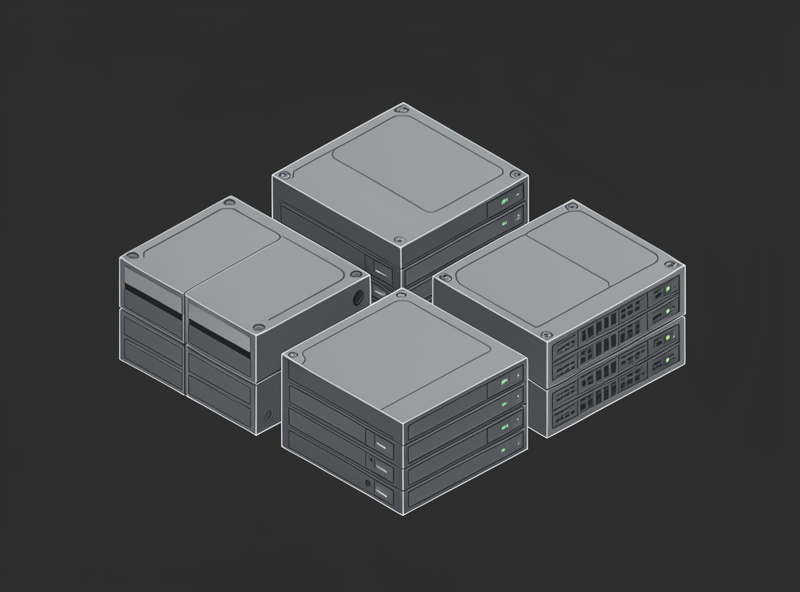
ZFS storage is built in two layers: vdevs (groups of disks with their own redundancy) and a pool (your total usable storage, made of one or more vdevs striped together). Data is spread across the vdevs in a pool, and a pool can only tolerate failures up to what each of its vdevs can survive — which is why vdev layout is the decision that matters most.
Think of it bottom-up. You take disks and arrange them into a vdev with a redundancy type — a mirror (two or more copies of the same data) or RAIDZ (parity across the disks, like RAID5/6 but smarter). That vdev can survive a certain number of disk failures. Then you combine one or more vdevs into a pool, and ZFS stripes your data across all of them. The crucial, often-missed rule: a pool is only as resilient as its weakest vdev, and losing a whole vdev loses the entire pool. So if you build a pool from two RAIDZ1 vdevs and one vdev loses two disks, the pool is gone — not just that vdev. This is why I think hard about vdev layout before creating anything, because you commit to it for the life of the pool.
Checksums and Self-Healing
Every block ZFS writes gets a checksum stored separately, and every block it reads is verified against that checksum — so ZFS knows immediately if data came back wrong. When it finds a mismatch and the pool has redundancy, it pulls the good copy from the mirror or parity and rewrites the bad block automatically. That’s self-healing, and it’s the feature that makes ZFS worth the trouble.
This matters because of a quiet failure mode normal filesystems ignore: bit-rot. A drive can hand back data that’s subtly wrong — a flipped bit from age, a marginal sector, a controller hiccup — and a conventional filesystem has no way to know; it passes the corruption straight to you, and your backup faithfully copies the corrupted file. ZFS catches it because the checksum no longer matches, and with redundancy it fixes it before you ever see it. Without redundancy, ZFS can still detect the corruption and tell you which file is damaged, which is more than a normal filesystem offers, but it can’t repair it — another reason the redundancy in your vdev layout earns its keep.
Scrubs
A scrub is ZFS reading every block in the pool and checking it against its checksum, repairing any mismatch it finds from redundancy — proactive maintenance that catches bit-rot before it spreads or before a drive failure forces a rebuild onto already-corrupted data. You schedule scrubs to run automatically, typically every week or two.
The reason scrubs matter is timing. Corruption that sits undiscovered until a disk fails is the worst case: now you’re rebuilding a vdev and you discover the redundant copy was also bad, with no third copy to recover from. A regular scrub finds and fixes that latent corruption while the pool is still fully redundant, so a later drive failure has clean data to rebuild from. On my pool, scrubs run on a schedule and I glance at the result; a clean scrub is a quiet confirmation the pool is healthy, and a scrub that repairs blocks is an early warning to watch the drive that produced them. It’s the single best habit in ZFS ownership, and it’s free.
Snapshots
A ZFS snapshot is a frozen, read-only view of a dataset at a moment in time, and it’s nearly free because ZFS only stores the differences as data changes afterward. Snapshots let you roll a share back to how it looked last Tuesday in seconds, recover a file you deleted, or undo a bad change — and they’re the foundation of efficient off-site replication.
Because ZFS is copy-on-write — it never overwrites a block in place, it writes a new one — a snapshot costs almost nothing at creation: it just pins the old blocks so they aren’t reclaimed. Over time a snapshot grows only by the amount of data that changed since it was taken. I keep a rolling schedule of them: frequent recent snapshots, thinning out as they age, so I can roll back a dataset or pull a single deleted file without touching a backup. The killer feature is replication: ZFS can send the difference between two snapshots to another machine, which is how you get efficient incremental off-site backups. But the discipline to remember — and I’ll say it in every NAS article because it’s the one that saves people — a snapshot is not a backup. It lives on the same pool; if the pool dies, the snapshots die with it. Snapshots are for “undo,” off-site replication is for “disaster.”
ARC: Why ZFS Loves RAM
ARC is ZFS’s read cache, and it lives in RAM — the more memory the system has free, the more of your frequently-accessed data ZFS serves from RAM instead of disk. This is why ZFS feels fast despite all the integrity work it does on every read and write, and why “give ZFS plenty of RAM” is the standard advice.
ARC is adaptive: it keeps both recently-used and frequently-used data, so a working set that fits in RAM gets served at memory speed. On a NAS, this is most of why it feels snappy — the metadata and hot files live in ARC, and the disks only get touched for cold data. The old “1 GB per TB” rule is a loose floor, not a hard requirement; ZFS runs leaner, it just caches less and leans on the disks more. What I do is give the box a comfortable amount of RAM and let ARC use whatever the rest of the system isn’t using. If the same box runs VMs or containers, remember they compete with ARC for memory, so budget for both. RAM is the cheapest performance you can add to a ZFS NAS, but the drive choice is what determines long-term pool health — CMR versus SMR matters as much as capacity. The best NAS hard drives guide covers which models hold up under continuous ZFS workloads., which is the whole reason the build guides push it.
The One Decision That Bites Beginners
The mistake that traps new ZFS users is vdev layout — specifically, expanding a pool in a way that locks in poor redundancy or strands capacity. You decide your vdev type and width when you create the pool, and historically you couldn’t easily change it, so a hasty layout follows you for the life of the pool. Before committing to vdev width and parity, the RAID levels explained guide walks through mirror vs RAIDZ1 vs RAIDZ2 trade-offs by drive count so you can pick with confidence..
The classic trap: someone builds a pool with one vdev, fills it, then adds a single disk expecting it to “join the array” — and learns that ZFS adds vdevs to a pool, not loose disks to an existing vdev. So they end up adding a second vdev with weaker redundancy, or a single-disk vdev with none, quietly making the whole pool only as safe as that weak addition. (ZFS has gained per-disk RAIDZ expansion more recently, but it’s slower and doesn’t rebalance existing data, so planning still beats relying on it.) The fix is simple: decide your final-ish shape before you create the pool. Pick a vdev type and width that matches your drive count and the failure tolerance you want. Once the pool is running, how you expose it to the rest of the network — static IP, share protocols, and VLAN placement — is covered in the NAS network setup guide. — RAIDZ2 for data you care about, mirrors when you want rebuild speed and clean expansion — and grow by adding matching vdevs, not mismatched scraps. Get that one decision right and ZFS rewards you with years of quiet, self-checking, self-healing storage. The redundancy math behind which level to pick is its own topic worth reading before you commit.
Frequently Asked Questions
What is the difference between a ZFS pool and a vdev?
A vdev is a group of disks with its own redundancy, such as a mirror or a RAIDZ group. A pool is your total storage, built from one or more vdevs striped together. The key rule is that losing any single vdev loses the entire pool, so vdev layout is the most important decision.
Does ZFS protect against bit-rot?
Yes. ZFS checksums every block and verifies it on read, so it detects silent corruption a normal filesystem would pass on unnoticed. With redundancy in the vdev, it repairs the bad block automatically from a good copy. Without redundancy it can detect but not repair the corruption.
How often should I scrub a ZFS pool?
Most home setups scrub every one to two weeks on an automatic schedule. A scrub reads and verifies every block, repairing latent corruption while the pool is still fully redundant, so a later drive failure has clean data to rebuild from.
Is a ZFS snapshot a backup?
No. A snapshot is a fast, space-efficient way to undo changes or recover deleted files, but it lives on the same pool. If the pool fails, the snapshots fail with it. Use snapshots for undo and replicate them off-site for real disaster protection.
How much RAM does ZFS need?
ZFS runs on modest RAM but performs better with more, because it uses free memory as its ARC read cache. The old 1 GB per TB guideline is a loose floor, not a requirement. Give the box a comfortable amount and budget extra if it also runs VMs or containers.