An ipv6 home network setup guide only has to answer one thing well: how do you take the single delegated prefix your ISP hands you and turn it into a segmented, firewalled, dual-stack network that behaves. The short version: you get a prefix (commonly a /56), you carve it into /64s, you give one /64 to each VLAN, and the firewall — not NAT — is what keeps the inbound world out.
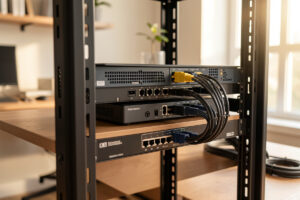
I run this exact layout at home. OPNsense on a fanless multi-NIC box sits in front of a Proxmox host, a managed switch trunks 802.1Q VLANs out to the workshop and the rest of the house, and every one of those segments — MANAGEMENT, LAN, WORK, KIDS, GUEST, IOT, LAB — now carries IPv6 alongside IPv4. None of that required me to throw away the IPv4 design I already had. IPv6 layered on top of the segmentation I trust. This guide is the map I wish someone had handed me before I started, written from the rack rather than from the RFC index.
What IPv6 Actually Changes on a Home Network
The single biggest mental shift: there is no NAT. In IPv4 your devices hide behind one public address and a NAT table, and that table accidentally acts like a firewall. In IPv6, every device can hold a globally routable address. Nothing is hidden by default — which means the stateful firewall is the only thing standing between your IoT plug and the open internet. That sounds alarming until you internalize it: a default-deny inbound rule does exactly what NAT did, on purpose instead of by accident.
The second shift is scale. Your ISP does not hand you one address — it delegates a whole prefix. A /56 is 256 separate /64 networks. Each of my VLANs gets its own /64, and a /64 still contains 18 quintillion addresses. You stop thinking in terms of “how many devices” and start thinking in terms of “how many networks,” which maps perfectly onto a VLAN design. If you have already built out network segmentation on IPv4, IPv6 drops straight onto the same boundaries.
The Address Types You Have to Know
IPv6 gives every interface several addresses at once, and that confuses people coming from one-IP-per-NIC IPv4. There are three scopes that matter at home, and knowing which is which saves you hours of “why can’t this ping” later.
Link-local (fe80::/10) exists on every IPv6 interface automatically and never routes past the local link — it is how Neighbor Discovery, the IPv6 replacement for ARP, talks. Global Unicast (GUA, 2000::/3) is the routable public address built from your ISP’s delegated prefix; this is what the internet sees. Unique Local (ULA, fd00::/8) is the IPv6 equivalent of RFC 1918 private space — stable, internal-only, and the thing that saves you when your ISP prefix rotates and every GUA in the house changes overnight.
| Scope | Range | Routes to internet? | What I use it for |
|---|---|---|---|
| Link-local | fe80::/10 | No (local link only) | NDP, router as default gateway |
| Global Unicast (GUA) | 2000::/3 (from ISP prefix) | Yes | Real dual-stack reachability per device |
| Unique Local (ULA) | fc00::/7 (use fd00::/8) | No | Stable internal addressing across prefix changes |
My rule of thumb: run ULA and GUA together. ULA gives your internal DNS records and inter-VLAN rules a stable target that does not move when the ISP renumbers you; GUA gives the actual internet path. Devices use Happy Eyeballs and the longest-prefix-match rules to pick the right source automatically.
How Your ISP Hands You a Network: Prefix Delegation
This is the part nobody explains before you flip IPv6 on, and it is the part that determines whether the whole thing works. Your router does not just request an address on the WAN — it sends a DHCPv6 Prefix Delegation (PD) request, and the ISP delegates a block. A good ISP gives you a /56 (256 /64s) or even a /48; a stingy one gives a /60 (16 /64s); a broken one gives a single /64, which you cannot subnet, which means per-VLAN IPv6 is dead on arrival.
Before you design anything, find out what your ISP delegates. If it is a /56 or larger, you have room for every VLAN you will ever build. If it is a /64, you either bridge (and lose segmentation on v6) or you live on ULA internally and accept NPTv6 ugliness. I walk through requesting and verifying the delegation in detail in the IPv6 prefix delegation guide — start there if your per-VLAN addresses never show up. It also pairs closely with the CGNAT and double-NAT diagnosis, because the same ISP that CGNATs your IPv4 is often the one being generous with IPv6.
SLAAC vs DHCPv6: Two Ways Addresses Get Assigned
Once a /64 lands on a VLAN, the clients on it need to actually configure addresses. IPv6 has two mechanisms and they coexist, which is why it feels more complicated than DHCP. SLAAC (Stateless Address Autoconfiguration) works off Router Advertisements: the router announces the prefix, and each device builds its own address. DHCPv6 hands out addresses statefully, like IPv4 DHCP, and can also just hand out options like DNS without addresses (stateless DHCPv6).
The Router Advertisement carries three flags that decide the behavior: the A flag (autonomous — use SLAAC), the M flag (managed — get your address from DHCPv6), and the O flag (other — get DNS and options from DHCPv6). The gotcha that bites homelabbers: Android does not implement DHCPv6 address assignment at all. If you run DHCPv6-only with SLAAC off, every Android phone on that VLAN gets no IPv6. Run SLAAC, or SLAAC plus stateless DHCPv6 for DNS, and everything works. The full breakdown lives in DHCPv6 vs SLAAC explained.
One Prefix, Many VLANs: Mapping IPv6 Onto Your Segments
Here is where the homelab design pays off. With a /56 delegated, OPNsense lets each internal interface “track” the WAN delegation and pull a different /64 out of it by prefix ID. I assign them deliberately: prefix ID 0 to MANAGEMENT, 1 to LAN, 2 to WORK, 3 to KIDS, 4 to GUEST, 5 to IOT, 6 to LAB. That mapping is written down and never improvised, because when a firewall rule references a network you want to know exactly which /64 it is.
The same trust zones I enforce on IPv4 carry straight over: the IOT /64 gets no internet egress except whitelisted endpoints, GUEST is fully isolated, and inter-VLAN traffic stays default-deny with explicit allow rules. If you are building those segments from scratch, the home network VLAN guide and the IoT VLAN walkthrough cover the IPv4 side; this cluster adds the v6 layer on top. The exact per-interface clicks are in the OPNsense IPv6 configuration guide.
Firewalling Without NAT: “No NAT” Does Not Mean “Wide Open”
This is the rule that scares people off IPv6, and it is backwards. Yes, every device has a public address. No, that does not mean the internet can reach it — not if your firewall does its job. OPNsense and pfSense both default the IPv6 WAN to block all inbound, exactly like the implicit NAT wall on IPv4. The difference is that now it is an explicit, auditable rule instead of a side effect.
The one mistake that actually breaks IPv6 is over-blocking. You must not block all ICMPv6. IPv6 depends on ICMPv6 for Neighbor Discovery, Router Advertisements, and Path MTU Discovery — kill it wholesale and you get a network that half-works in maddening ways. Allow the necessary ICMPv6 types, keep inbound default-deny, and open only what you intend to. I lay out the exact rule set, including which ICMPv6 types to permit, in IPv6 firewall rules, and it builds on the same logic as my OPNsense firewall rules and VLAN firewall rules for IPv4.
Privacy on IPv6: What Leaks and What Doesn’t
The old fear is that a stable, derived address (EUI-64 built from the MAC) lets every site track your specific device forever. Modern operating systems fixed the device half of that with privacy extensions (RFC 8981): they generate temporary addresses with random interface identifiers that rotate, so the host portion stops being a fingerprint. Windows, macOS, iOS, and Android all default to these now.
What privacy extensions do not hide is the network half. The /64 prefix still comes from your ISP, and if that prefix is stable, it identifies your household the way a static IPv4 would. That is the real leak, and it is also the argument for ULA internally plus understanding how your ISP rotates the prefix. I separate the genuine tracking concerns from the FUD in IPv6 privacy extensions explained. DNS-level privacy is a separate layer entirely — that is what my redundant AdGuard Home and Pi-hole setup and Unbound recursive DNS handle.
Dual-Stack Reality and the Failure Modes
Most home IPv6 is dual-stack: v4 and v6 run side by side, and clients pick per-connection using Happy Eyeballs (RFC 8305). The client fires off both an IPv6 and an IPv4 connection attempt almost simultaneously and uses whichever answers first, preferring IPv6. When everything is healthy this is invisible. When your IPv6 path is half-broken — a bad RA, a blocked ICMPv6 type breaking PMTUD, an MTU mismatch on a PPPoE link — you get the classic symptom: sites load slowly, some fail, and disabling IPv6 “fixes” it. That is a misdiagnosis; the fix is repairing v6, not killing it.
Because the failure mode looks like a generic slow-network problem, it is easy to chase the wrong thing. I keep a symptom-to-cause checklist in dual-stack troubleshooting, and it overlaps with the broader slow-speed and DNS troubleshooting playbook. If you are still deciding whether the complexity is worth it at all, read the honest cost-benefit take in should you even enable IPv6 at home before you touch a single setting.
My Recommended Rollout Order
Do not flip everything at once. The order below is how I would bring up IPv6 on a segmented home network without spending a weekend debugging a network that was fine yesterday.
First, confirm the WAN gets a GUA and a delegated prefix — no prefix, no point continuing. Second, bring up IPv6 on exactly one trusted VLAN (your LAN) with SLAAC, verify a client gets a GUA and can reach the v6 internet. Third, lock the WAN inbound to default-deny and confirm ICMPv6 is permitted. Fourth, extend the per-VLAN /64 mapping out to the rest of your segments one at a time. Fifth, add ULA for internal stability and point internal DNS at it. Only then do you tighten the IOT and GUEST egress rules. Each step is verifiable on its own, which means when something breaks you know exactly which step did it. If you are building the underlying router from scratch, the DIY router setup and OPNsense setup guide are the IPv4 foundation this sits on, and security hardening ties it together.
ULA and GUA: Why I Run Both Together
I mentioned ULA above, but it earns a closer look because running it alongside your global addresses is the single decision that makes home IPv6 robust instead of fragile. GUA is your ISP-delegated, internet-routable address — necessary for anything reaching the outside world. ULA (I use an fd00::/8 block, randomly chosen as the standard recommends) is internal-only and, crucially, stable. It does not change when your ISP rotates your prefix, because you assigned it, not them.
The payoff is concrete. My internal DNS records for the NAS, the Proxmox host, and the reverse proxy all point at ULA addresses, and my inter-VLAN firewall rules reference ULA networks. When my delegated prefix renumbers — and on some ISPs that happens regularly — every GUA in the house changes, but nothing internal notices, because the internal plumbing was never tied to the global prefix in the first place. Without ULA, a prefix change turns into an afternoon of fixing references that suddenly point at addresses that no longer exist. With it, the renumber is a non-event. Devices pick the right source address automatically: ULA for internal destinations, GUA for the internet, governed by the standard source-address selection rules. It costs you one extra address per interface and buys you a network that shrugs off the one thing ISPs love to do to home connections.
Which Router Platforms Handle Home IPv6 Well
Not every router does prefix delegation and per-VLAN IPv6 equally, and the platform you pick decides how much of this guide you can actually implement. I have run all of these in front of the same Proxmox host at one point or another, so the verdicts below are from the rack, not the spec sheet. The non-negotiable feature is a DHCPv6-PD client that can request a prefix on the WAN and a way to track that delegation onto internal interfaces by prefix ID. Without both, the one-prefix-many-VLANs model falls apart.
| Platform | DHCPv6-PD + per-VLAN /64 | Control over RA / DHCPv6 flags | Home verdict |
|---|---|---|---|
| OPNsense | Full (track interface by prefix ID) | Per-interface, every RA mode exposed | My daily driver — the benchmark I measure the rest against |
| pfSense | Full (track interface by prefix ID) | Per-interface, equivalent to OPNsense | Just as capable; pick it on familiarity, not features |
| UniFi gateway | Yes, per-network IPv6 with PD | Simplified, fewer raw knobs | Fine if you live in the UniFi ecosystem; less granular |
| MikroTik RouterOS | Full, but manual | Total control, steep learning curve | Most powerful, least forgiving — scripted, not point-and-click |
| Typical ISP router | Usually flat /64, no downstream PD | Little to none | Fine for a phone and a TV, useless once you have VLANs |
The practical takeaway: if you are already on OPNsense or pfSense, you have everything you need and the rest of this cluster maps directly onto your config. If you run UniFi, IPv6 works but you trade away some of the per-VLAN flag control — you set a network to use IPv6 with prefix delegation and the controller makes most of the RA decisions for you, which is fine until you hit the Android-DHCPv6 gotcha and need to confirm SLAAC is actually on. MikroTik will do anything you ask, but you are writing it out by hand. And the ISP router is the one platform where my honest advice is to put it in bridge mode and let a real firewall handle the delegation — the single flat network it hands out is the thing this entire guide exists to replace.
One platform note that catches people: the router is only half the story — the managed switch carrying your VLAN trunk has to pass IPv6 multicast cleanly, because Router Advertisements and Neighbor Discovery are multicast, not broadcast. Any 802.1Q-capable managed switch handles that fine, but it is also where RA Guard lives. Enable RA Guard on access ports so a rogue device — a tethering phone, a misconfigured second router — cannot start advertising itself as an IPv6 gateway and black-hole the segment. That one switch feature is the difference between a stray Router Advertisement being harmless and it taking down a whole VLAN until you physically hunt down the offending port.
The IPv6 Myths Worth Dropping
A handful of stubborn myths keep people on IPv4-only longer than they should be, and clearing them out makes the rest of this guide land. “IPv6 is insecure because there’s no NAT.” Wrong — the stateful firewall blocks inbound by default and does exactly what NAT did, on purpose; the full reasoning is in the firewall rules guide. “My ISP router handles IPv6, so I don’t need to think about it.” An ISP router typically bridges or hands out a single flat network with no per-VLAN segmentation — fine for a phone and a TV, useless once you have trust zones.
“IPv6 is too hard for home use.” It is different, not hard: three layers — prefix, per-interface tracking, advertisements — done in order, and you are done. “You should just disable it to avoid problems.” That trades away reachability to mask a fixable misconfiguration, which is exactly the troubleshooting trap. And “privacy extensions mean IPv6 tracks you.” Backwards — privacy extensions exist to stop device tracking, as the privacy guide lays out. Drop these five and IPv6 stops being scary and becomes what it actually is: a cleaner addressing model that happens to need a deliberate rollout.
Frequently Asked Questions
Do I need to disable IPv4 to use IPv6 at home?
No. Home IPv6 is almost always dual-stack, meaning IPv4 and IPv6 run side by side. Clients use Happy Eyeballs to pick whichever path answers fastest per connection. You add IPv6 on top of your existing IPv4 design, you do not replace it.
What prefix size should my ISP delegate?
A /56 is ideal for a home network because it gives you 256 separate /64 subnets, one per VLAN with room to spare. A /60 (16 subnets) is workable. A single /64 cannot be subdivided, which breaks per-VLAN IPv6 and forces you onto ULA internally.
Is IPv6 less secure because there is no NAT?
No, provided your firewall is configured. IPv6 routers default to blocking all inbound connections, which does the same job NAT did on IPv4, just as an explicit rule. The risk is misconfiguration, not the protocol. Never block all ICMPv6 though, as IPv6 needs it to function.
Why does some Android device get no IPv6 address?
Android does not support DHCPv6 stateful address assignment. If your VLAN hands out IPv6 via DHCPv6 only with SLAAC turned off, Android clients get nothing. Enable SLAAC via Router Advertisements, optionally with stateless DHCPv6 for DNS, and Android works.
Should I run SLAAC or DHCPv6 on my home network?
SLAAC is the safe default for broad device compatibility, including Android. Use stateless DHCPv6 alongside it if you want to push DNS options. Reserve stateful DHCPv6 for segments where you need predictable, logged address assignment and have no Android clients.
Will my IPv6 addresses change when my ISP renumbers me?
Your global addresses can change if the ISP rotates your delegated prefix. That is why I run ULA addresses internally alongside GUA: ULA stays stable, so internal DNS records and inter-VLAN firewall rules keep working even when every public address in the house changes.
Related Guides
- Should You Even Enable IPv6 at Home? An Honest Cost-Benefit Take
- DHCPv6 vs SLAAC: How IPv6 Hands Out Addresses
- IPv6 Prefix Delegation: Getting a Subnet From Your ISP for Each VLAN
- IPv6 Firewall Rules: Why “No NAT” Doesn’t Mean Wide Open
- IPv6 on OPNsense: WAN, LAN, and Per-VLAN Configuration
- IPv6 Privacy Extensions and Tracking: What Actually Leaks
- Dual-Stack Troubleshooting: When IPv6 Breaks Sites and How to Fix It